


The first day of Alteryx felt a bit like the first signs of spring. Lots of DS-ers have been telling us how great it is and now the clouds have parted and the sun is shining and we get to understand the hype.
What tools do we have in Alteryx?
Transform
These tools can help prep / structure the data by converting columns to rows or rows to columns, aggregating, and counting rows in the dataset.
Summarise
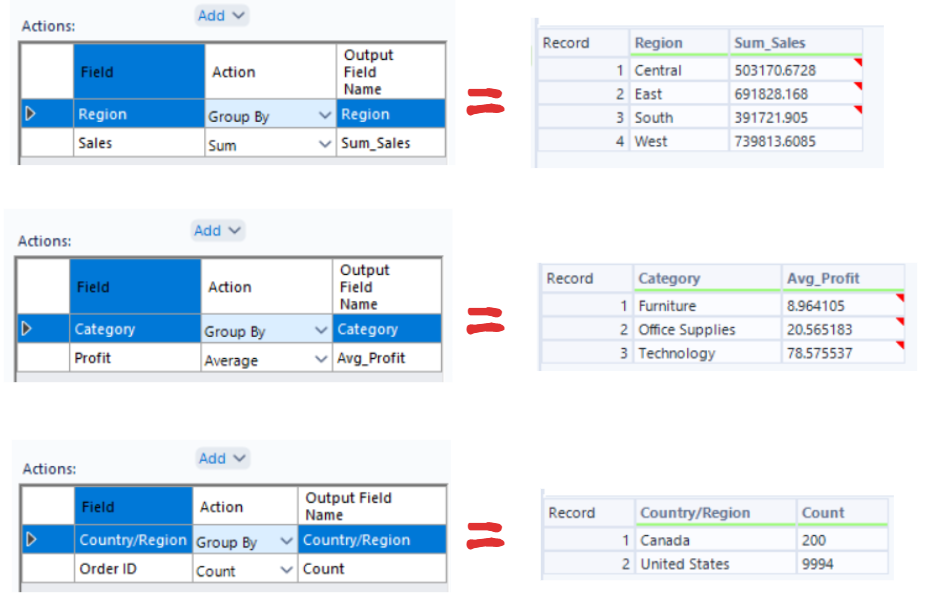
The Summarise tool unsurprisingly let's you.. summarise? It's great at grouping, counting, and calculating things.
We could calculate the SUM of Sales, grouped by Region; or the AVG Profit by Category; or the COUNT of Orders by Country.
Cross Tab vs Transpose
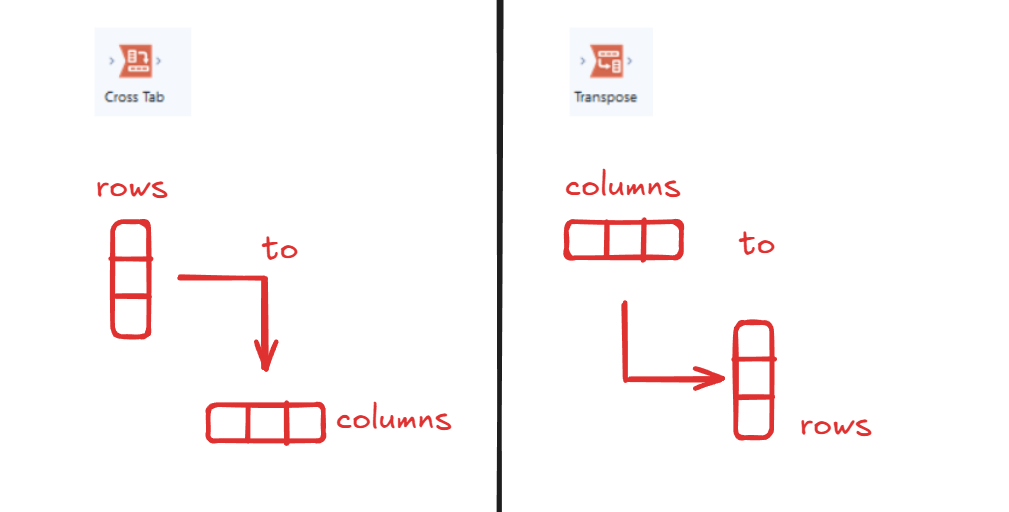
Of course every tool has to have a different name! Cross tab, transpose, pivot, un-pivot, please can they pick one name for each?
Luckily in Alteryx, the symbols are pretty self explanatory and shows if it's rows to columns or vice versa. If for some reason you don't have the symbols in front of you, you could remember transpose rhymes with columns to rows!
Count Records
Count Records does exactly what it sounds like, it counts how many rows are in your dataset and returns that number as a single value.
You could group customers by state, filter to one state, then use count records to count the number of rows to return the number of customers in that state.
Join

These tools can help combine data from multiple sources in different ways, you might want to add columns, or add rows, or match the different records by row number.
Append Fields
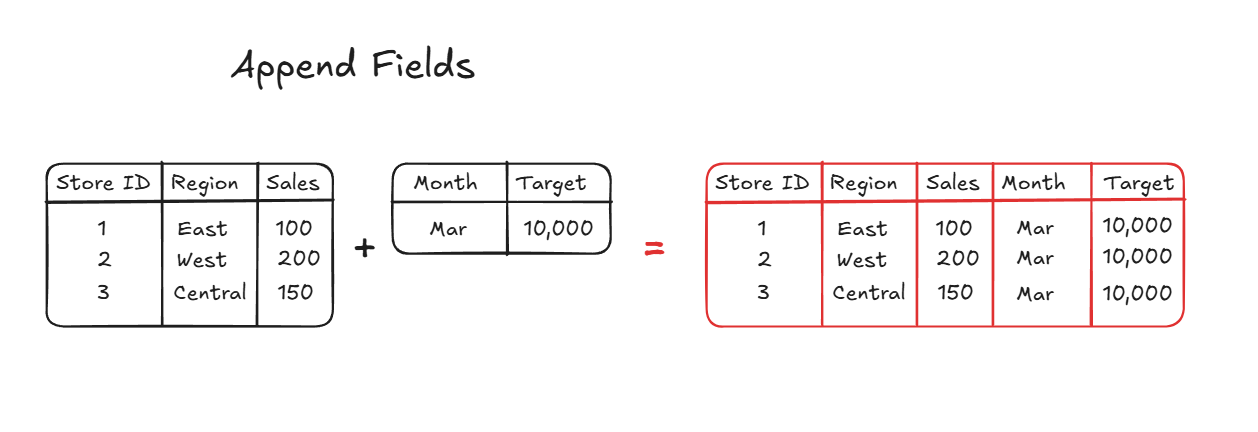
This tool adds columns from one dataset to every row in another dataset. So you might a dataset from a store with a orders table and a second table with the targets.
Union
Unions are the same as in Tableau Prep, it combines datasets by stacking rows on rows. Classically used when you have separate datasets for each month or for multiple years and you want to combine them into one big transactions dataset.
Join
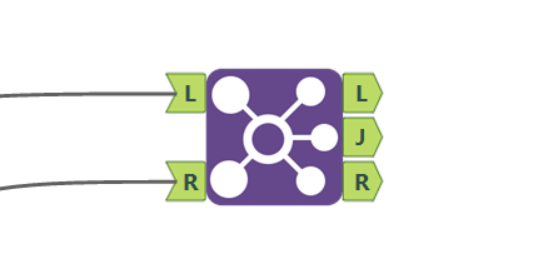
Like Tableau Prep, joins in Alteryx will combine datasets based on a shared field e.g. joining an Orders table and Customers table on Customer ID.
The thing that's different about it is the result. In Tableau Prep you have that Venn diagram visual to help you select whether you want an inner join, a left join, a right join etc. whereas in Alteryx, you have these three outputs L J and R; Left Outer Join, Inner Join, and Right Outer Join.
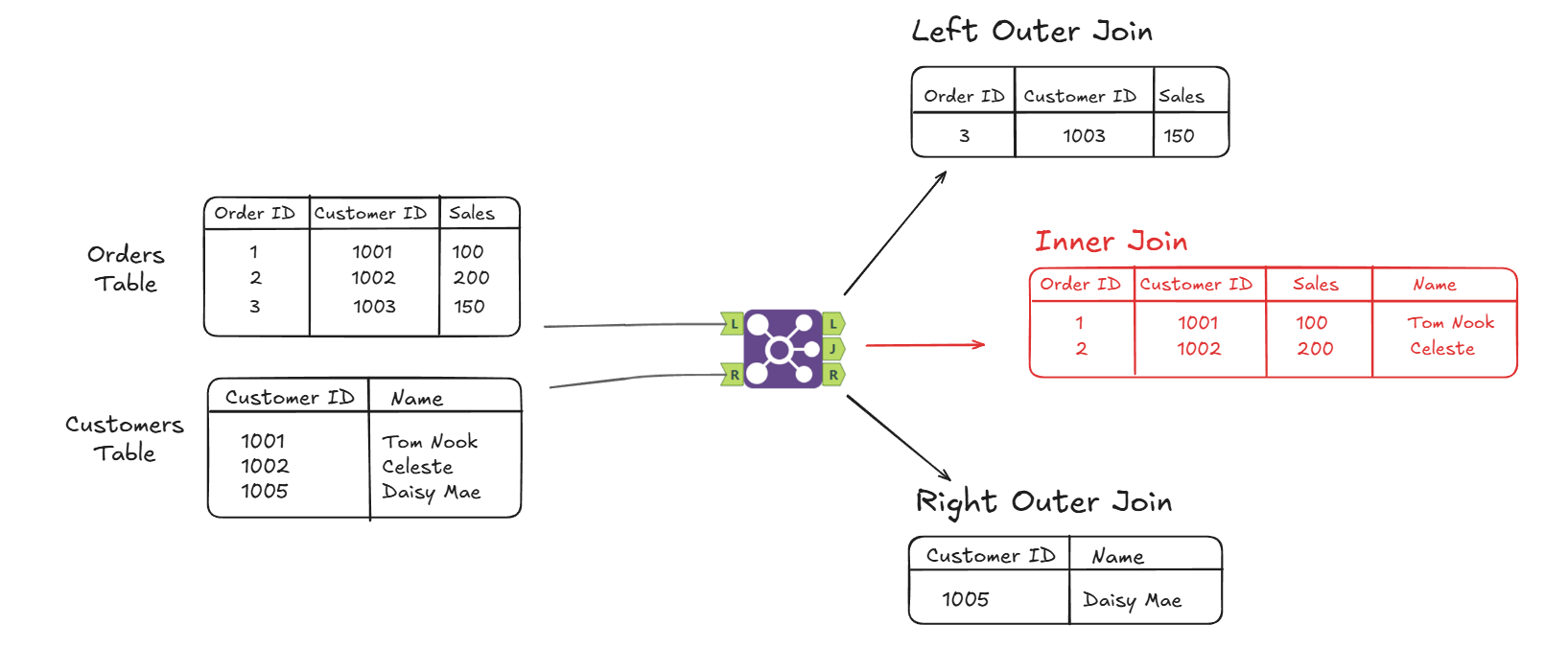
So in our example we can see the results of the "J" output - the inner join.
If we wanted to do a full left join, we would have to use a union to combine the "J" the inner join, and the "L" the left outer join, and then the output will have both the matched results and the unmatched results from the left table.
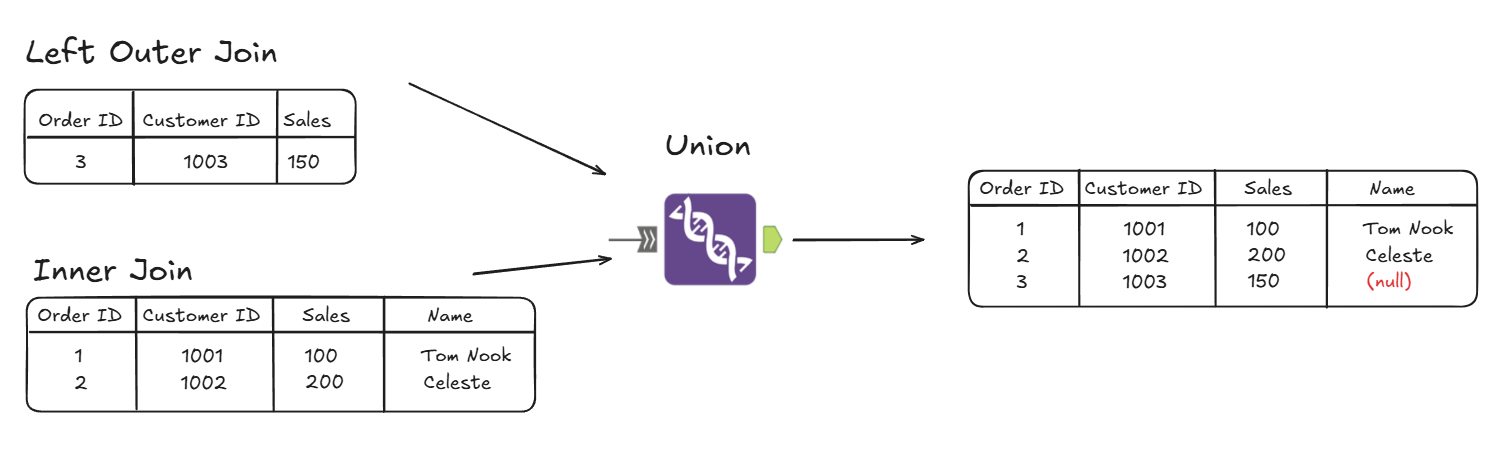
So from this we can see that we have both the inner join results, and the left outer join outputs as well. It will have a (null) for the name as that column was in the "right" table and there were no customer ID matches.
PARSE
If we input data that hasn't been cleaned we can use parse tools to break things down into a more usable structure. For example, you might have data stored wrong (e.g. dates stored as strings) or multiple values in one column; parsing can help to split columns or convert the data so that it's easier to work with.
Text to Columns
Sometimes data is put into a single column when it really shouldn’t be which is where the text to columns tool comes in. We can split a column into multiple fields based on a delimiter.
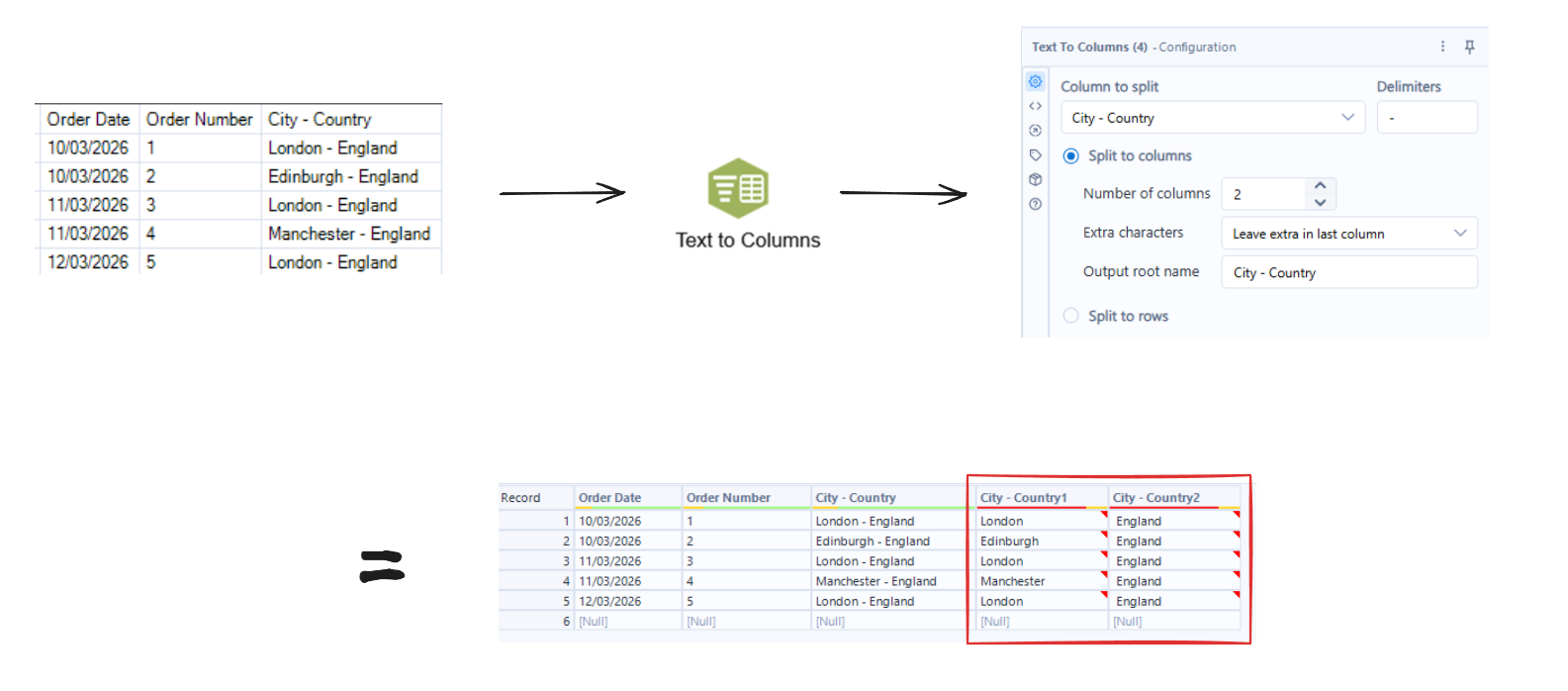
So in this example our data has a column with "City - Country" and we might want to split this into a city column and a country column.
So we choose the column to split, we add our delimiter, and then choose how many columns we want it to split into.
We can also split to rows. So this option is useful for when a single record contains multiple values in one field, and you want each value to have its own row. For example, you might have multiple product ID's per order so you might want to split to rows so that each line is a different product ID per order ID.