


When it comes to combining data in SQL, JOIN and UNION are your go-to tools, but they work in completely different directions.
JOIN vs. UNION at a Glance
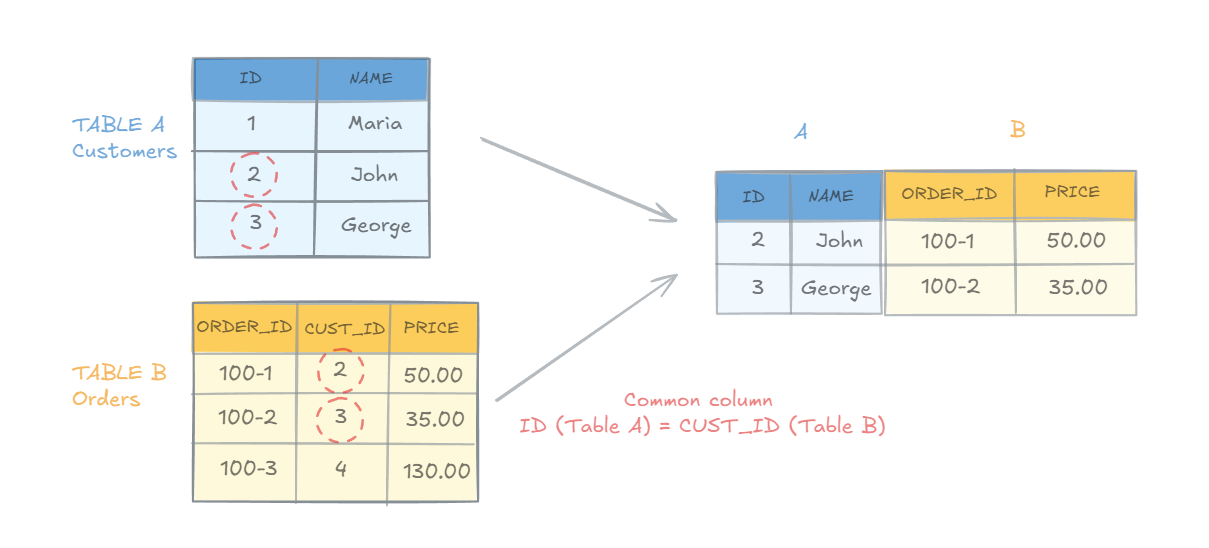
- JOIN (Horizontal Combination): This makes your data wider by adding columns. It merges two related tables side-by-side using a shared link, like a
customer_id. For example, you can use a JOIN to connect acustomerstable to anorderstable so you can see exactly who bought what.
- UNION (Vertical Combination): This makes your data longer by stacking rows. It takes the results of two separate queries and piles them on top of each other into one big list. For this to work, the tables must have the exact same number of columns in the exact same order.
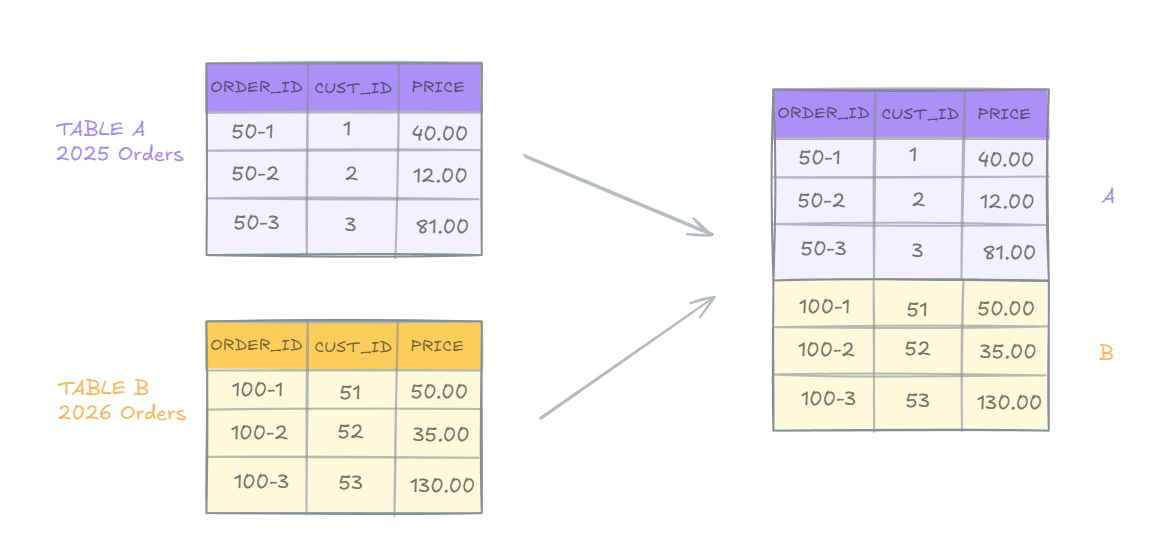
The Quick Mental Shortcut:Want to add more details about a record? Use a JOIN (adds columns).Want to add more records to a list? Use a UNION (adds rows).
Common Join Types
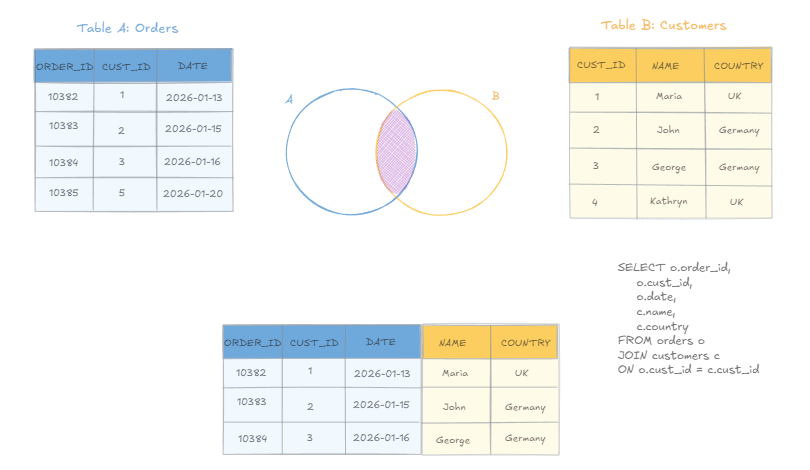
- JOIN (INNER JOIN)
Returns only matching rows from table A and table B.
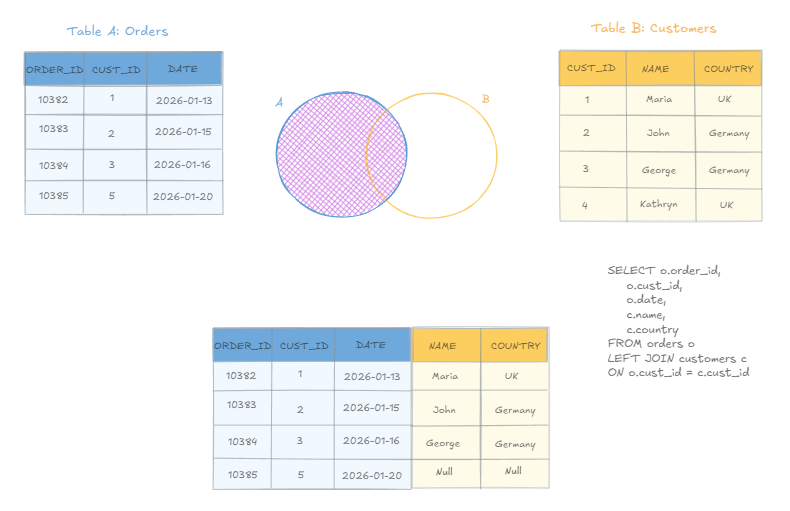
- LEFT JOIN
Returns all rows from table A and matching rows from table B. Anything that doesn't exist in table B for records in table A will be returned as Null.
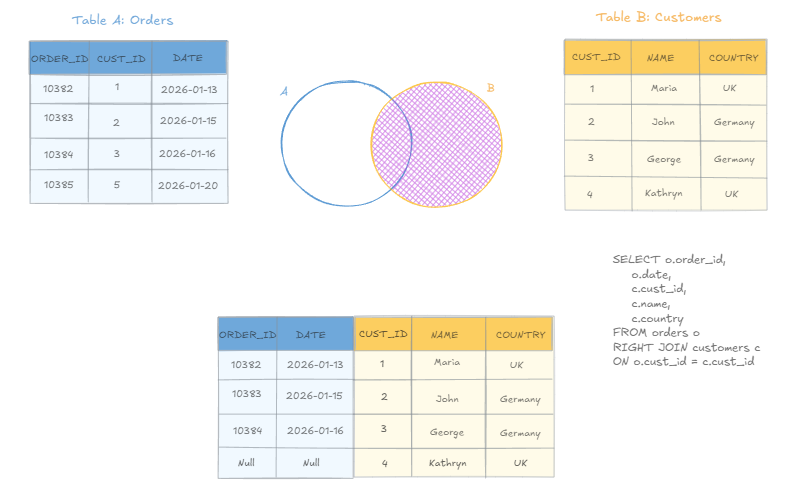
- RIGHT JOIN
Returns all rows from table B and matching rows from table A. The result would be identical to a table B LEFT JOIN table A, which is why most developers prefer to consistently use LEFT JOIN for better query readability.
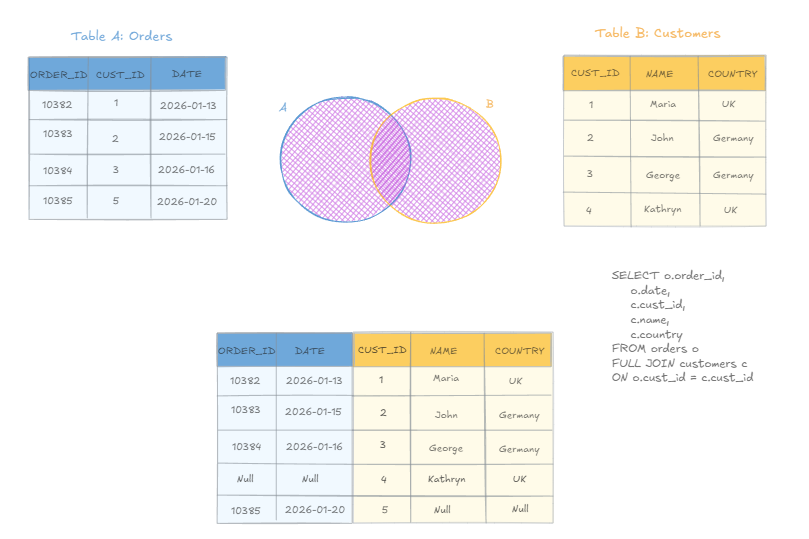
- FULL JOIN
Returns all rows from both tables. If a row in the left table has no match in the right table, the result set will include the left row's data and NULL values for all columns of the right table and vice versa. Note: this type of JOIN can potentially return very large tables - use with caution!
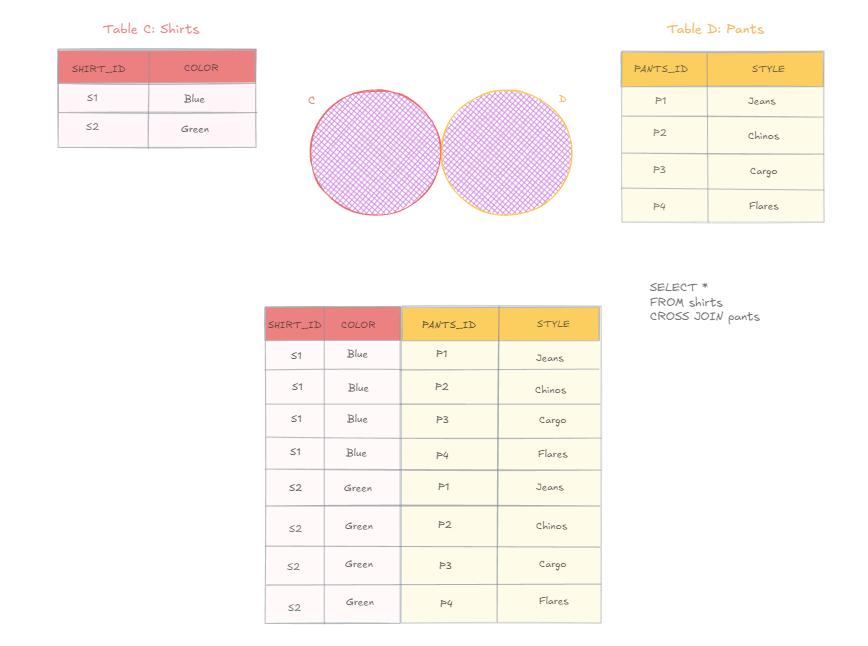
- CROSS JOIN
Combines every row from table A with every row from table B. CROSS JOINS are a bit different from the rest since they don't require a common field to match records from one table to another. The resulting table is a Cartesian product meaning that the cross join matches every single row from table A with every single row from table B. For example, below we have 2 rows in table A and 4 rows in table B. A CROSS JOIN will return 2 x 4 = 8 rows in total.
Common UNION types
- UNION
Combines the result-set of two or more SELECT statements. UNION removes all duplicate rows from the result set. For example, below we have two tables; table A (Customers) and table B (Suppliers). We can use UNION to get a list of all countries involved with the business.
Table A: Customers

Table B: Suppliers

UNION Query:
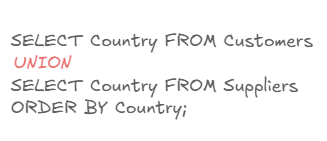
The result would be a list of UNIQUE countries, for example there's 2 instances of USA in the Suppliers table but only one will be listed in the resulting set.
Note that for a UNION to work:
- Every SELECT statement within should have the same number of columns.
- The columns from each SELECT statement must be in the same order.
- The columns must also have the same data type.
- UNION ALL
Combines the result-set of two or more SELECT statements. UNION ALL keeps all duplicate rows. Since it doesn't check for duplicates, it requires less processing power than UNION but can result in bigger sets. Using the same example as above, the resulting set will include all countries including duplicates from both the Customers and the Suppliers table.
Conclusion
In SQL, JOINS and UNIONS are both used to combine data from multiple tables, but they do so in completely opposite directions. A JOIN combines tables horizontally by matching related columns side-by-side, effectively making your dataset wider based on a shared relationship (like linking a customer to their orders). In contrast, a UNION combines data vertically by stacking rows on top of each other, making your dataset taller (like combining a list of active users with a list of archived users). Ultimately, if you want to add more descriptive attributes to your existing records, use a JOIN; if you want to add more records of the exact same type, use a UNION.