


Most of the dashboards I've built during so far have been created in Tableau Desktop, including my SRF DW Infrastructure Projects Dashboard. Emphasizing the importance of drinking water infrastructure--especially for rural and small communities--it tracks the investment in and economic output of drinking water infrastructure projects funded by the Environmental Protection Agency's SRF Program in Maine. (SRF stands for State Revolving Fund, low-interest loans for development projects).
It is a fairly complex dashboard, with a central map view that can be swapped for an animated view of the projects executed throughout the years. Additionally, clicking on any project on the map gives users the options to 'Go to Project Details'. Clicking on that takes users to another dashboard view, this one covering the specifics of the selected project: name, city, fund amount, population served, description, etc.
This afternoon, I set out to rebuild my SRF DW Infrastructure Projects Dashboard in Tableau Next. Knowing that my time for this project was limited, and that I would not be able to recreate both dashboard views within that window, I decided to focus on the first view: the map and KPI dashboard.
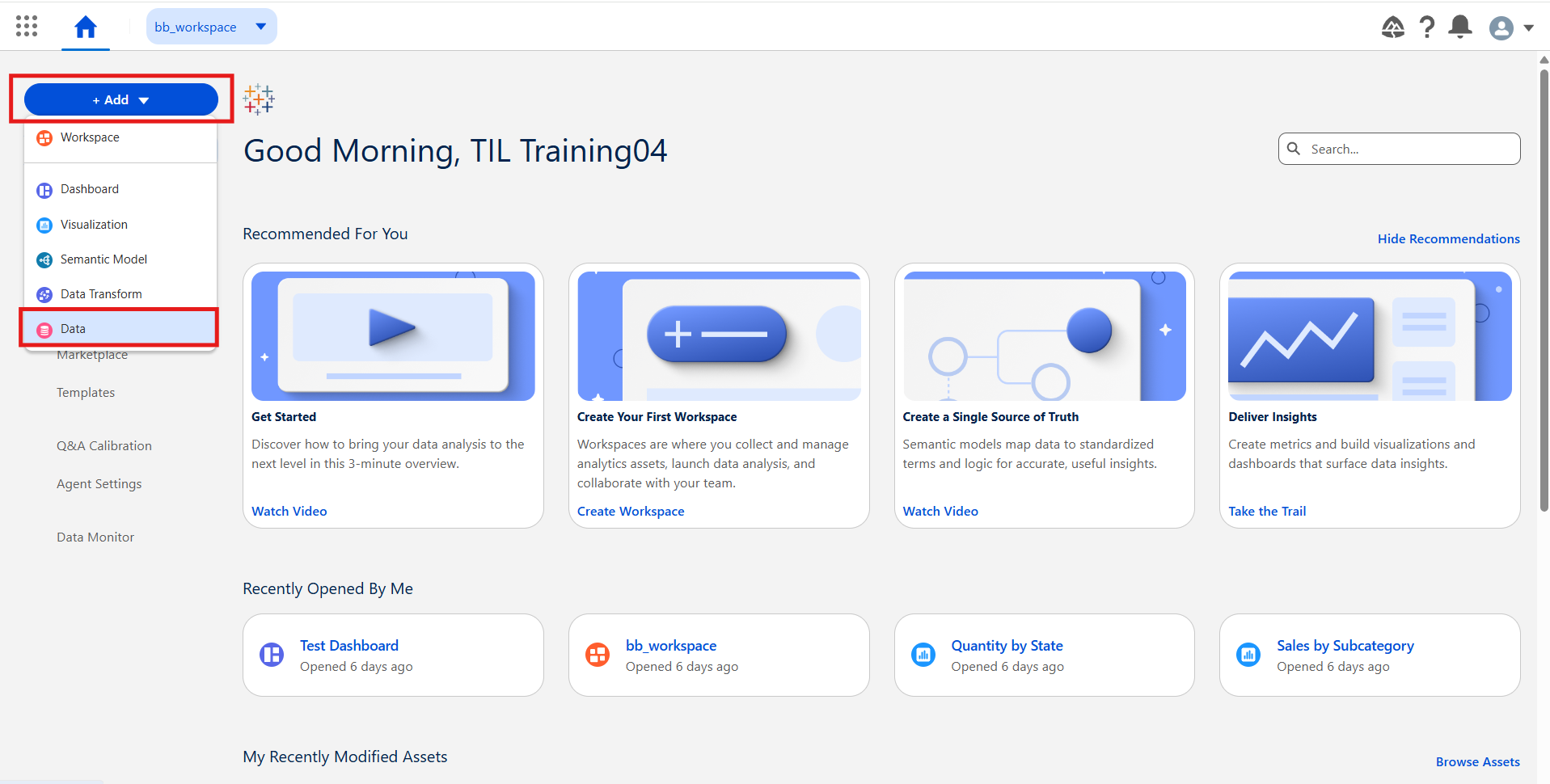
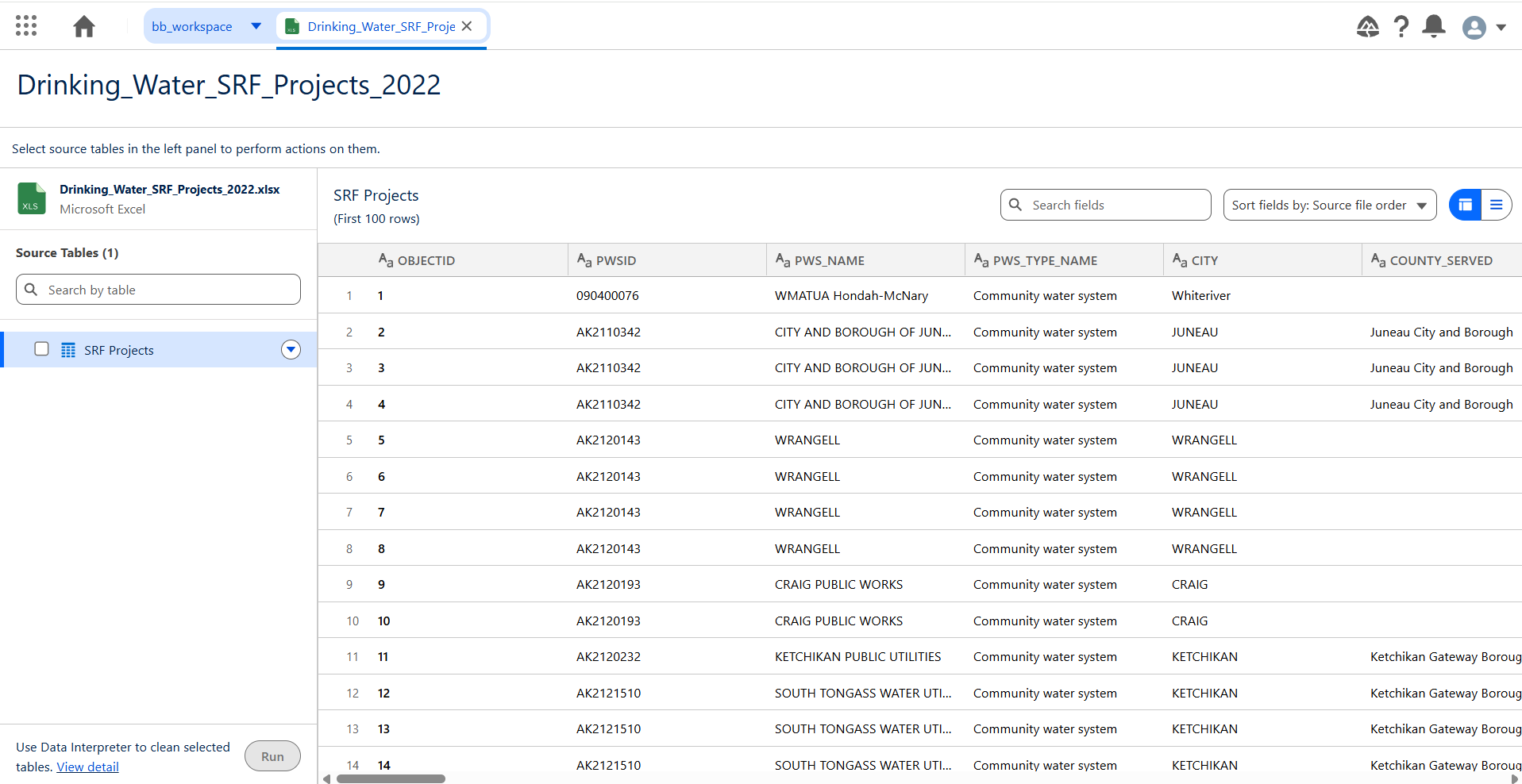
Once in Tableau Next, I started by inputting my data file to my workspace via file upload:
I then verified the data and attempted to filter it down to the state of Maine, believing I could create the equivalent of a Desktop Data Source filter. (This is not the case)
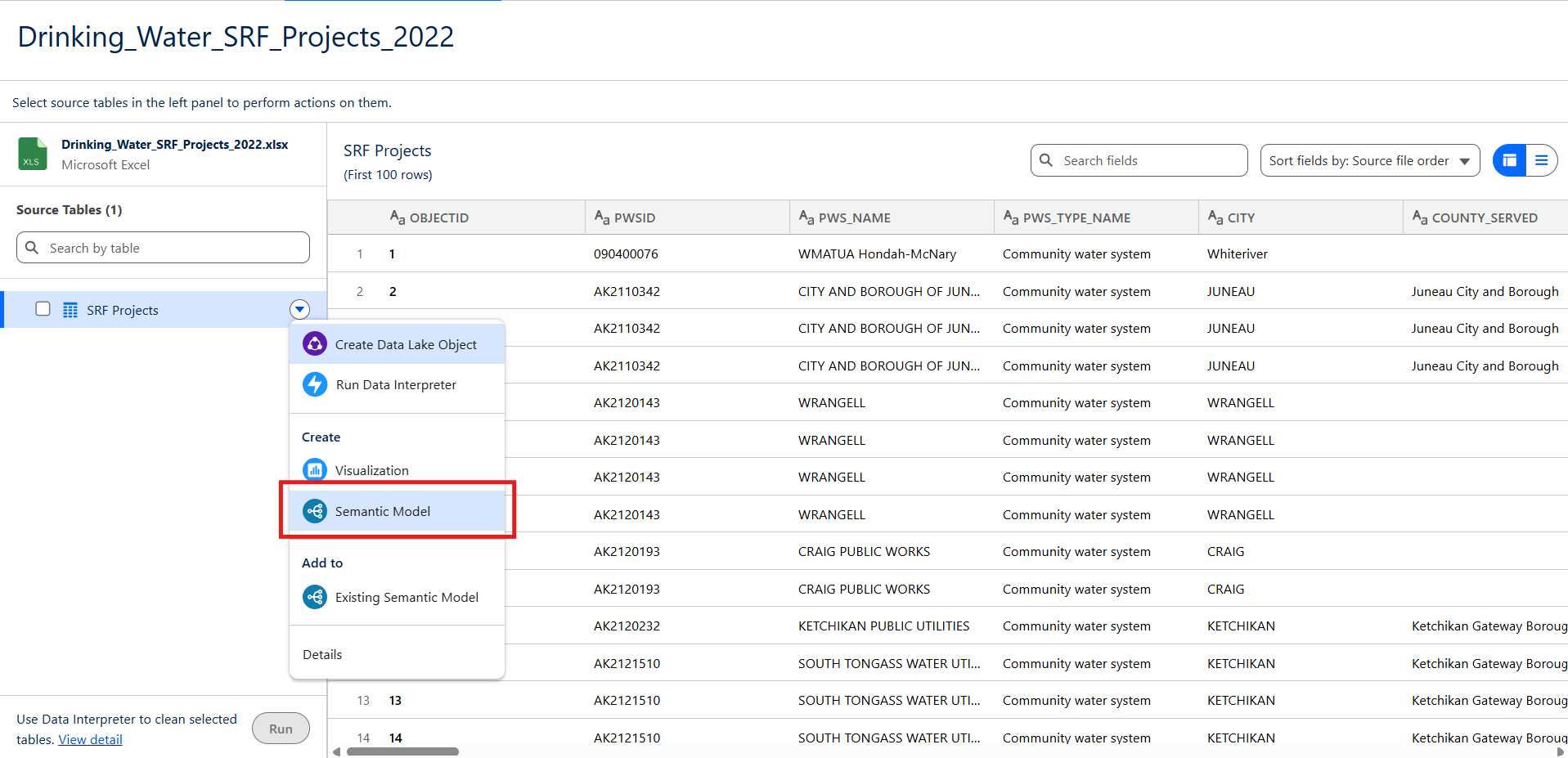
Rather than filtering the data within the data object, you must create a semantic model and create the data filter there:
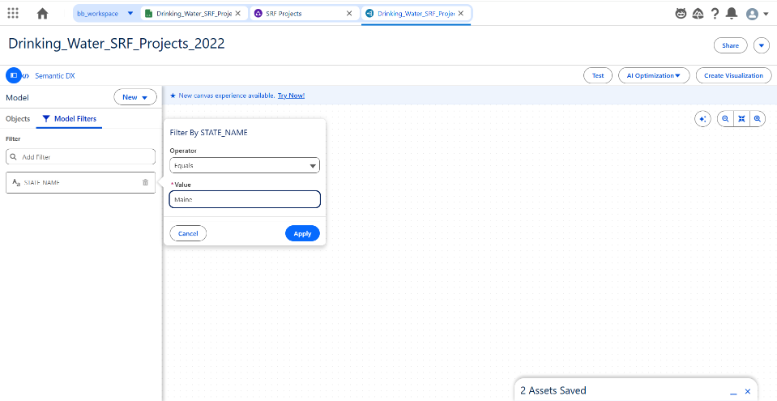
After that, I was able to create my charts, or 'Visualizations', and KPIs, or 'Metrics'. While I appreciate the fact that Tableau Next metrics treat KPIs more like calculated fields than charts, allowing for their construction without making a new sheet/visualization, I find that they are quite rigid and their customization options quite obscure. I couldn't really figure out how to make it compare to the prior year appropriately, something that I did with ease in Desktop calculations.
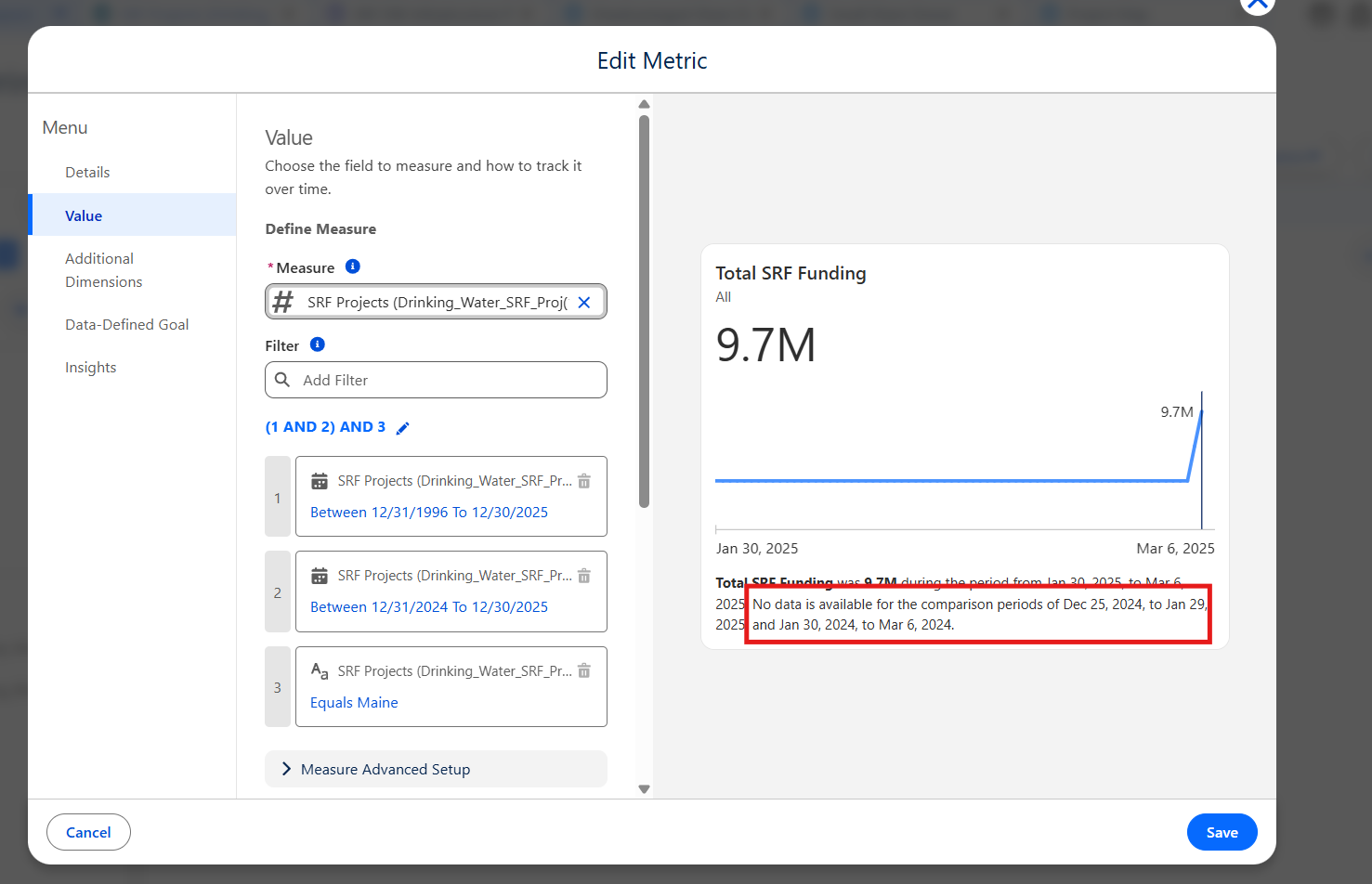
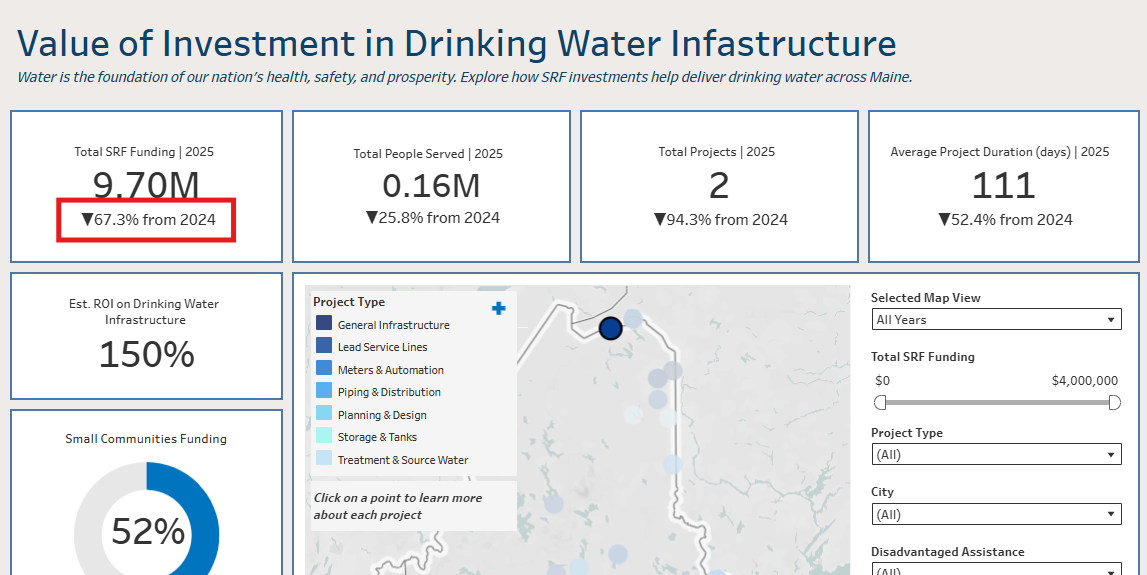
When I was creating my metrics, I realized the data had brought in a numeric field I needed as text because it was formatted with dollar signs. There was no simple way to cast or re-format the field. Instead, I found myself formatting the data in Excel and bringing in a separate data object with the right data type.
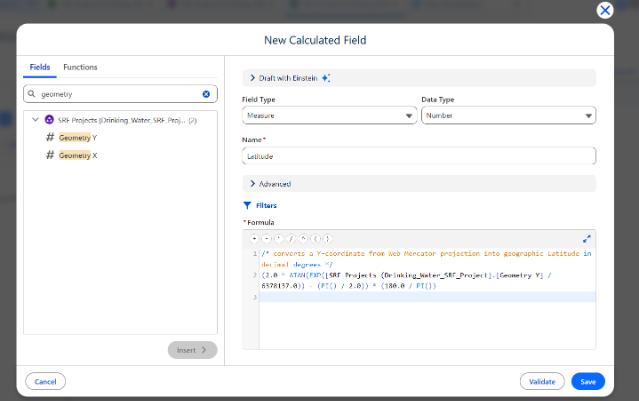
Another, admittedly small, thing I struggled with in Next were calculated fields. You can't drag fields into your formula or have them auto-fill when typing; rather, you have to look for the field you want in the pane to the left and click 'Insert'. Also, calculations aren't automatically validated, so it's a good idea to click 'Validate' before clicking 'Save'.
Besides the expected struggles that come with switching between tools, I found that Tableau Next still very much feels like it is under development. I frequently encountered errors when creating elements or bringing them into the dashboard. Reloading the page did almost always took care of them, though.
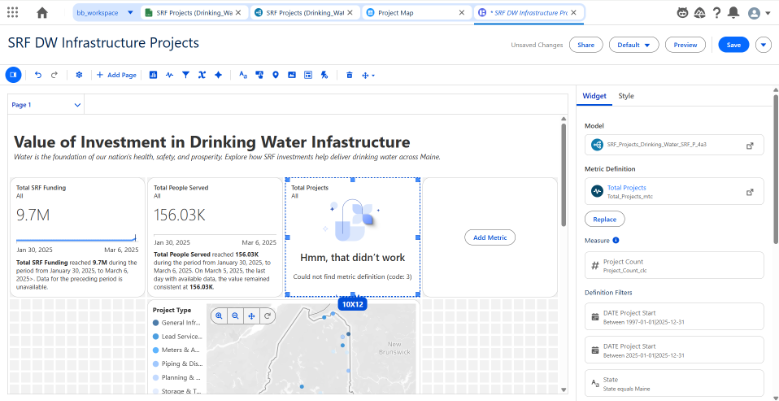
Check out my dashboards below:
Tableau Desktop: https://public.tableau.com/app/profile/bianca.beingolea2756/viz/SRFDWInfrastructureProjects/MapDashboard
Tableau Next: https://th1790348853776.lightning.force.com/tableau/dashboard/New_Dashboard/view?customViewId=1OLbm000000029tGAA