


What is OData?
OData (Open Data Protocol) is a standard for sharing and accessing structured data over the web using REST APIs. Structured data can be consumed through an API endpoint called an OData feed, which allows applications to query and retrieve data using a URL. Developers can use these OData feeds to connect databases or cloud services and stream data into BI platforms such as Tableau.
BI Tool Considerations
As always, the tool you choose should depend on the objective of your project, so it is worth considering what you need to build and whether Tableau can support those needs. When working with Tableau, there are certain limitations around OData that you should be aware of, which we will cover below. Because OData was originally developed by Microsoft, it might be worth exploring tools like Microsoft Power BI for a potentially more integrated experience.
OData not supported in Tableau Prep
Currently, it is not possible to directly connect an OData feed to Tableau Prep. If your project requires using Tableau Prep, you may need to use a workaround, such as publishing the OData source as an extract before using it as an input to your flow.
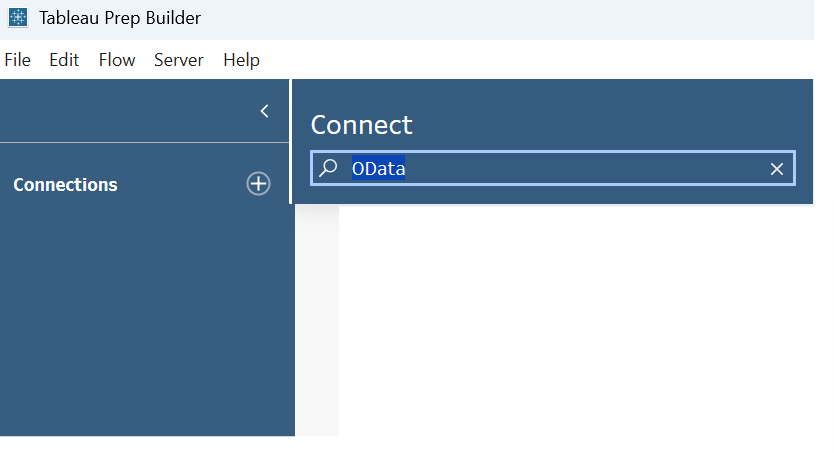
However, you can connect to OData in Tableau Desktop, as shown below, which we will cover next.
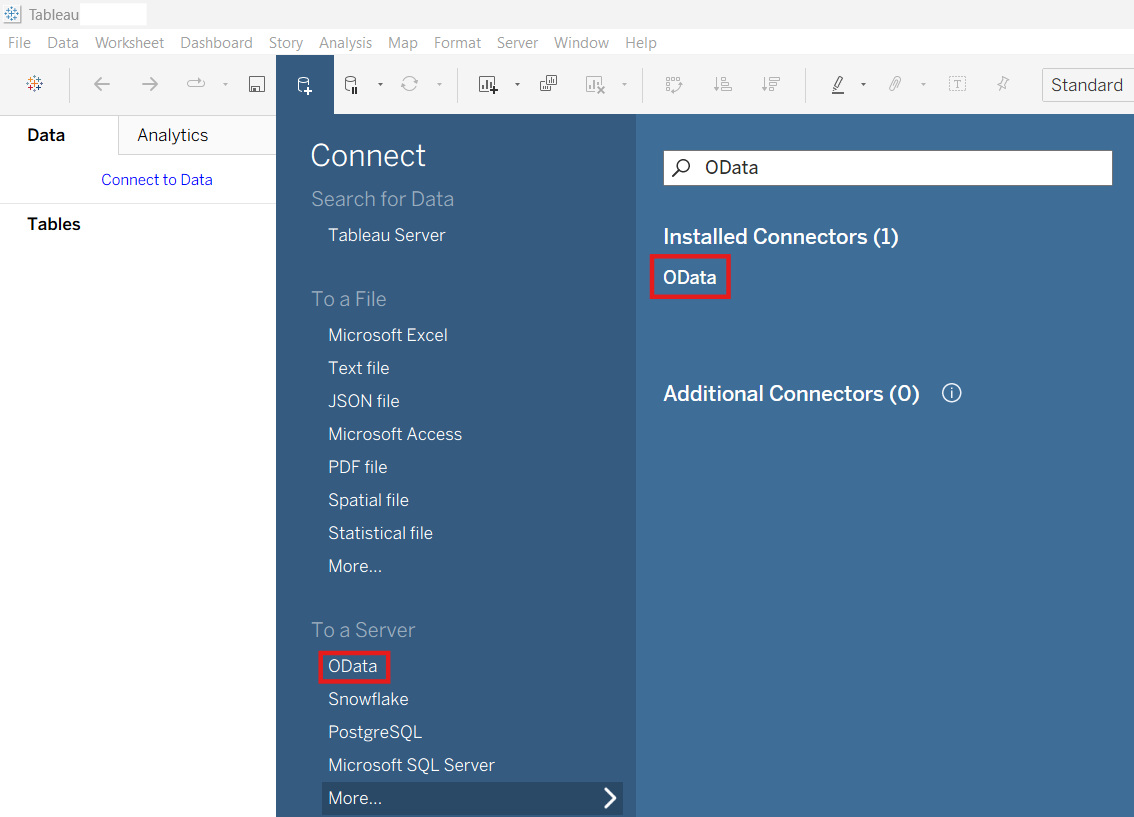
OData In Tableau Desktop
As mentioned earlier, you can connect an OData feed to Tableau Desktop. However, there are a few important things to understand about the nature of this connection.
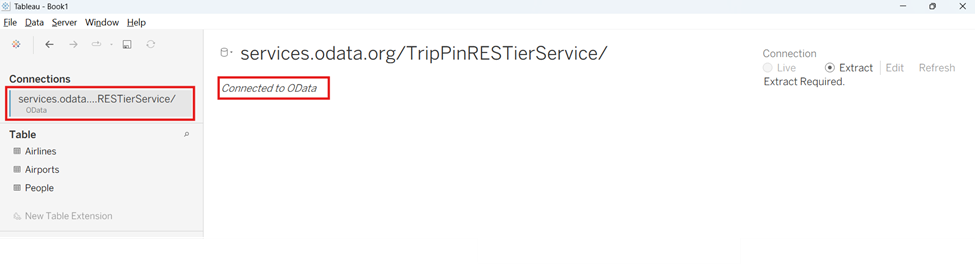
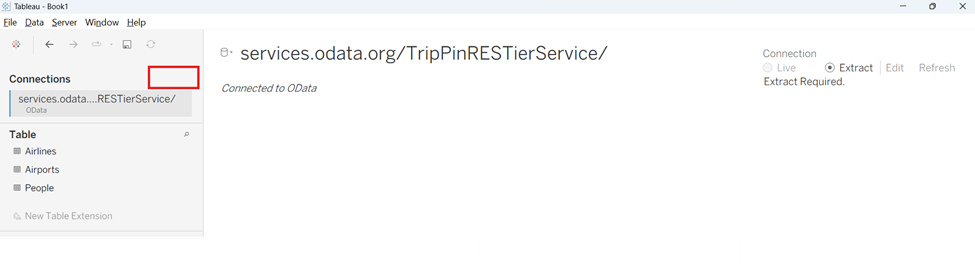
First, notice below that the connection type is always an extract, which means the data is imported into Tableau Desktop rather than queried live in real time. This can affect refresh behavior and how data is updated.
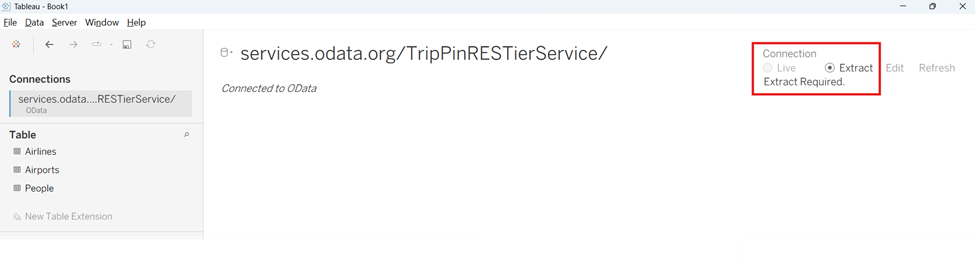
Second, look at the absence of the “Add” option below in the connections pane. This indicates that you cannot add multiple OData feeds within a single connection. As a result, multiple OData feed URLs cannot be directly joined, unioned, or related inside one data source. If you need to work with multiple OData feeds, you would typically add each one as a separate data source in Tableau and then use blending inside your workbook.
That said, joins, unions, and relationships are still possible with OData, but only when the data is structured appropriately. In practice, this means using a single OData service URL that exposes multiple entity sets (tables), which can then be joined, unioned, or related within Tableau.
In this example, we are using the TripPin sample OData service provided at:https://services.odata.org/TripPinRESTierService
When you open this service root, you receive a service document that looks like this:
{
  "@odata.context": "https://services.odata.org/TripPinRESTierService/(S(tfnp4wxncy2wdrtkcoolxhdt))/$metadata",
  "value": [
    {
      "name": "People",
      "kind": "EntitySet",
      "url": "People"
    },
    {
      "name": "Airlines",
      "kind": "EntitySet",
      "url": "Airlines"
    },
    {
      "name": "Airports",
      "kind": "EntitySet",
      "url": "Airports"
    },
    {
      "name": "Me",
      "kind": "Singleton",
      "url": "Me"
    }
  ]
}
From this, you can see that accessing the root URL exposes three main entity sets —People, Airlines, and Airports—which appear as tables in Tableau Desktop.
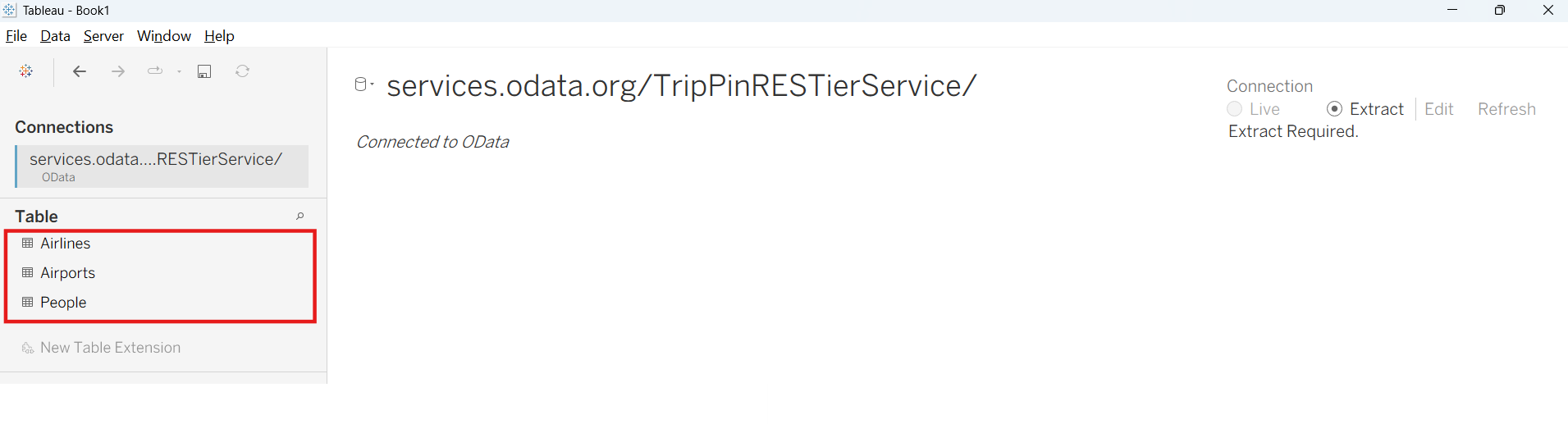
This way, you can perform joins, unions, and relationships on these tables. Thus, when working with OData feeds, it is important to structure the service in a way that is easy to work with in Tableau Desktop. If you only have individual URL feeds for each table you want to combine, it becomes significantly more challenging to integrate them into a single data model.
Conclusion
If you are planning a project using an OData feed with Tableau Desktop, consider the following:
- Do you only need one table? If the data is clean and comes in a single table, using OData is generally straightforward.
- Is the data clean and in the right format? If the data requires significant cleaning or transformation and you plan to use Tableau Prep, you may need a workaround to bring the data into a Prep flow.
- Is everything in one OData service? If you need to combine multiple tables, ideally they should be exposed as entity sets within a single coherent service. If not, you may need to use blending in Tableau Desktop or perform joins, unions, or relationships outside of Tableau.
In short, OData works best in Tableau Desktop when the data is already clean, transformed, and exposed through a well-structured OData service. Otherwise, you may need additional workarounds or configurations to achieve your desired outcome.