


Identify Access Management (IAM) is a core principle to grasp when working on data engineering pipelines. With IAM comes the control to access elements in and between other services. So let's have a quick overview of some of those fundamentals using the load part of a data pipeline as a example.
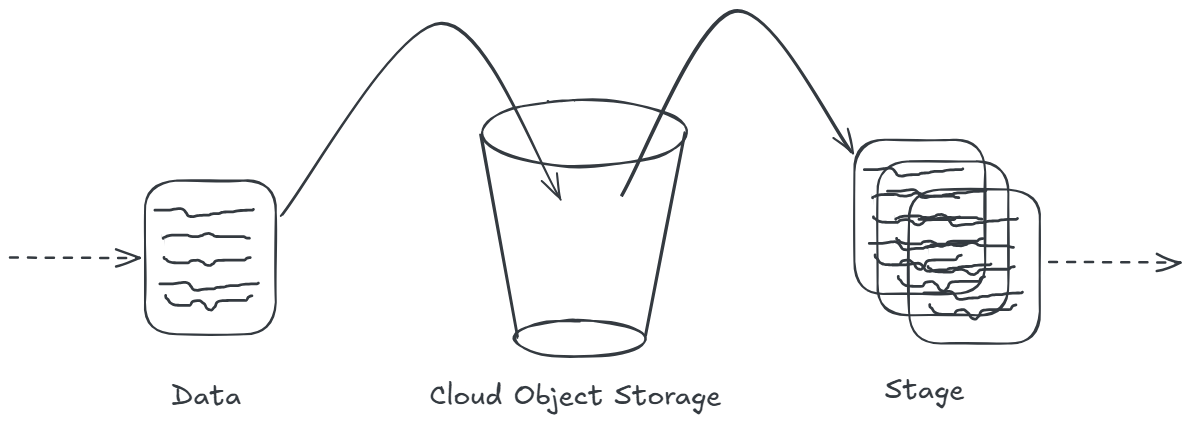
In the schema above, there's a process that extracts data which we want to place in a cloud object storage (like aws s3, google cloud storage or azure blob storage) before we stage parts or all of it into a processing or further down the line consumption layer.
In order for us to interact with the cloud object storage, we have to setup a way for the storage to identify who or what is allowed to access it, and once they access it what are they allowed to do.
Using IAM allows up to set up a policies that we can assign to the cloud object storage. In this example we can split that up into the three elements shown in the diagram:
- data > we need to be able to write into the storage (at a minimum)
- cloud object storage > we need to think about encrypting and decrypting the data stored here and how access is managed/granted.
- stage > we need to be able to read, ask for decryption and potentially list files (at a minimum)
The policy is assigned to the cloud storage object, and when deciding on what type of permissions to set we'd prefer to go with the principle of least privilege. Meaning we only want to set the required permissions.
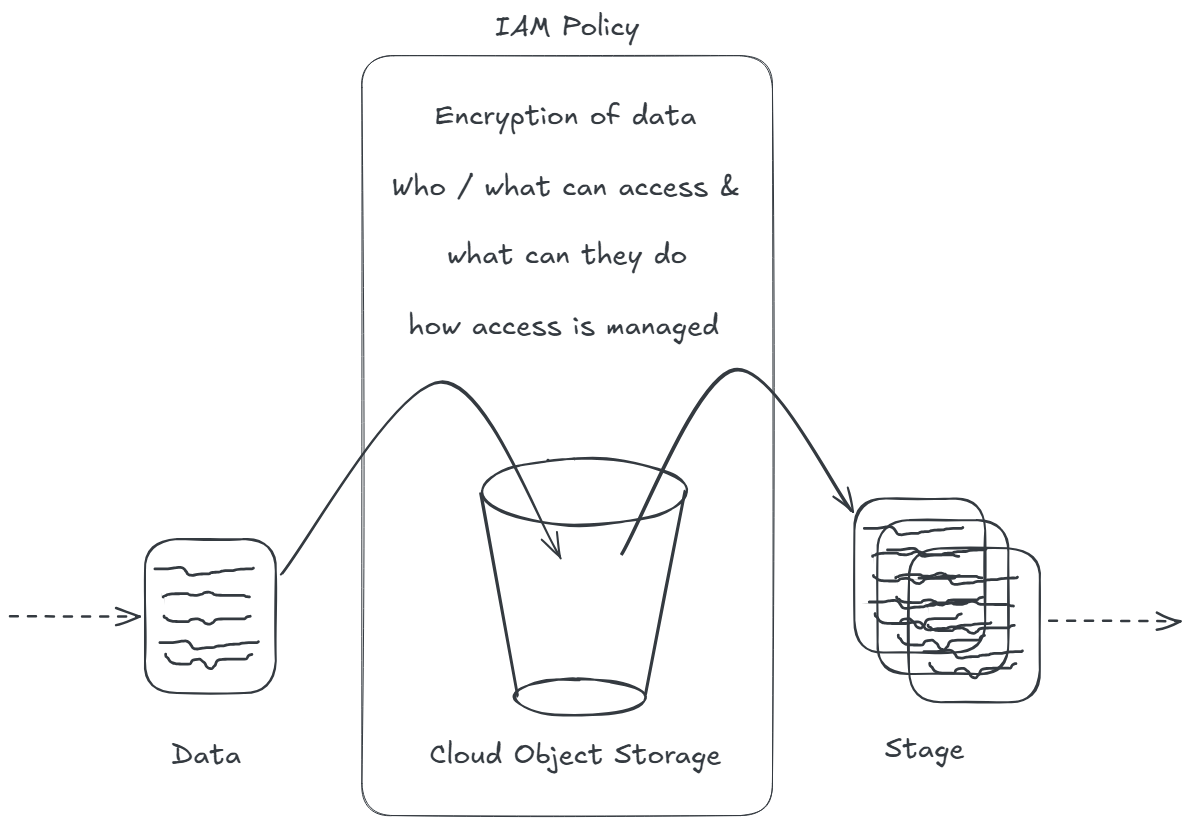
For the data going into the object storage, we want to think about the capability to:
- put object into storage
- list objects already in storage in case the earlier part of the pipeline is reliant on that
- potentially delete an object, albeit I'd disconnect that and manage that within the cloud object storage itself.
For the stage looking at the object storage:
- read the object storage
- list the objects and it's metadata
'Key Management Systems (KMS) can be used to manage the encryption and decryption, but keep in mind that different cloud platforms require different permissions added (or not) to the 'Data' and 'Stage' part of this flow. AWS requires it to be part of the policy whereas in GCP and Azure it's managed differently. I've omitted it from the above for now.
In order to apply these permissions to the data and the stage part we need to look at whether it's a user/individual or a process/cloud service.
In this example, imagine we run the data part locally, extract it and want to put it into the cloud object storage. This requires a 'user'. Whereas we could use Snowflake to stage the data, this requires a 'role', a third party system requiring access.
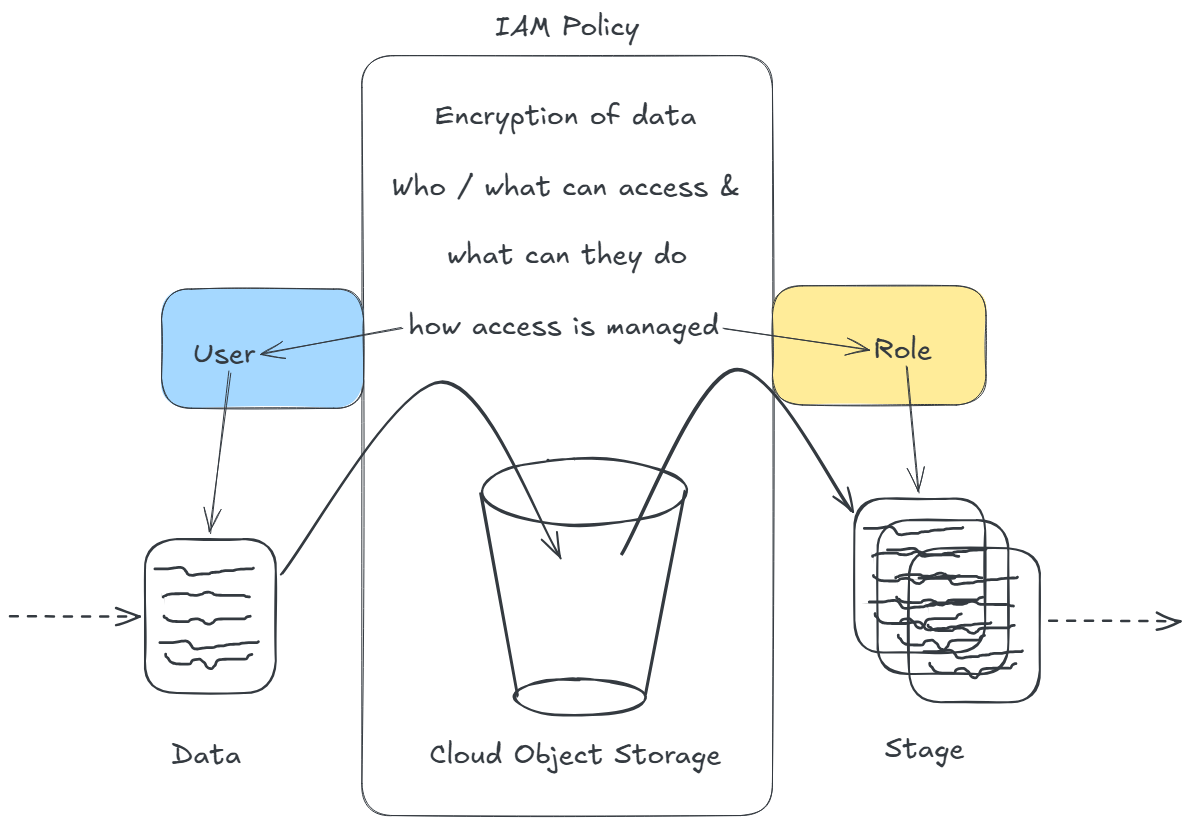
Once a user is created within the platform where the cloud storage object resides we can assigned the policy to it.
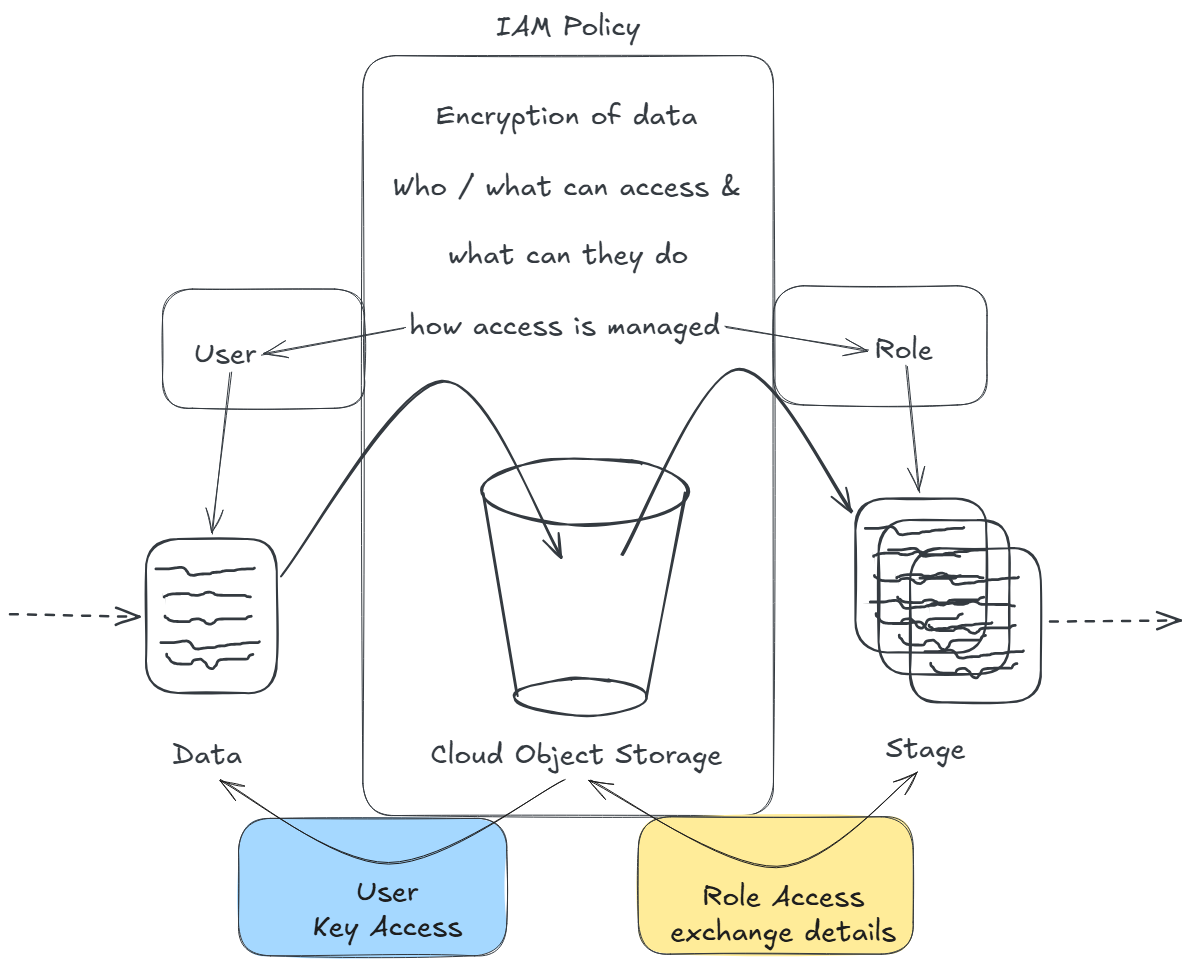
Access can then for instance be managed through a Access Key, think user name/password but easily changeable (rotatable) if needed within the user of the cloud storage object. These access keys can be part of the local process that gets the data and is typically omitted from the process and only called upon on runtime.
Equally for the role, once it's created the policy created earlier can be assigned.
This is more of a trusted relationship between the two services, think of it like a handshake. Both services have to reach out to one another in order to setup this secure connection.
In our snowflake example, it requires setting up a storage integration for staging, requesting information on both the object storage and snowflake, before adding details of each of them to both.
And that wraps up a quick overview of IAM Cloud Storage Management! Most of this never really rang a bell until actively working with it so don't worry and get started!