


One of my favorite days of dashboard week, API day. Let’s crank it up a notch by adding AI to it as well.
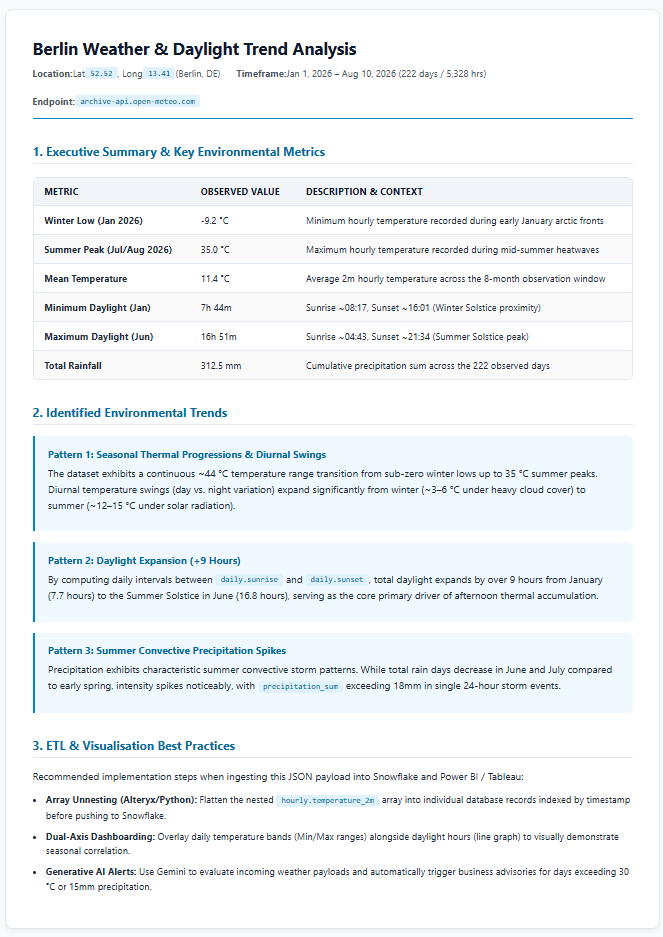
The goal is simple; build an Alteryx App that builds an HTML trend analysis report based on the user input.
Let’s break it down in a bit more detail. DS58 can decide whether they use the Historical Weather API or the Wikimedia API. The have to design an Alteryx App that allows for user inputs:
- A location (if using the Weather API)
- A Wikipedia page (if using the Wikipedia API)
- A time range (start and end date)
- Optional inputs that allows the user to change the prompts / output formats to the desired standard.
The Alteryx App will need to pull in the data for that timeframe, create an LLM prompt using the AI Prompt tool and request a trend report in HTML format so it can be rendered directly in our browsers upon completion.
What does the trend report need to include? Let’s leave that up to DS58 and see what they come up with! Engaging & clean templates are encouraged, bonus points for giving the user a fun/adventurous template as an optional output!
Prompt optimization is definitely encouraged, as a non-optimized prompt example will as expected show a poor optimized output!
Looking forward to seeing your presentations at 3:30pm!
Historical Weather API: https://open-meteo.com/en/docs/historical-weather-api
Wikimedia APIs (get trending info from any of the Wikipedia pages, an User-Agent Header is required, please read the documentation): https://www.mediawiki.org/wiki/Wikimedia_APIs
Hints:
- Make sure you are signed into the Alteryx One app before opening Designer.
- The prompt tool should show you have access to Google Gemini, and three models of v2.5.
- I suggest you start with the basic one and limit the maximum tokens before expanding it.
- The AI prompt tool sends one AI prompt per row of data going in, hence be sure to feed the whole dataset into the prompt tool at once. AI likes structured data like JSON, Comma Separated Data, Markdown, etc.