What is web scraping?
Extracting large amounts of data from websites using software instead of copying manually.
Uses:
• Downloading images
• Competitor analysis - look into prices and locations for business competitors
• Market analysis- scraping reviews and comments
In this blog, we will walk through how to web scrape in Alteryx.
How To-Alteryx Step by Step:
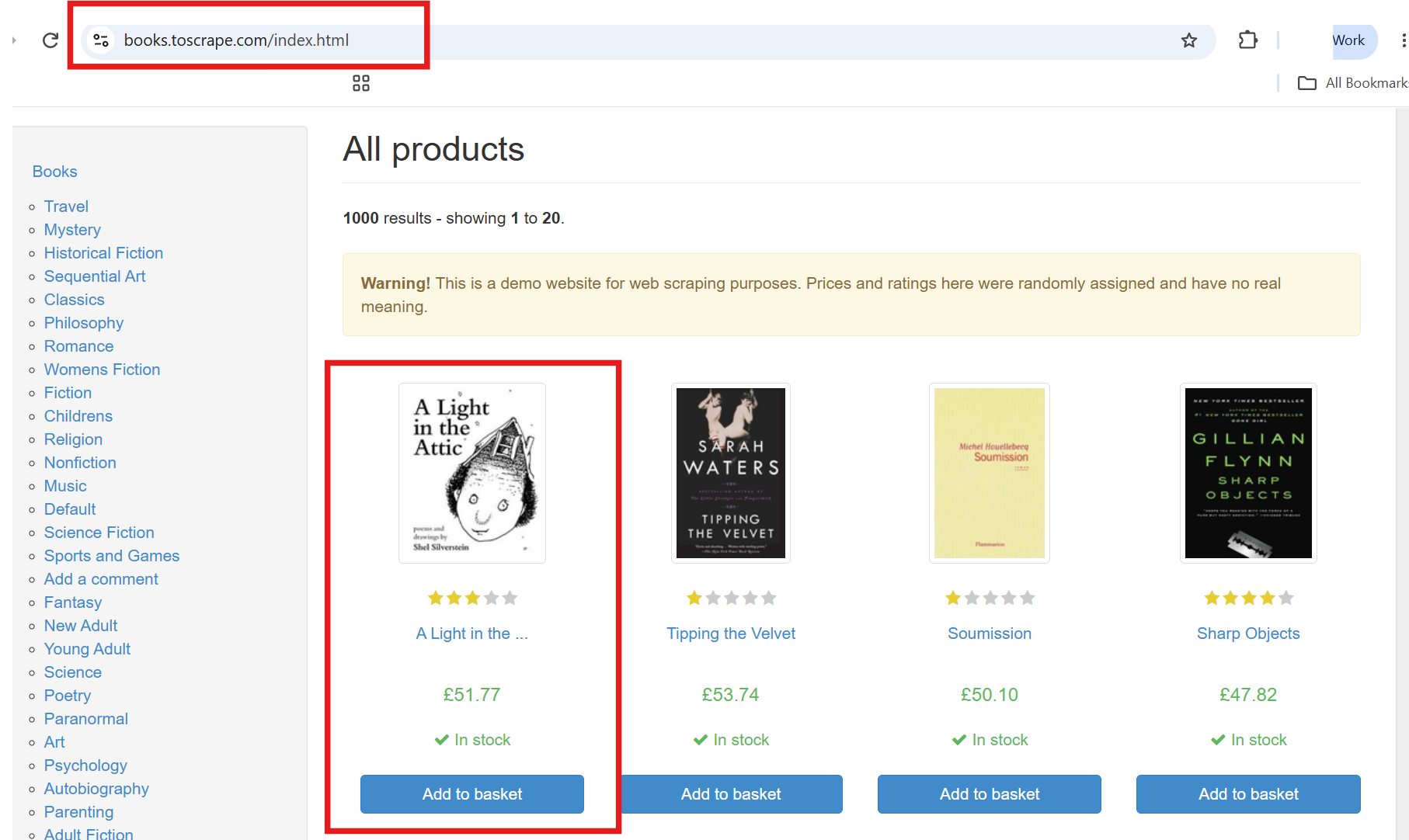
- Identify URL you want to web scrape, in this example we will use https://books.toscrape.com/index.html made for the purpose of web scraping. Please ensure you have looked at the requirements for a site before continuing, as not all sites permit this !
Here I will show how to extract the Title and the Image URL
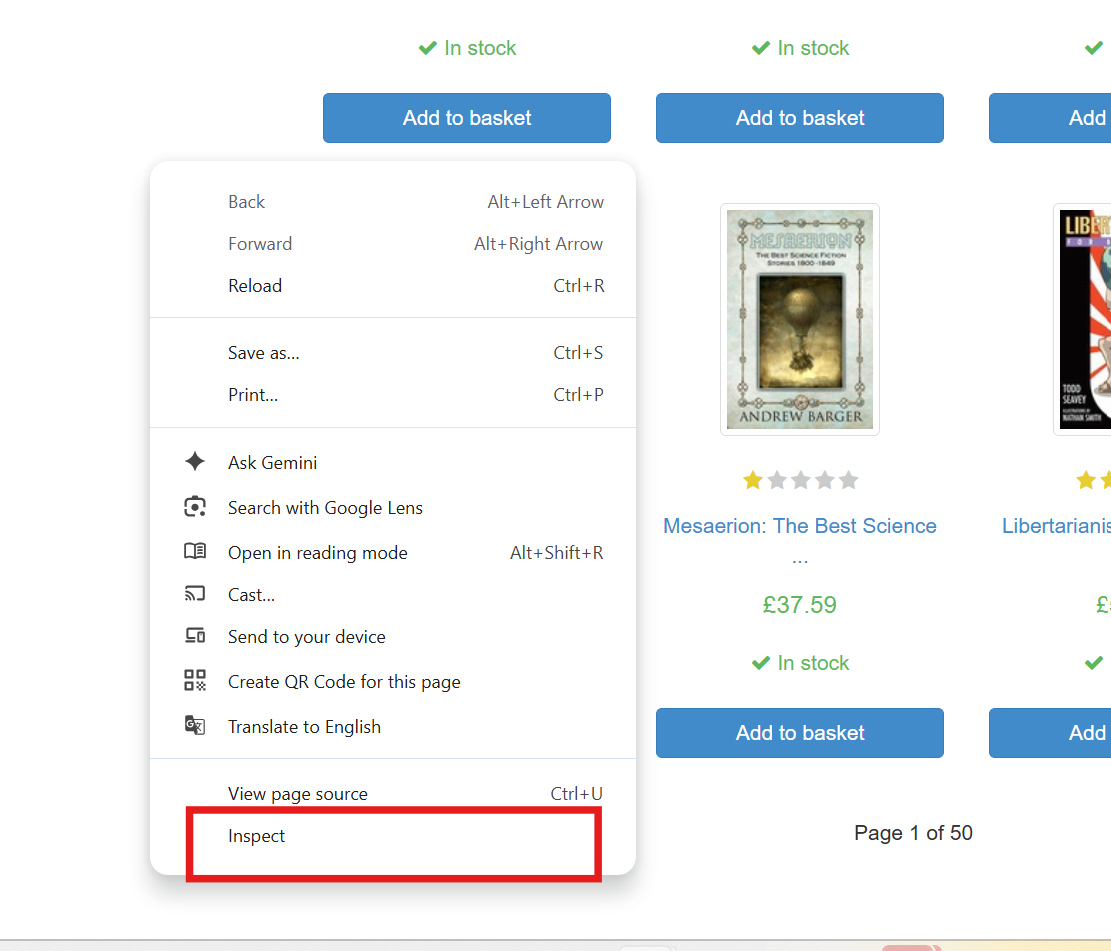
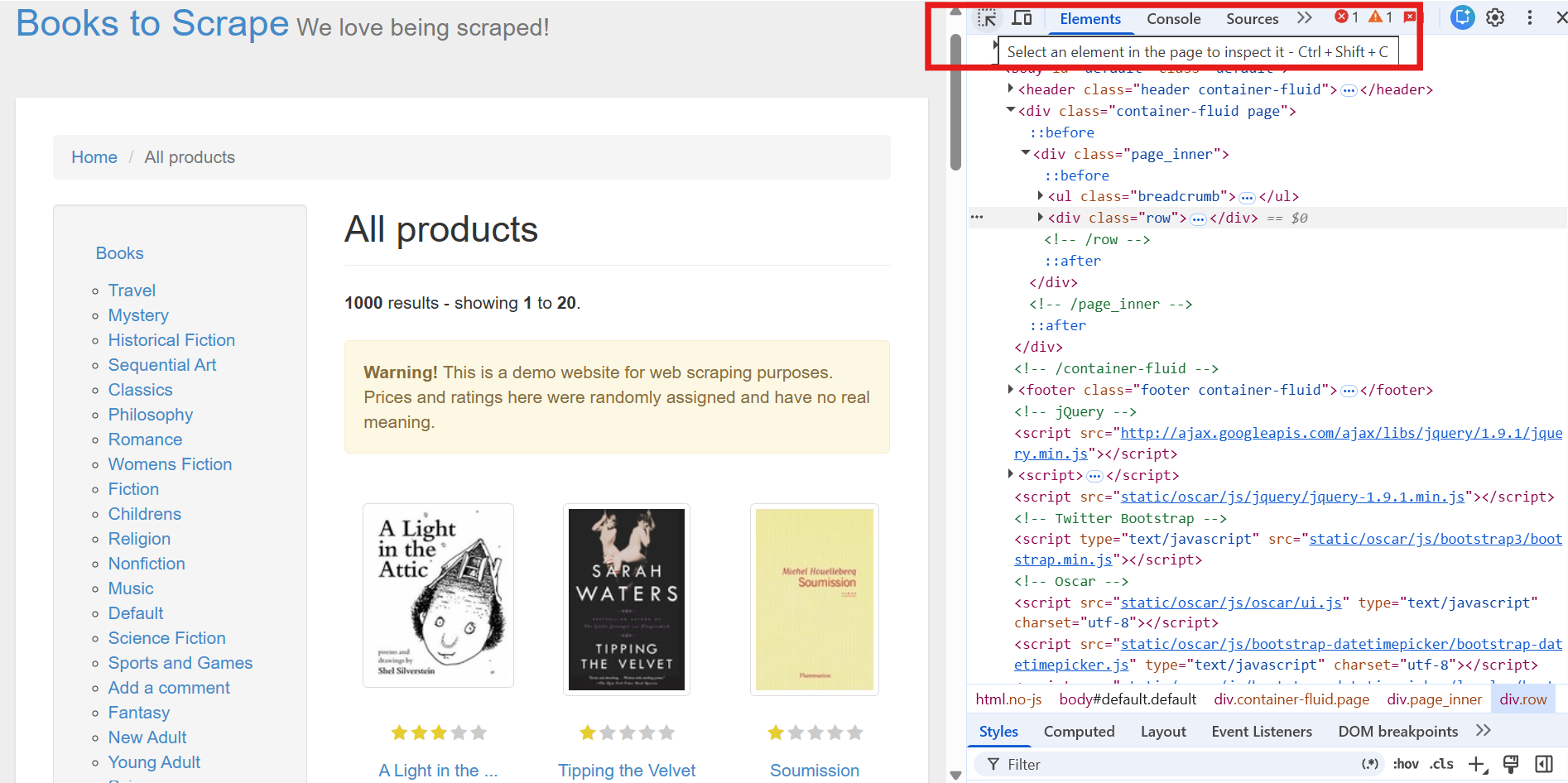
- Explore the site by right clicking any space on the webpage and selecting 'inspect'. Here we can identify trends in the classes and containers so we know how to extract the desired fields later on.
Click "ctrl+ shift +C" and however over parts on the site, to highlight the corresponding code.
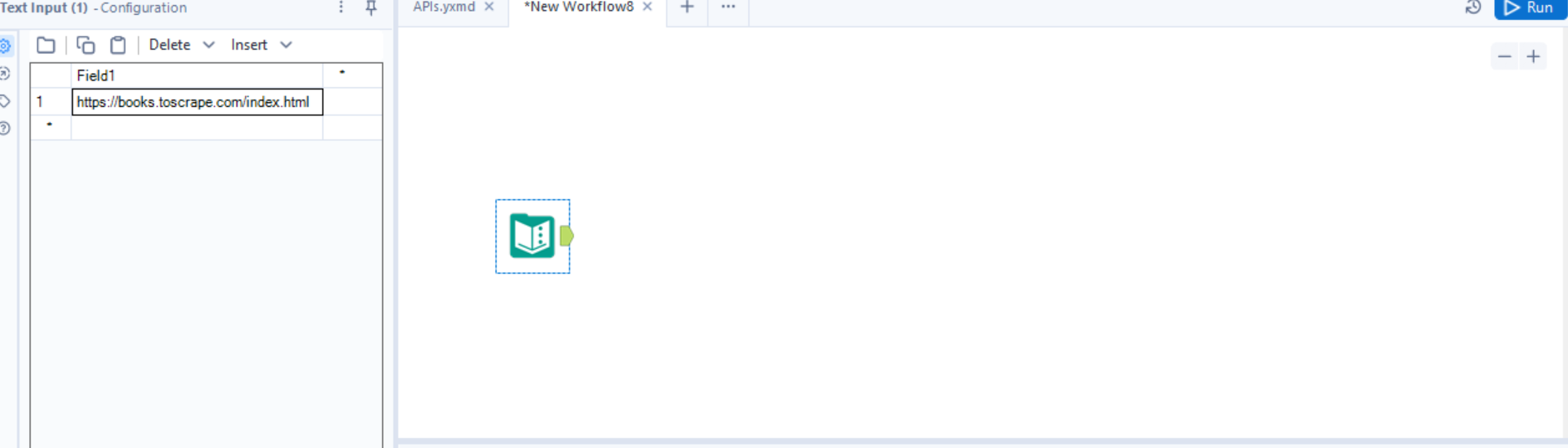
- Open Alteryx and insert text input tool. Copy and insert the URL of the site.
- Insert download, using the basic settings only & browse tool, cache and run.
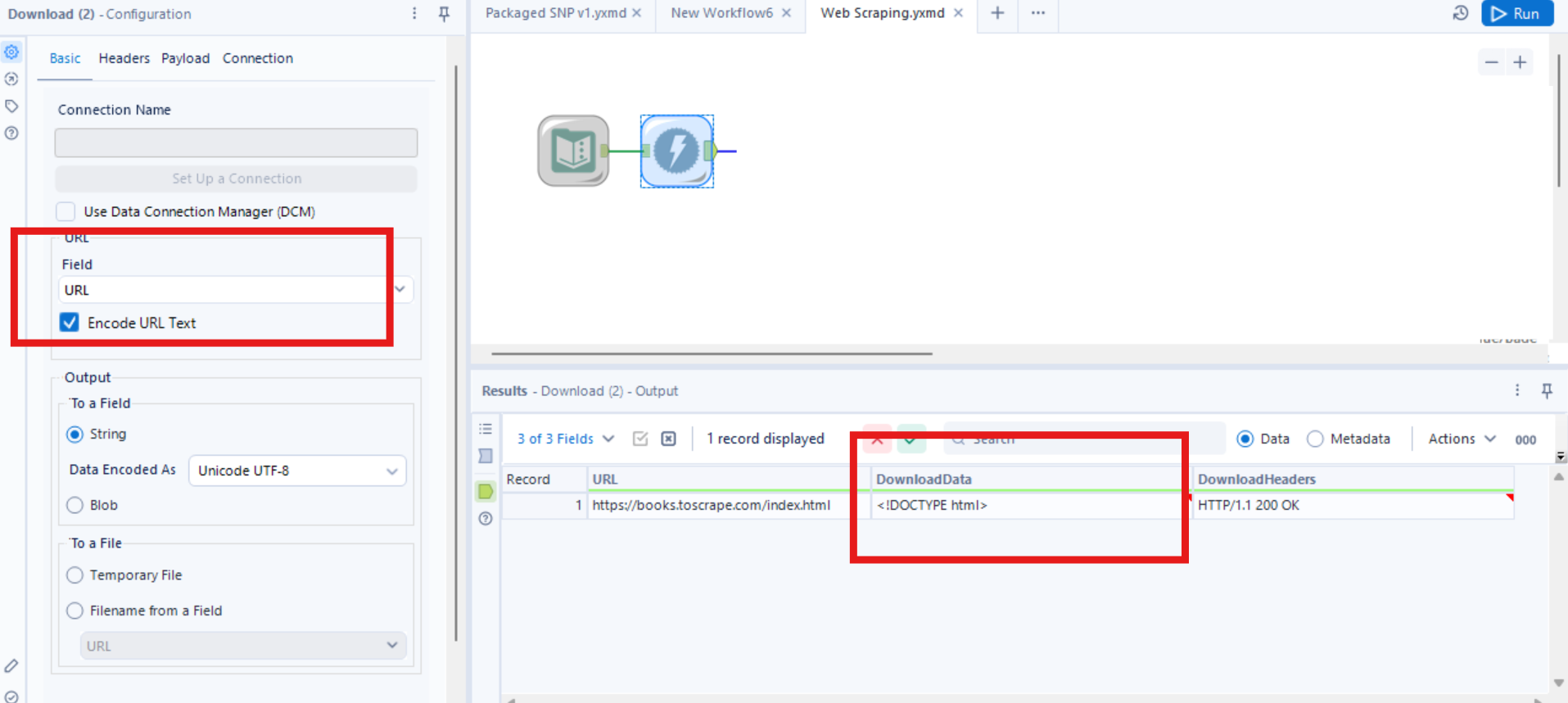
The data will be held in the download data, and should look something like this.
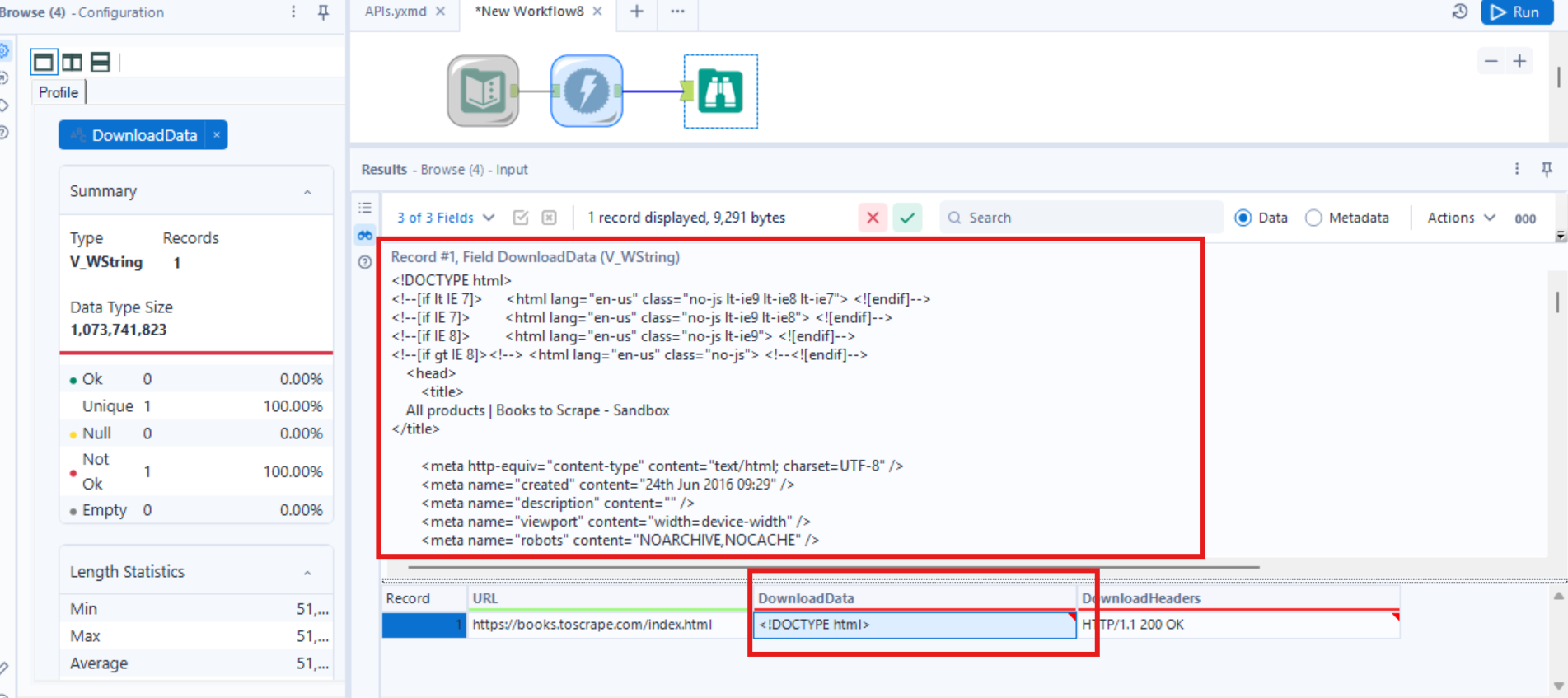
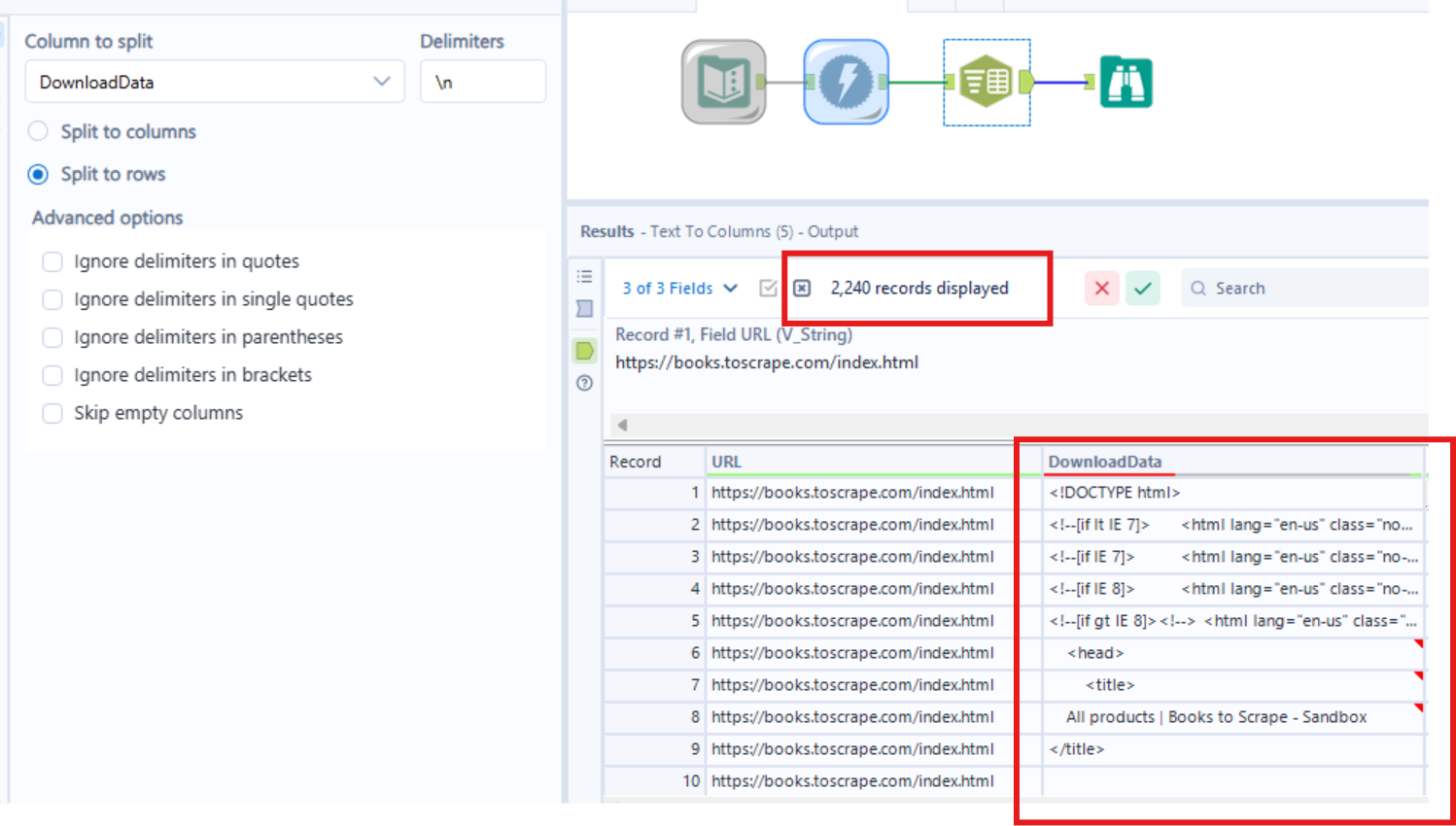
- As you will notice all of the data is within one cell in the download data, which is not ideal. So this needs to be parsed into columns. The delimiter in this case will be a new line.
If you run this you will now see 2240 records.
- Now to make things easier to work with, we need to remove any trail spaces. and remove any blank rows. So to do this we can use the clean and filter tools.
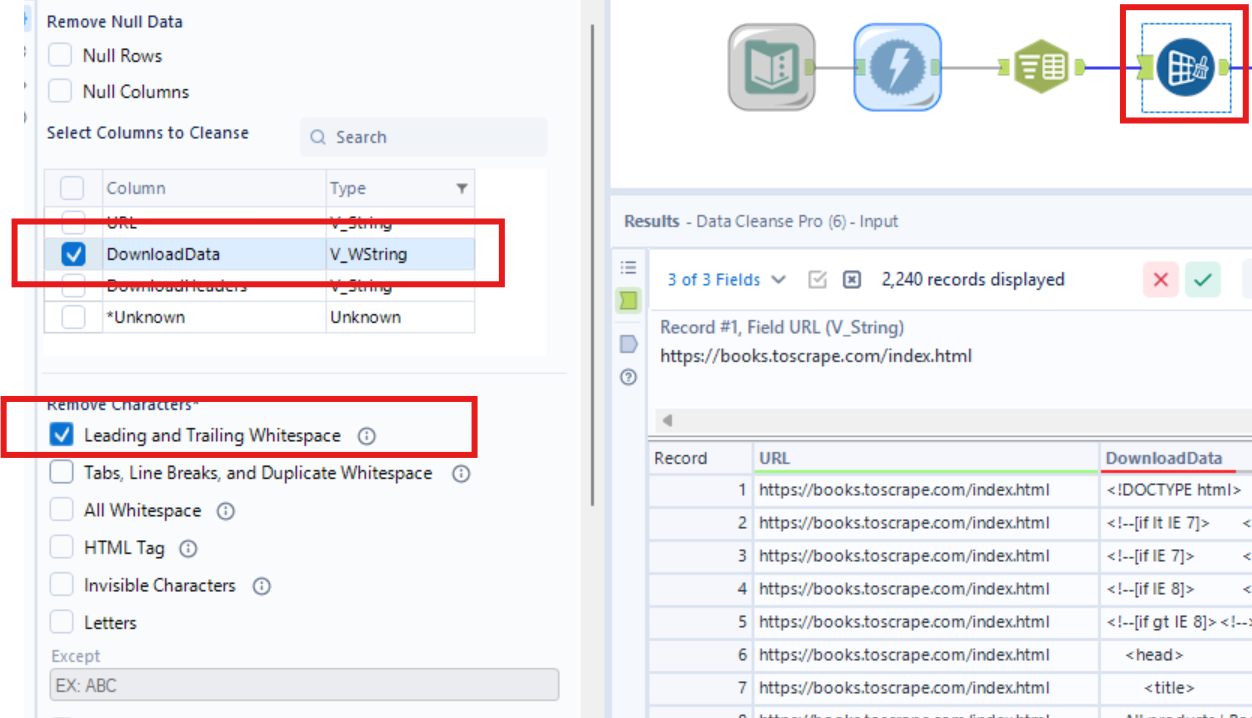
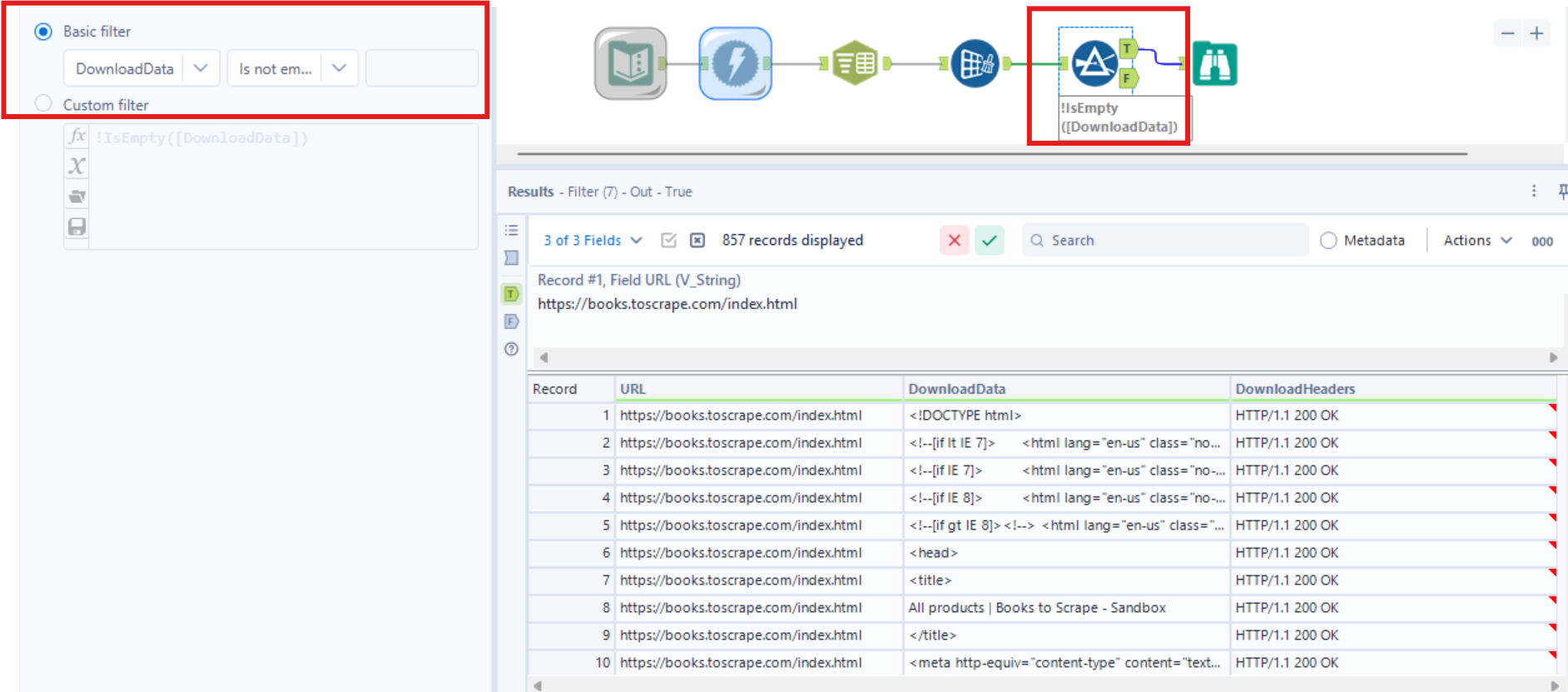
Now we have all the code for the whole site, so we can begin to scrape.
Scraping the Title
From exploring the site earlier, we would have observed some trends in the code for the title. You can use visual studio code to help with this.
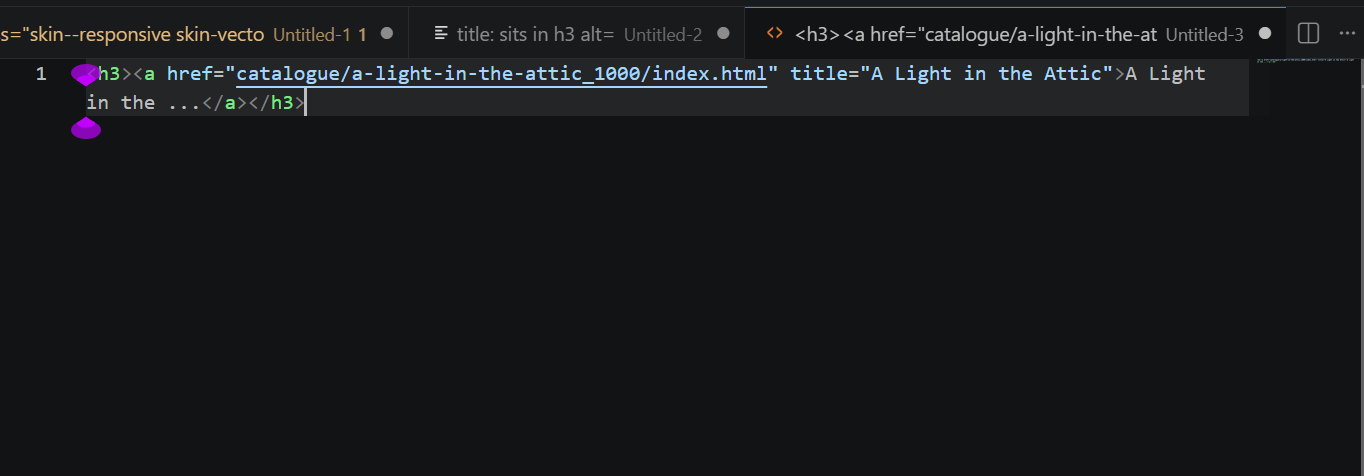
Here we can see an example of how a book title is coded into the site. We can use this and the Regx tool to parse out the text within a certain expression.
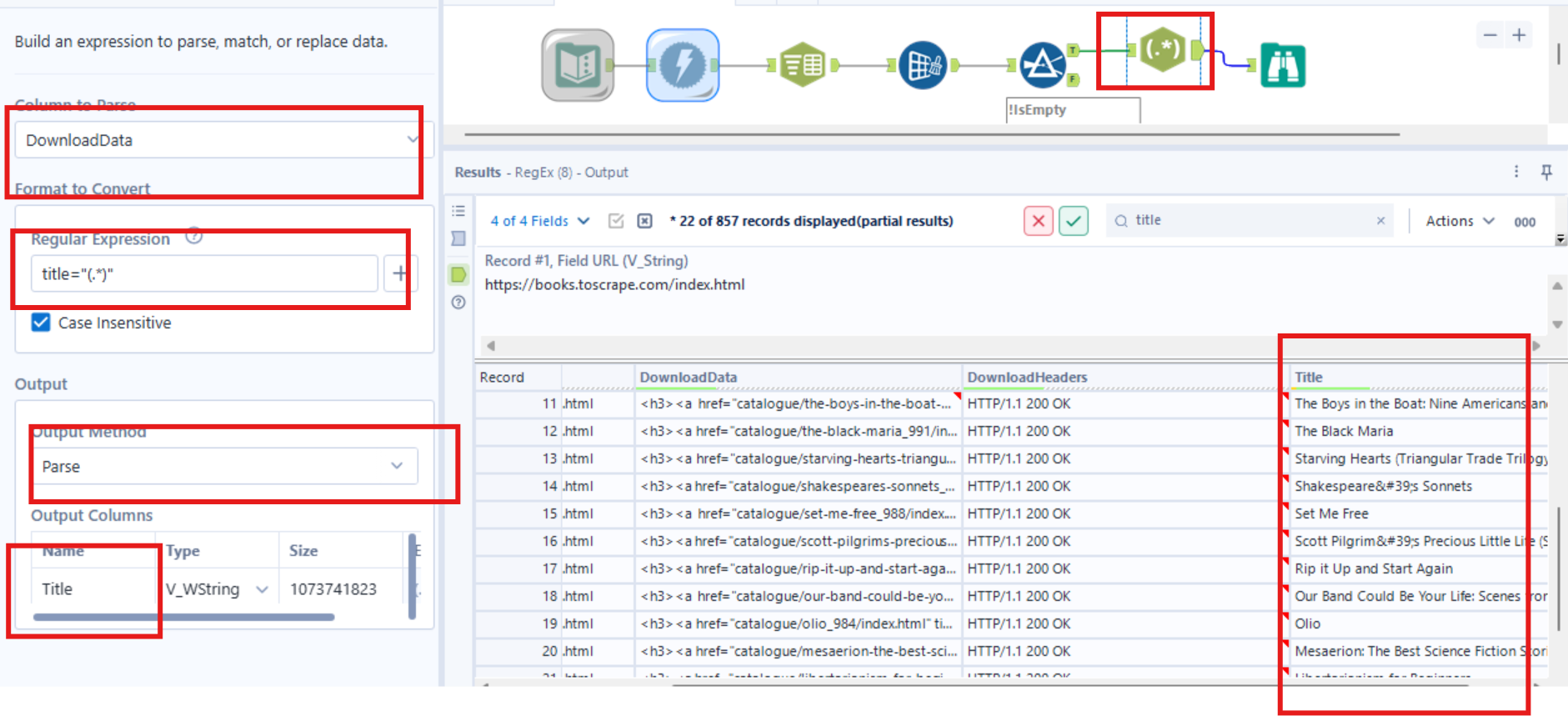
Using the regular expression box, will parse out whatever is in the () and follows the structure of the string around it. In this example the expression 'title=' is repeated for each book title, so can be used for parsing.
When using the RegX tool it is important to note that:
•()- Shows what will be parsed
•.*- Means any other characters, similar to a wildcard union in tableau prep
Scraping the book image
The same can be done for the image URL. The expression: 'img src' is repeated for all the book URLS, so can be used for the parsing.

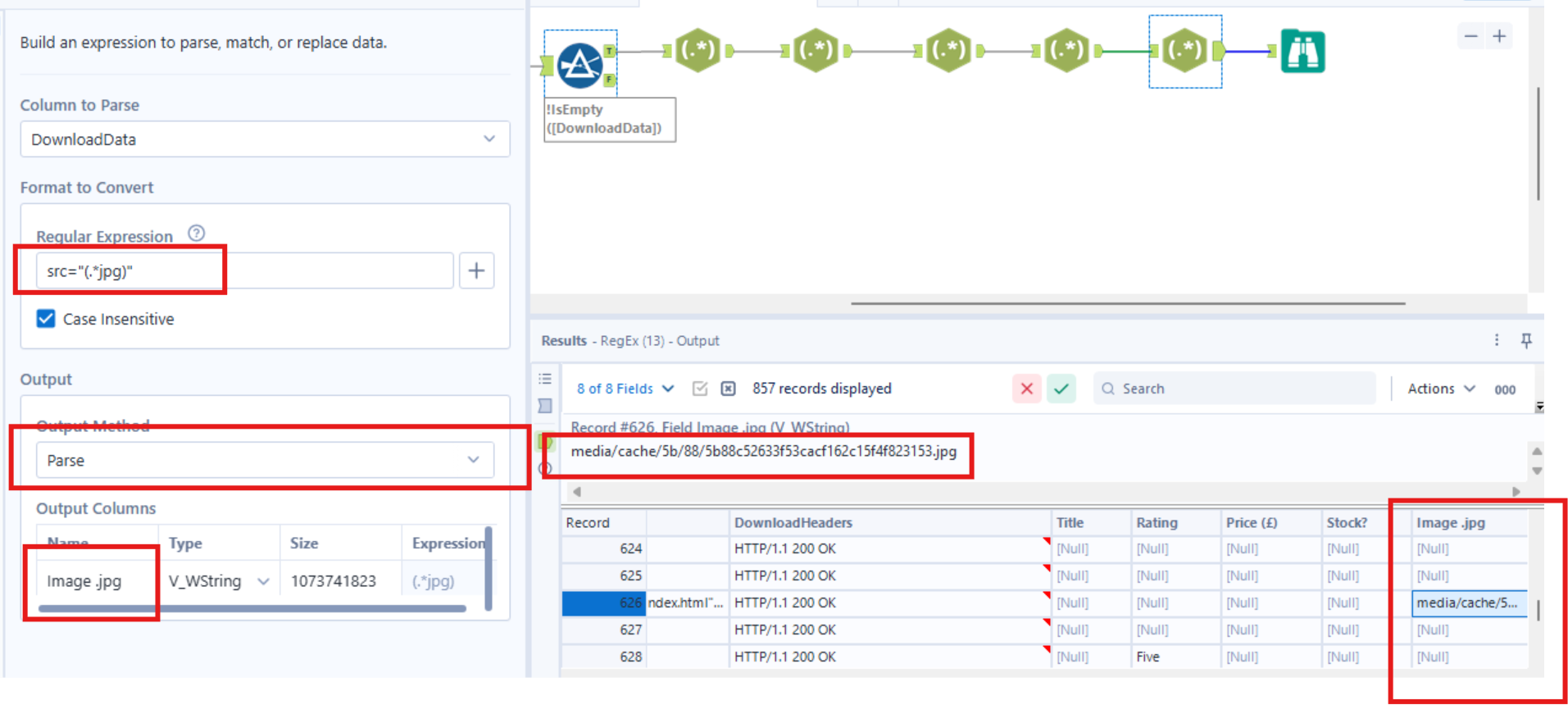
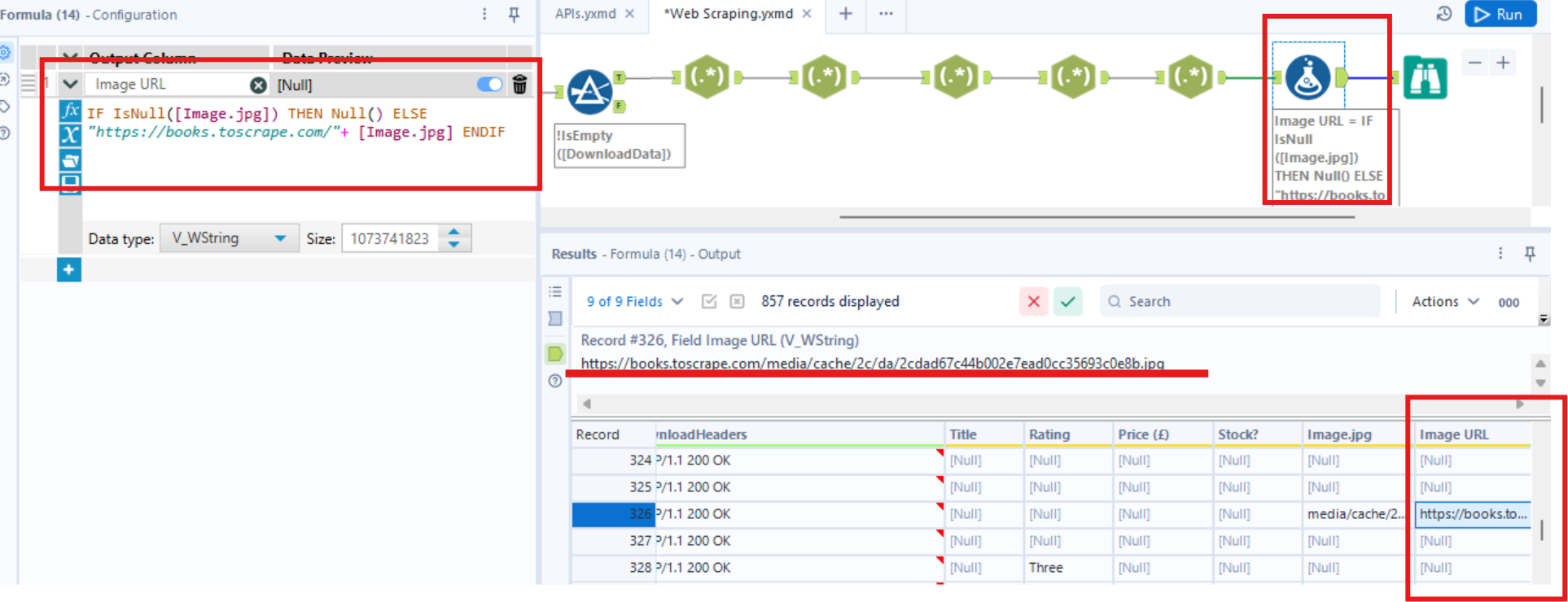
From the result you will notice that the first part of the URL is missing. This can be rebuilt using the formula tool, as shown below.