


This blog will cover the process on how I used Snowflake to call on API and flattened JSON to create this dashboard on One Piece pirate crews and their bounties.

To to this I used https://api-onepiece.com/en, specifically the character API.
1.Create Database and Schema
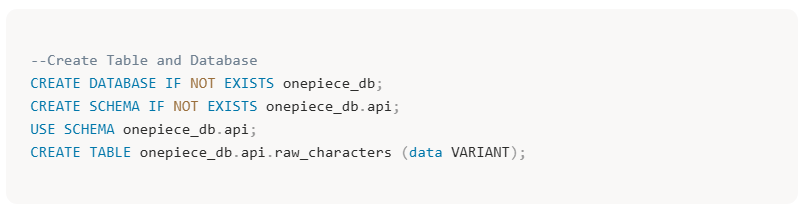
In snowflake create the database, schema and table where the data will be stored. The IF NOT EXISTS ensures they will only be created if they do not currently exist
2.Create Network Rule
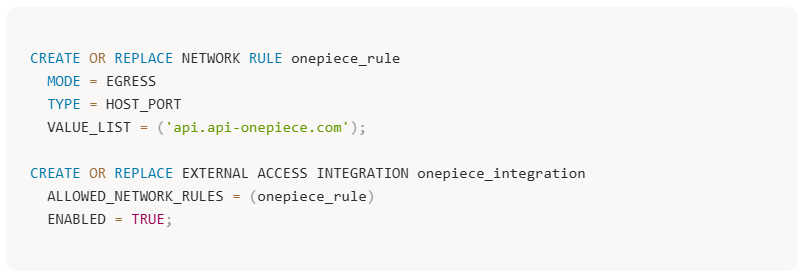
The purpose of this rule is to give Snowflake permission to talk to one specific website. In this case the one piece API URL.
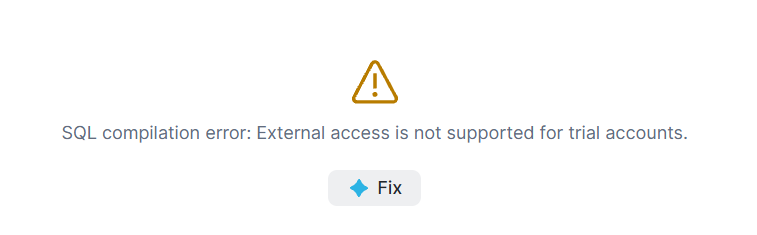
However, this was done on a trial snowflake account so I received this error. Meaning that I could not use Snowflake to call on the API. To work around this I saved the JSON file and uploaded it to snowflake as shown below.
3. Load the JSON into your browser
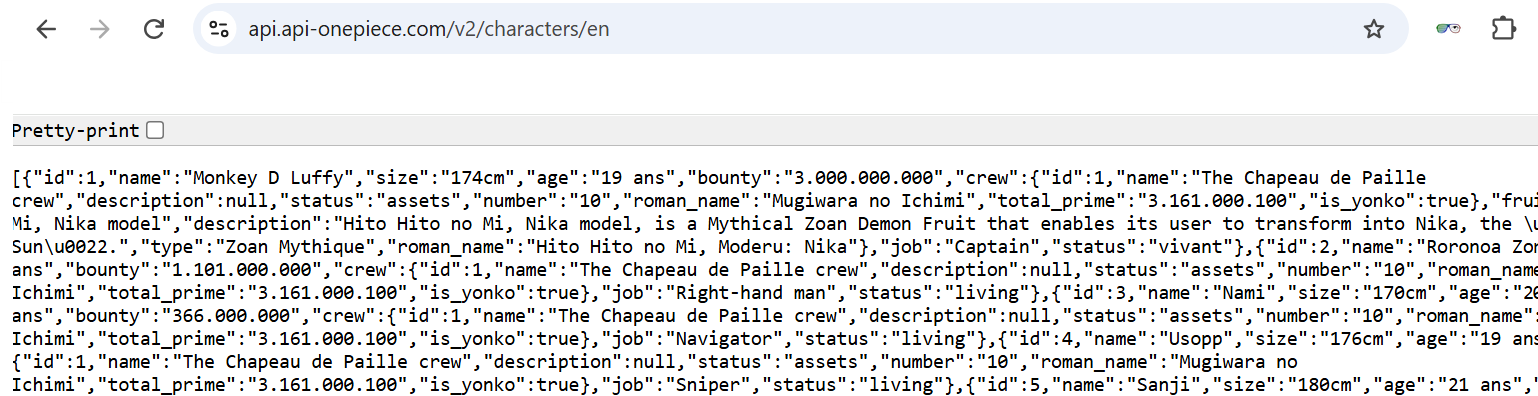
To do this Insert the URL of interest https://api.api-onepiece.com/v2/characters/en into browser, you should be able to see the result in the browser like so.
4.Save the URL result
Copy the entire result into VS Code and Save somewhere, where you can locate. You could also save this using the note pad.
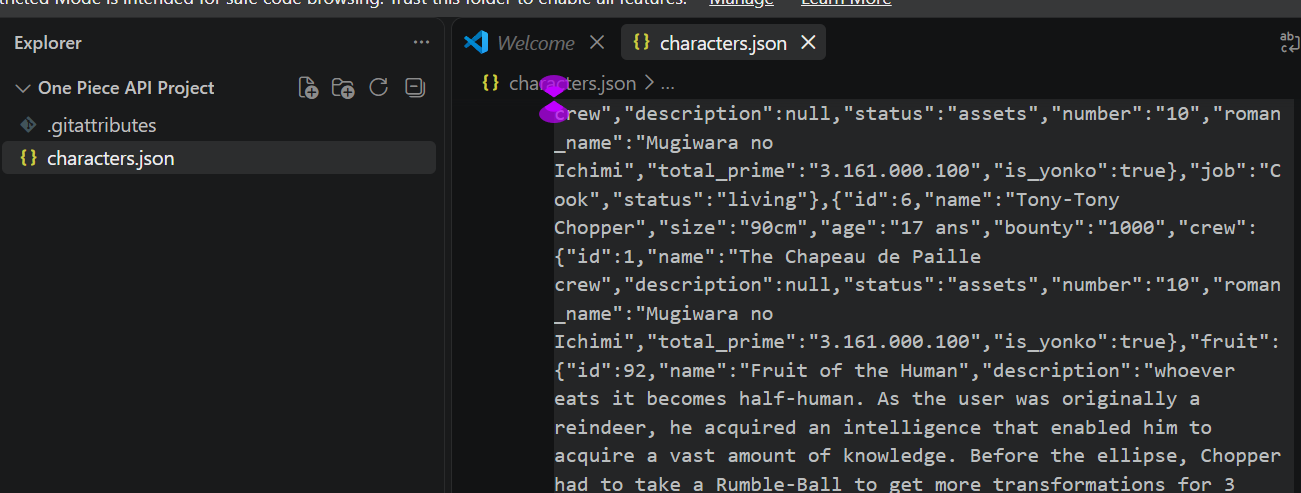
5.Load Data into Snowflake
Go back to snowflake and insert the data into the table using the ingestion tab.
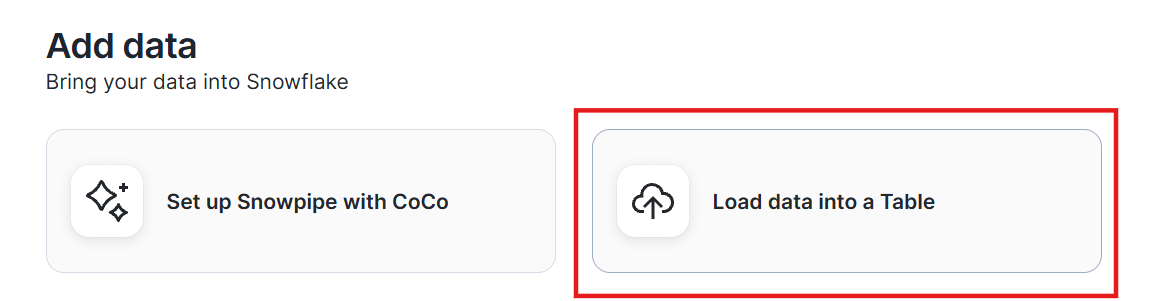
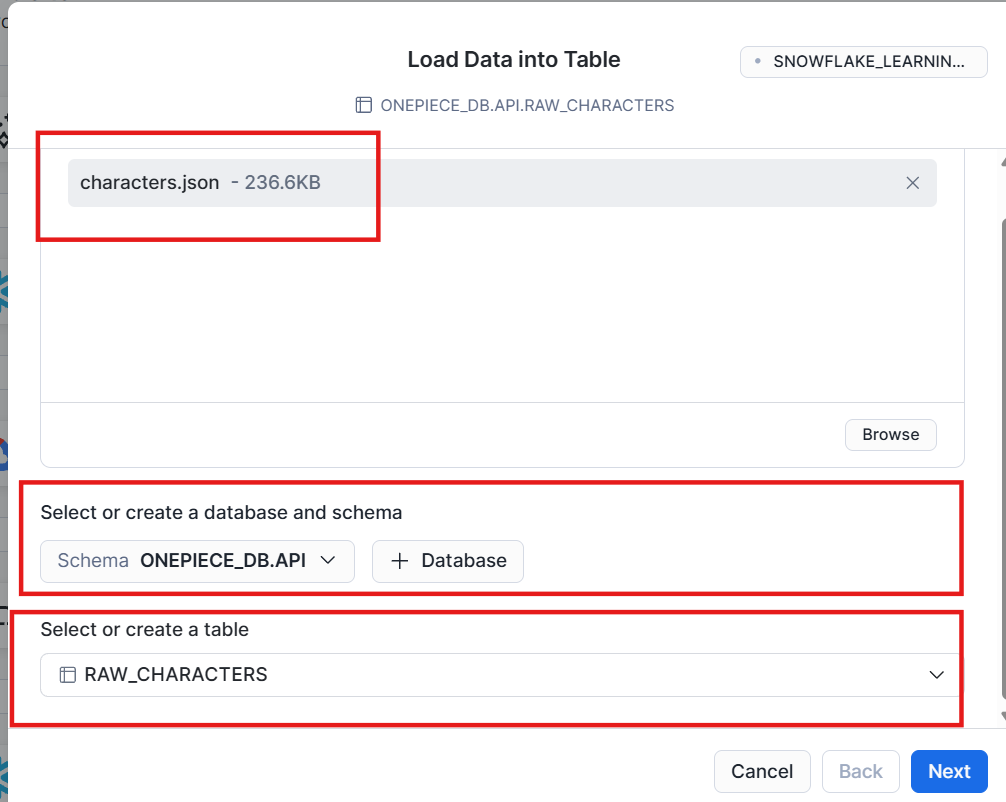
Selected the database, schema and the empty table created previously. Load in the file you had just saved.
Ensure that the following settings are as seen below so that there is one row per character in the resulting table.
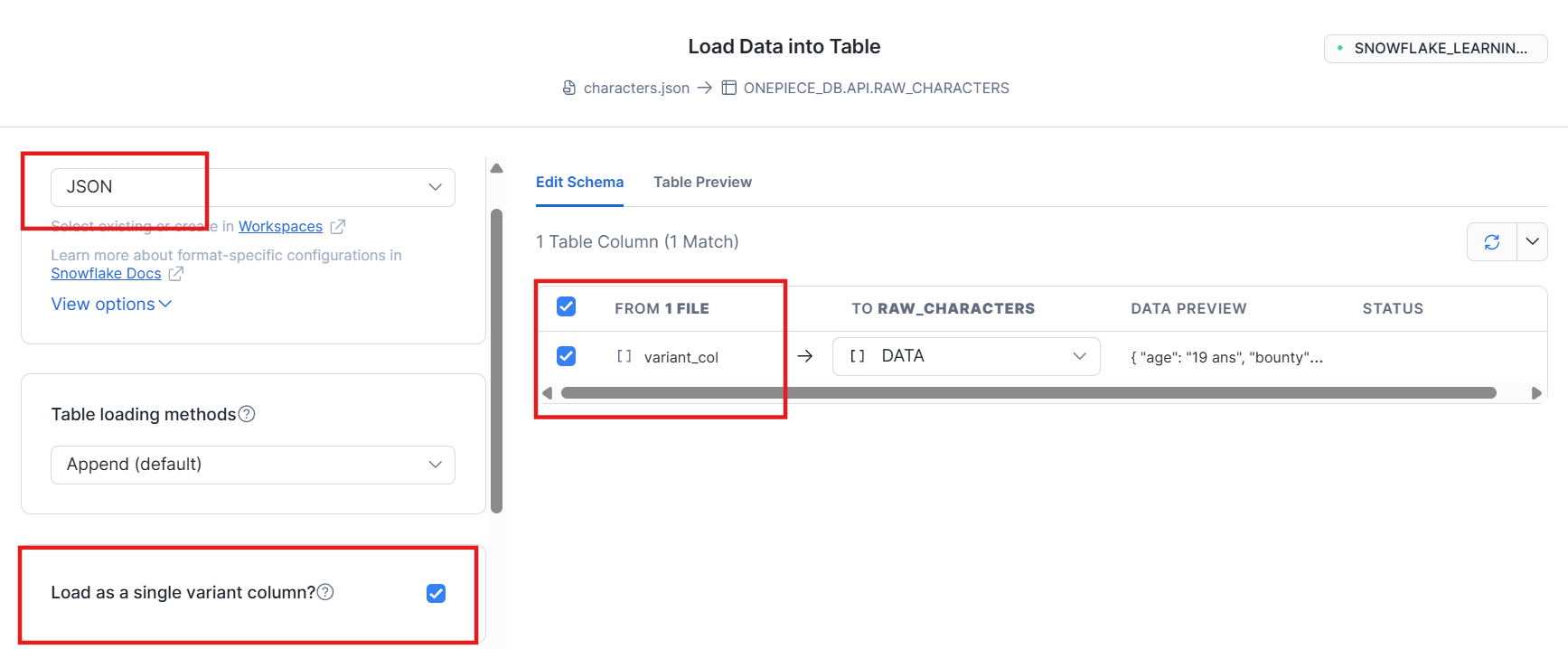
6.Check Result
Now that the data has loaded correctly, check what we are working with.
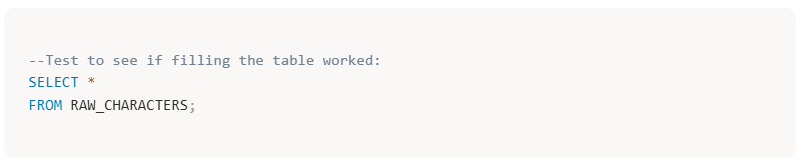
Here is the raw table. Can see that all the information for each character is limited to one row/column. The JSON file needs to be flattened out so each field has its own column.
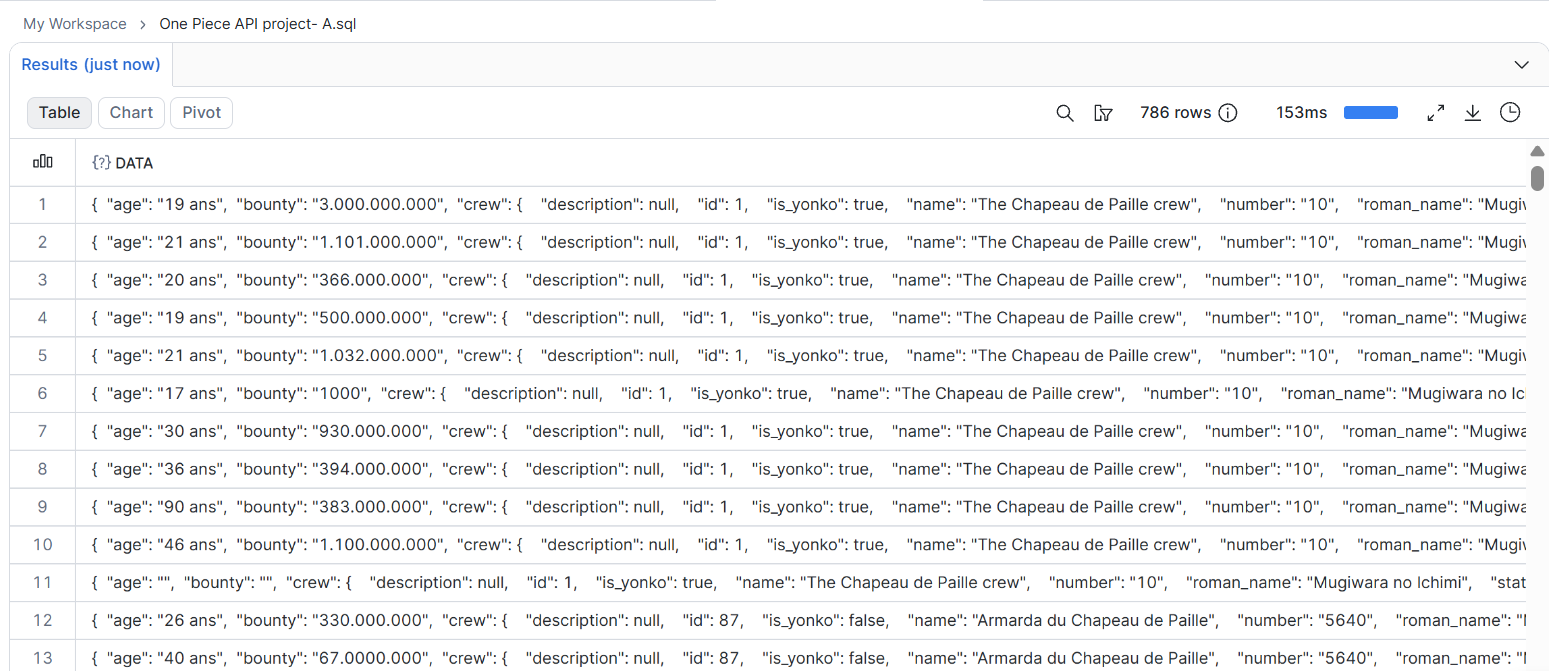
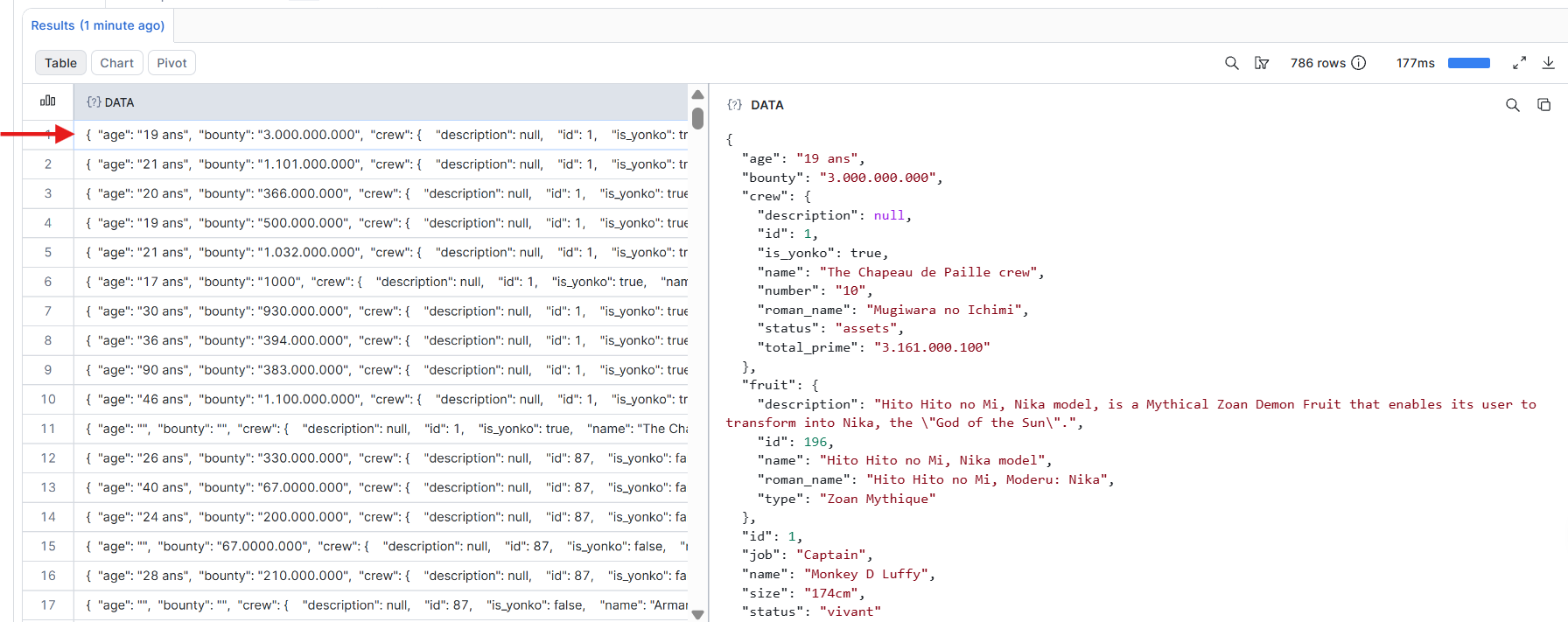
7.Flatten the JSON and create new clean table
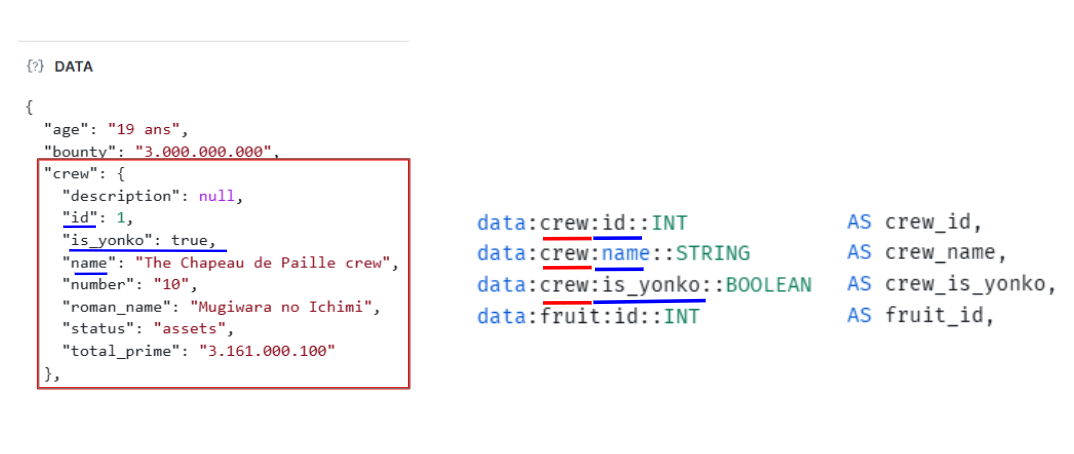
When you open 1 cell, you will realise that it holds an abundance of data, some of which is nested, as shown in the example below.
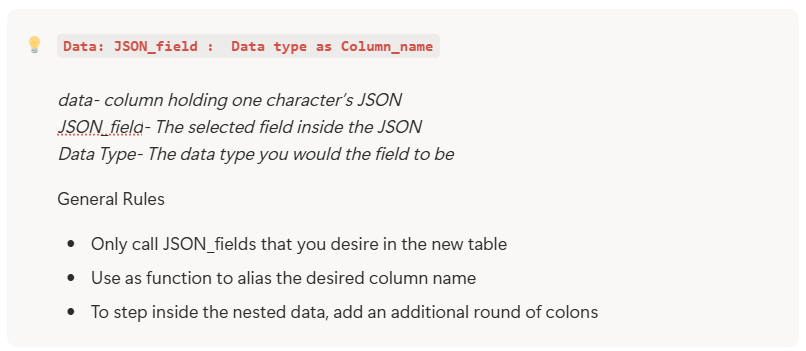
In order to flatten the json, follow this query structure:
Below is an example of how this query structure is put into practice for nested data.
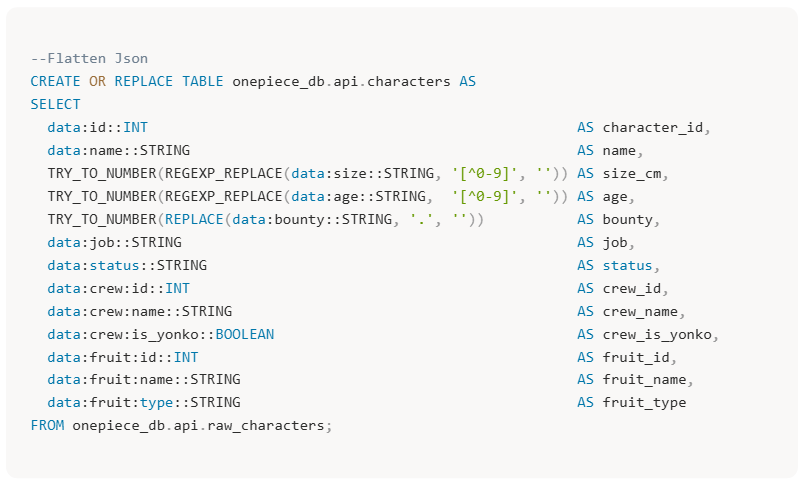
Below is the final Query used to Create the Table and flatten the JSON.
8.Check New Table
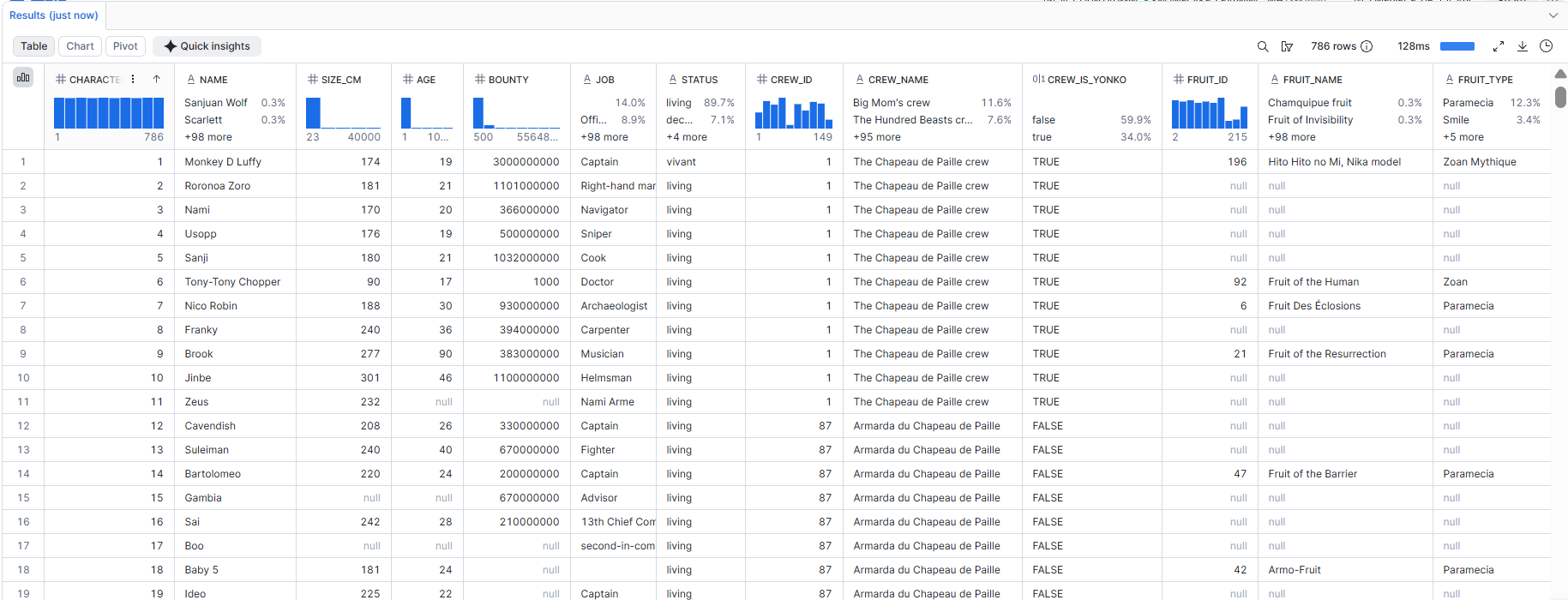
Here we can see that the JSON has been successfully flattened, there is one row per character and one column per field. From here further cleaning and transformations can occur, which were used in the Dashboard.