


What are APIs?
Application Programming Interface is a set of rules, which allow software to communicate with eachother. It outlines program requests, what data to send and the expected reponses.
Think of it is as a restaurant:
You- customer at a restaurant
API- The food menu
Server- Chefs in the kitchen
What are the uses:
•Pulling data - for example finance apps pulling stock prices or weather apps calling weather service
•Authentication and Identity- The log in with google/apple buttons call an API to verify who you are.
•Maps and location- delivery apps/services use Google API to show routes.
Before starting, here is some useful context for when using API:
Headers
Headers are extra meta data attached to a request/response. Think of if as the extra details on the envelope of a letter(address, postage) separate to the main body of the letter. Below are some types:
- Content type - tells the receiver what format the data is in (e.g. application/json, text/json).
- Authorisation - carries credentials, like an API key or token, so the server knows who's making the request.
- User-Agent - identifies what's making the request (a browser, an app, a script).
End points
A specific URL where an API can be reached to perform a certain action. With the restaurant model, the endpoint would be the individual items on the menu.
Using the weather example from before, the end points may be:
api.weather.com/current-get today's weather
api.weather.com/forecast- get the 5 day forecast
api.weather.com/alerts- get severe weather warning
Cache and Run Workflow:
Before we start, it is important to know how to cache and run workflow. This allows for you to run the workflow without continuously calling from the website. It makes a temporary file up until that point in the workflow. Note:If you close alteryx the cache will be deleted.
This is useful as some sites may have limits on the number of times you can do this, you may be blocked if you go over the limit!
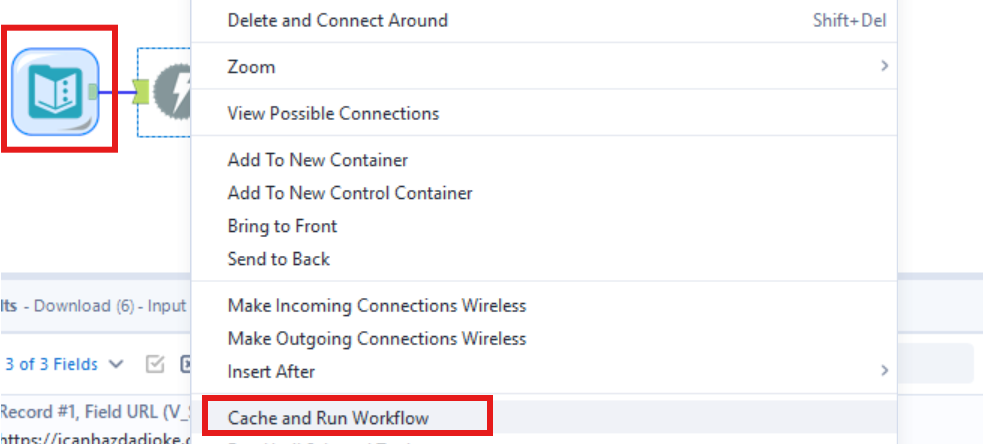
How to :
In this example, I will be fetching random dad jokes from https://icanhazdadjoke.com/api in the plain text and json format.
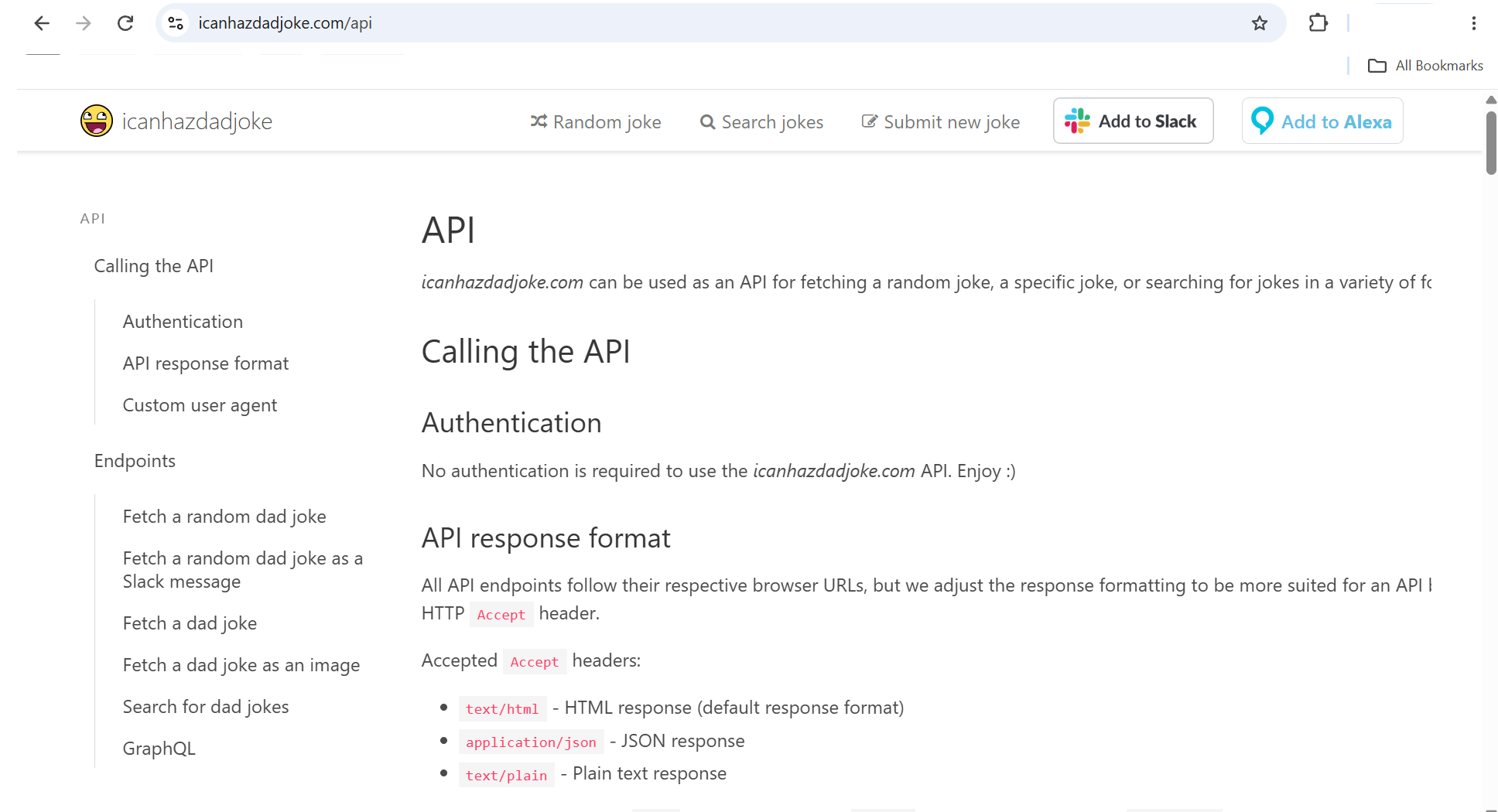
The website should look something like this. Here you will be able to read the documentation on headers, User-Agents and End-points.
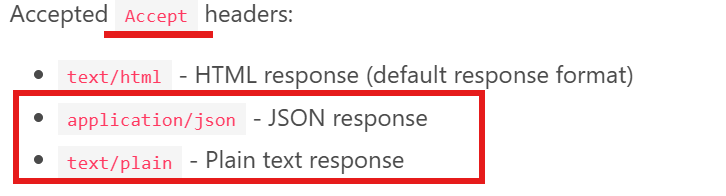
- To start, open Alteryx and insert the text input tool. In the input text tool, put in the URL, the Accept header (as per the documentation instructions) and the user-agent. The user agent in this case was my email and the reason for my use of the API, this is so the owners understand who is fetching their data and why.

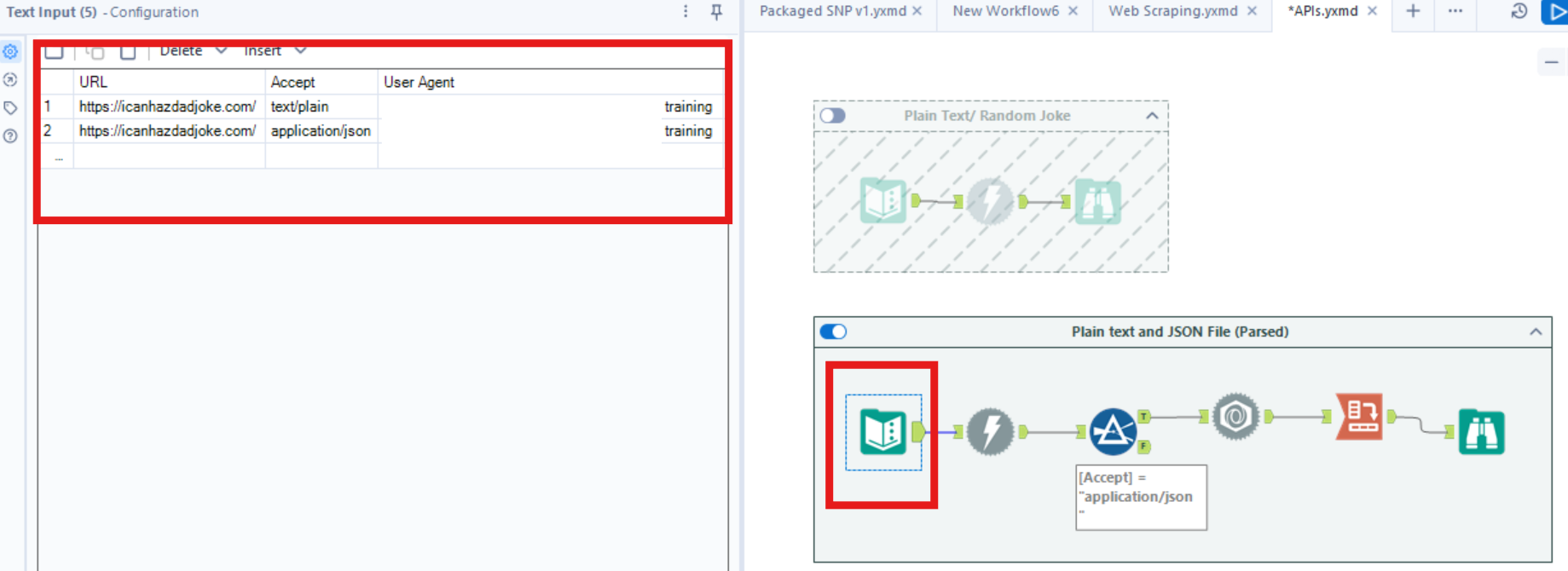
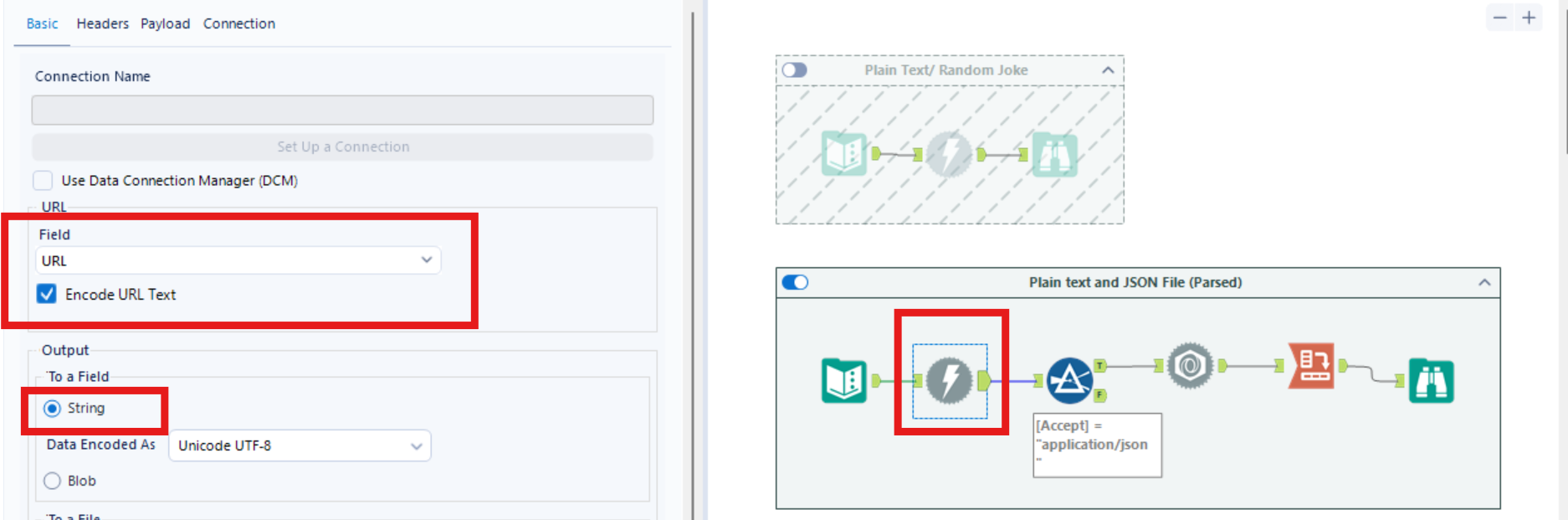
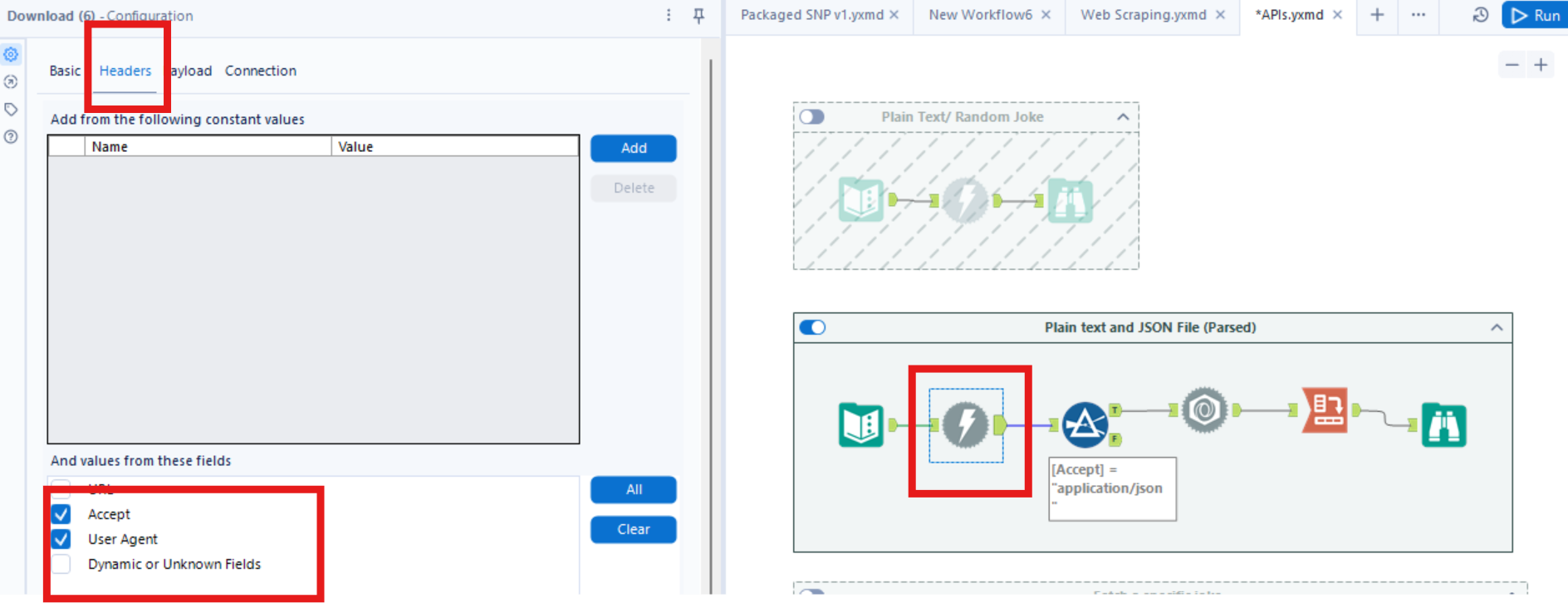
- Insert a download tool, ensure that the Data connection box is unticked and set the properties of the tool as shown. Ensure the URL is accurately selected and the Headers: accept and User-Agent are selected.
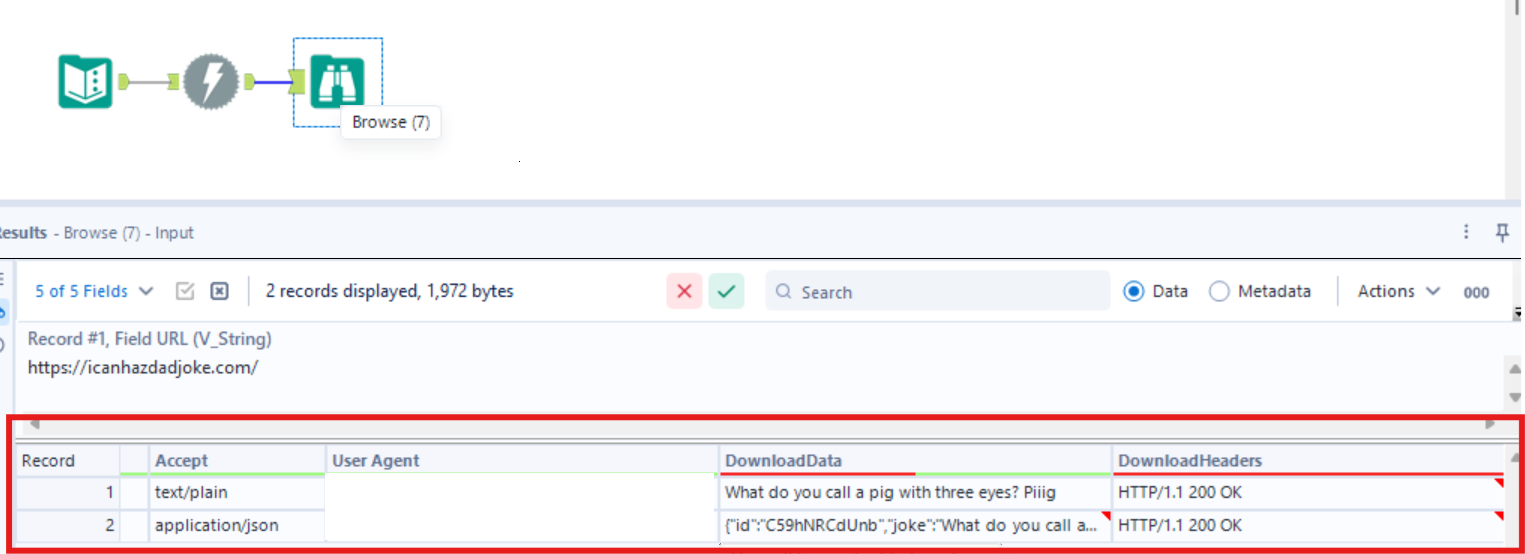
- From the result you will see:
The joke available in plain text
The json response follows a specific format, this can be parsed out. However we only want to parse put the json formatted joke so need to add a filter.
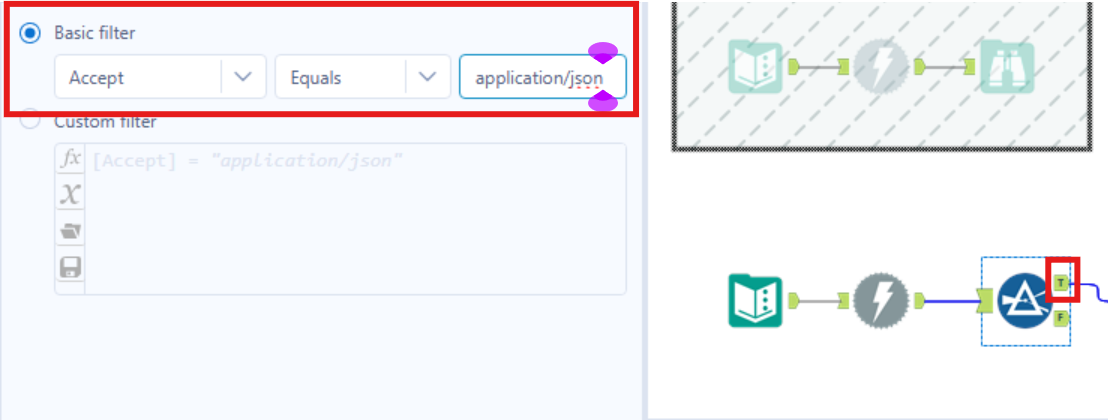
- Now that we have filtered for the json format only we can insert the json parse tool. Ensure that the data download field is selected as the json field and the output values are converted to a string field.
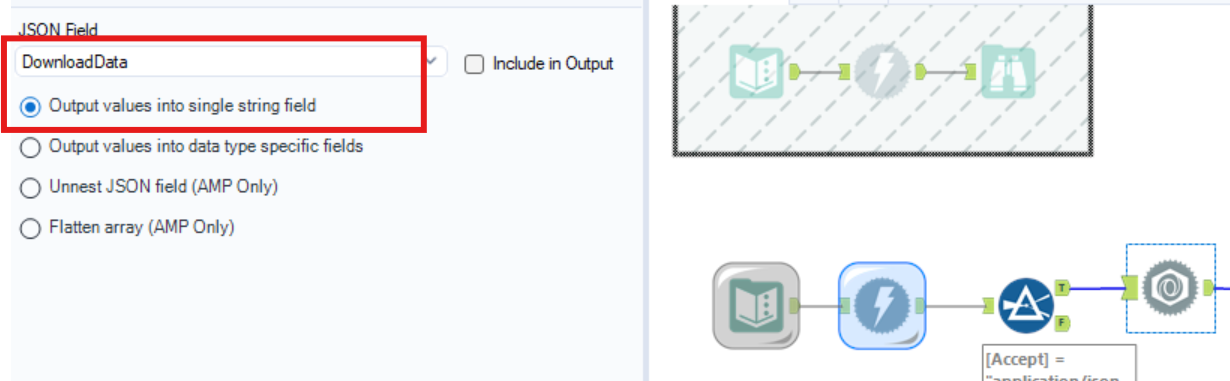
- From the result, you will see that 3 new rows have been passed out. But so that the data is all in one row, these now have be converted from rows to columns, using the crosstab tool.

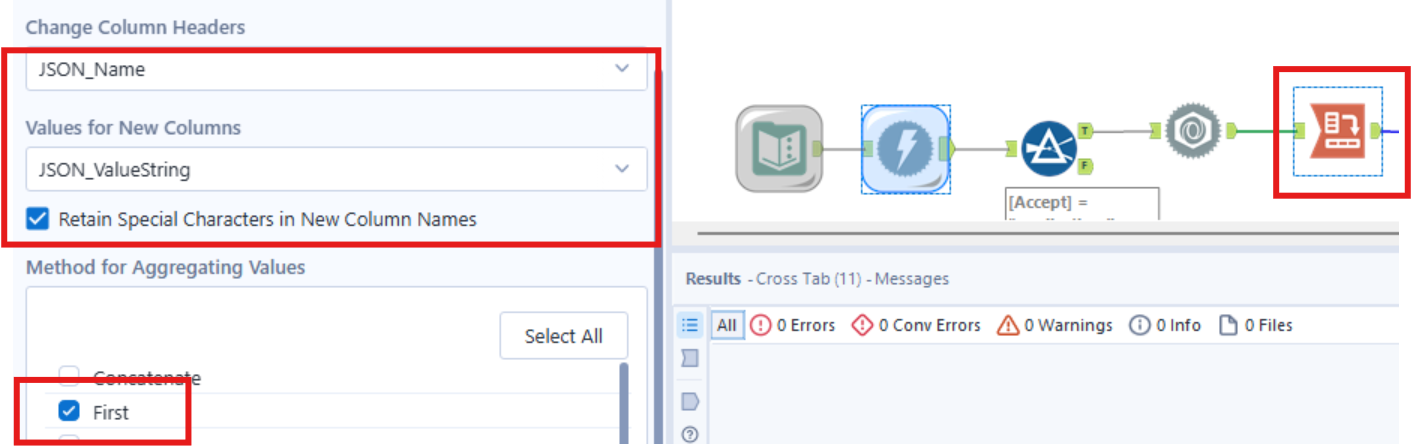
The final result should look like this! Congrats, now you can use API to fetch data !
