


So, I learned SQL this week, and it's always interesting to see how things come full circle. One thing I've noticed throughout my learning journey is that code, no matter the language, tends to share some similarities. The syntax might look different, but some of the concepts feel familiar.
Over the past two days, we've been learning SQL, specifically the Snowflake flavor. One of our analytics engineering consultants, Megan, gave us an analogy that really stuck with me.
She compared learning SQL to learning how to write. Basic syntax is like writing sentences, CTEs are like writing paragraphs, and subqueries are like writing essays.
But let's not get ahead of ourselves. For now, let's learn to write some sentences!
Learning to Write Sentences: SQL Basics
There are different flavors of SQL, but they all share many of the same core principles. Here are a few of the building blocks we've been learning in Snowflake:
- SELECT — What information do I want?
- FROM — Where am I getting it?
- WHERE — What conditions should my data meet?
- GROUP BY — How do I want to group my data?
- ORDER BY — How do I want to sort my results?
You can use these clauses to extract and mold your data in the way you like.
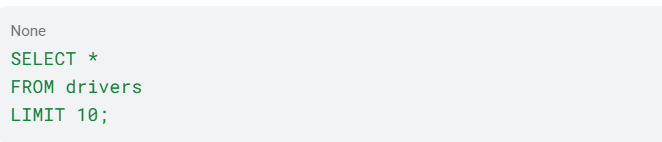
At its simplest, a SQL query looks something like this:

This returns all the rows and columns from our DRIVERS table.
Here's a quick tip that helped me, so maybe it'll help you too. Before diving into your queries, take some time to get to know your data. Look at the column names, data types, and the level of granularity you're working with.
In Snowflake, you can use LIMIT to get a quick look at your data:
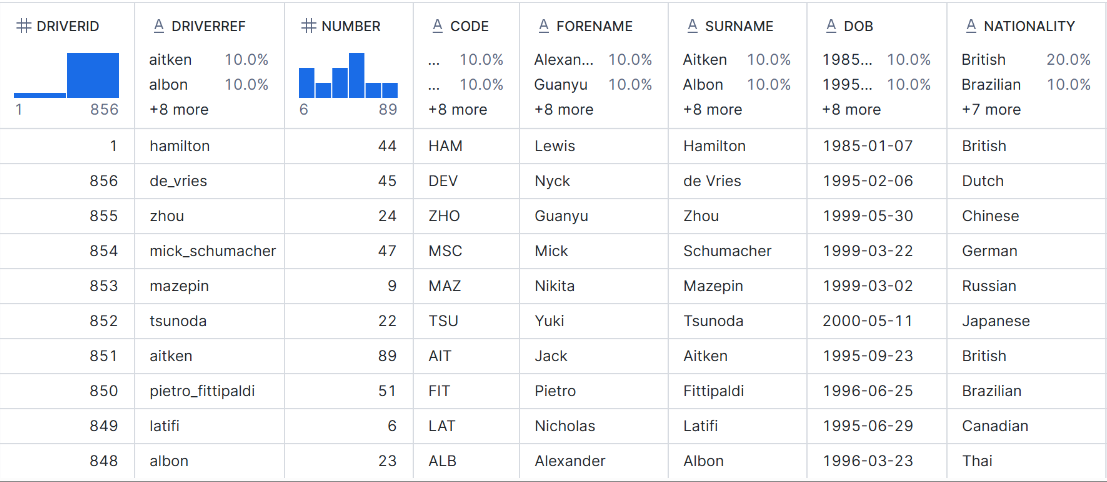
Can't know what code you're writing if you don't know your data. Well, you could... but I wouldn't recommend it!
Learning syntax is like writing sentences; put enough of them together, and you've woven together a story of data.
Connecting the Dots: Joins
Working with data often means working with schemas that contain multiple related tables. But what happens when you need information from two different tables?
You join them!
Let's use our Formula 1 dataset as an example. We have a DRIVERS table containing information about the drivers and a RESULTS table containing their race performances.
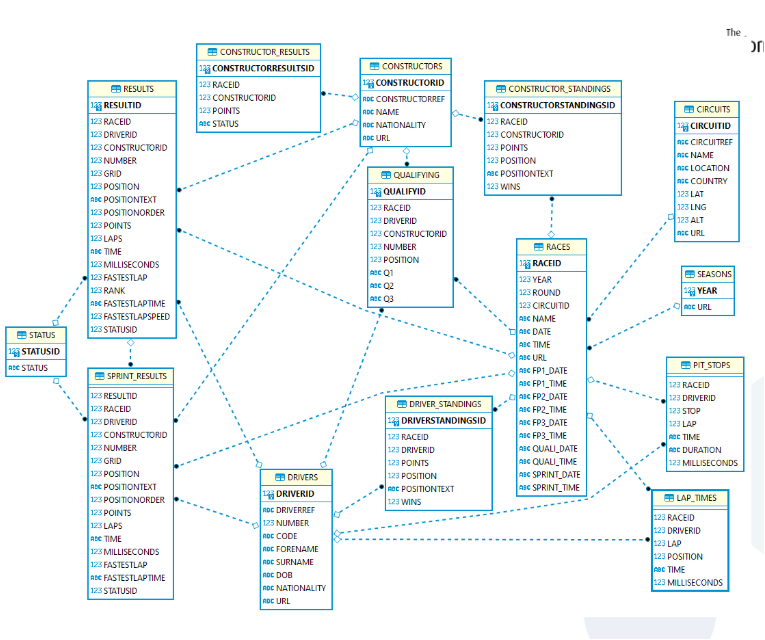
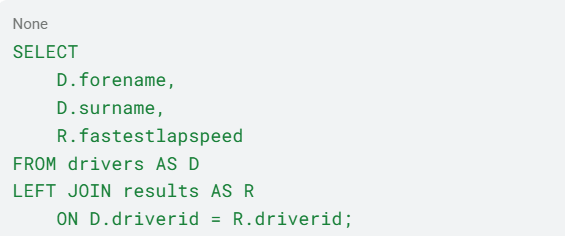
Say I want to see each driver's name alongside their fastest lap speed. The information I need lives in two different tables, so I'll need to bring them together.
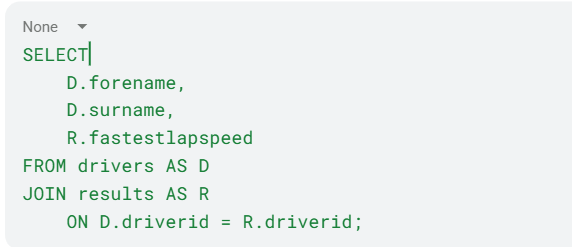
Notice how I've given each table a little nickname, otherwise known as an alias. D represents DRIVERS, and R represents RESULTS.
The ON clause tells SQL how to connect the tables. In this case, we're matching them using DriverID, a column they have in common.
And just like that, we've brought information from two different tables together!
Not All Joins Are Created Equal
There are different types of joins, and each serves a different purpose.
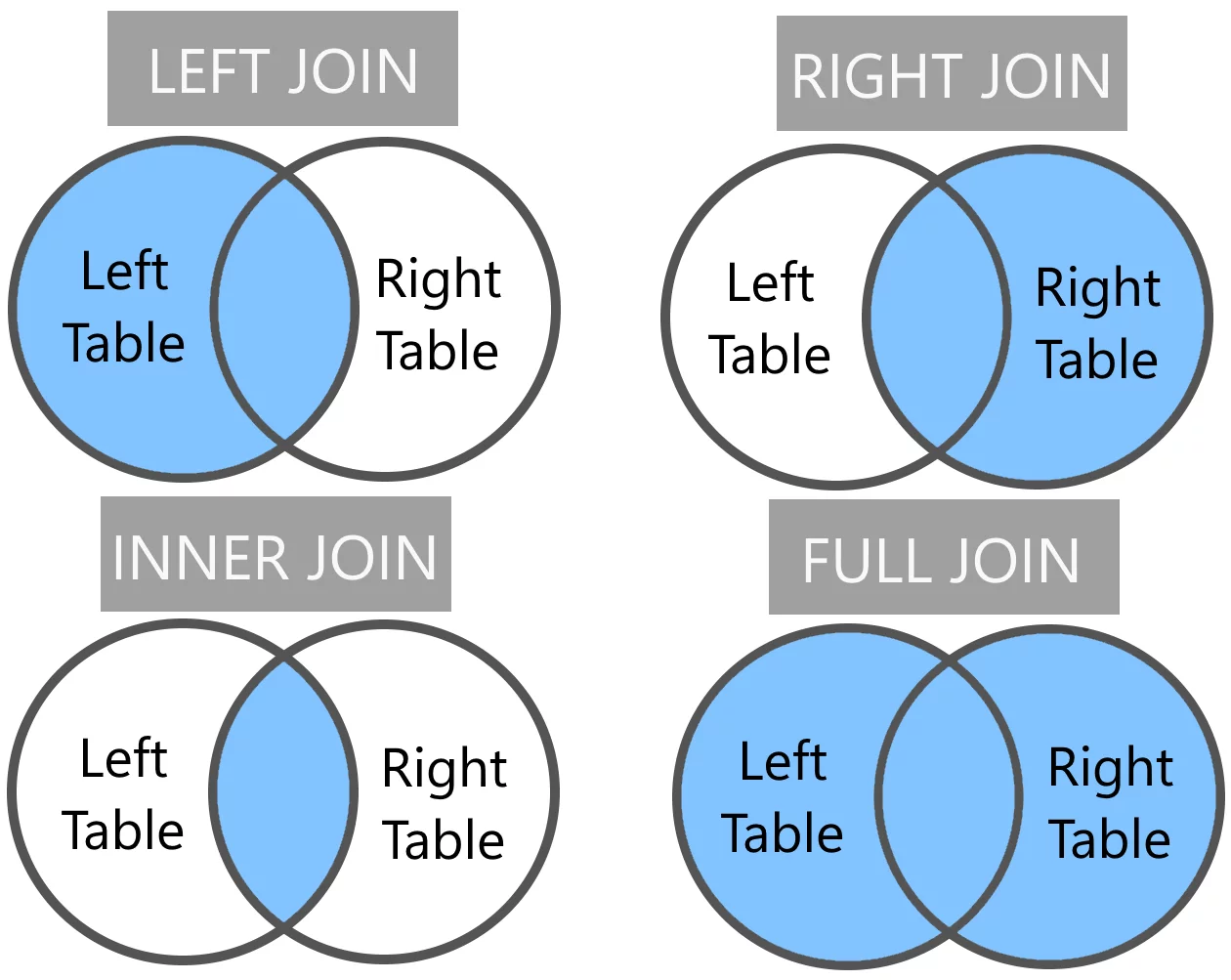
- INNER JOIN: Returns only records that have a match in both tables.
- LEFT JOIN: Returns all records from the left table, along with matching records from the right table.
- RIGHT JOIN: Returns all records from the right table, along with matching records from the left table.
- FULL OUTER JOIN: Returns all records from both tables, whether they have a match or not.
When an outer join doesn't find a match, the missing values from the other table are returned as NULL.
For example, if I wanted to see every driver, regardless of whether they had a matching race result, I would use a LEFT JOIN:
The type of join you choose all depends on the question you're trying to answer.
Wait... Why Do I Have More Rows Now?
Remember when I mentioned granularity?
Our DRIVERS table contains one row per driver, while our RESULTS table can contain multiple rows per driver. After all, a Formula 1 driver participates in more than one race!
When we join these tables, a driver's information can appear multiple times, once for each matching race result.
This is known as a one-to-many relationship. It's important to understand because joining tables can change the granularity of your data. If you're not careful, you might end up counting the same thing more than once.
So, before you start joining tables left and right (pun intended), make sure you understand how they relate to one another.
Final Thoughts
These past two days of learning Snowflake SQL have been quite the experience. It's interesting how much you can accomplish with just a few fundamental concepts.
We've gone from selecting information from a single table to bringing multiple tables together and answering more interesting questions about our data.
There's still a lot more for me to learn, especially when it comes to CTEs and subqueries, but I'll save those for another blog.
For now, we've got our sentences down.
Next up? Paragraphs!