


Journeying through the Tableau Query Pipeline
This week in DSNY training, we learned about action order-of-operations in Tableau Desktop. From the moment the Tableau workbook connects to a live data source, down to the charts with trend lines and reference lines,
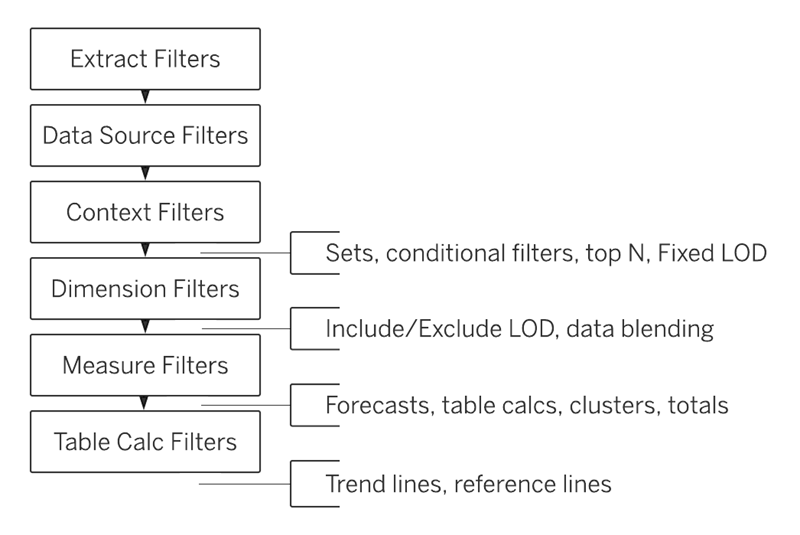
We will be focusing on the main flow chart in this article.
Step One: Extract Filters
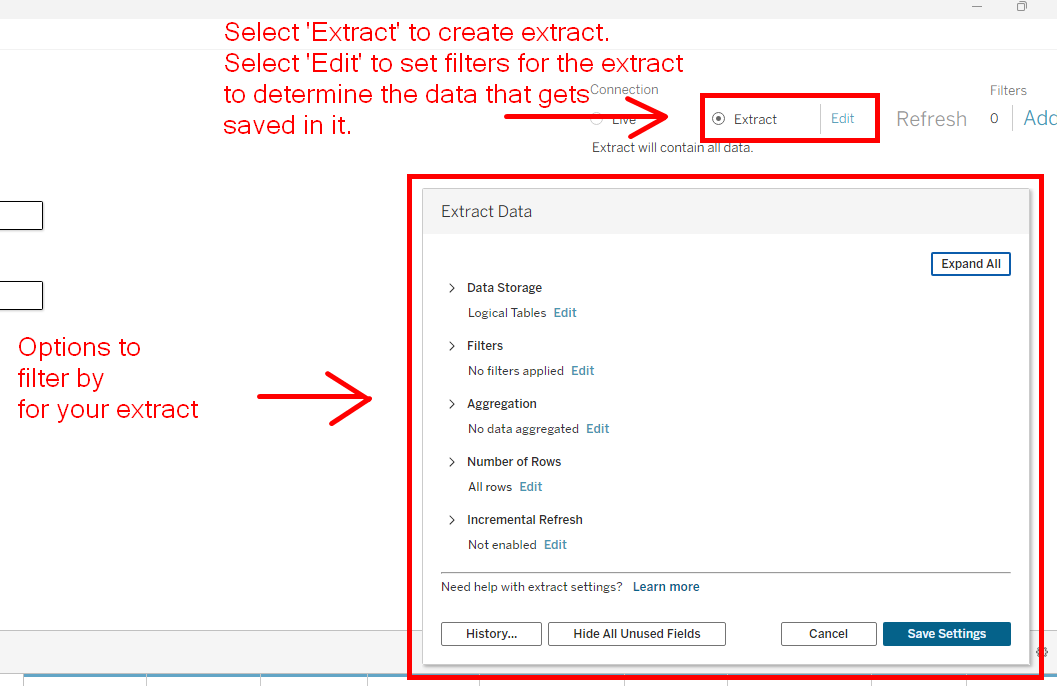
The 'Extract Filters' are the first part of this pipeline. In this stage, we can implement an extract, which is a static copy of the data that we are connected to. At this point, we may choose to filter this data, and the results will define the size of our extract.
Step Two: Data Source Filters
From here, you may choose to set additional filters on your data before you even start creating charts in your project. These are Data Source Filters. We have saved an extract of our data, but we may not want to use all of it, so we can set additional filters in the data source tab to 'hide' what we won't need. It still exists in the extract. We just won't see it.
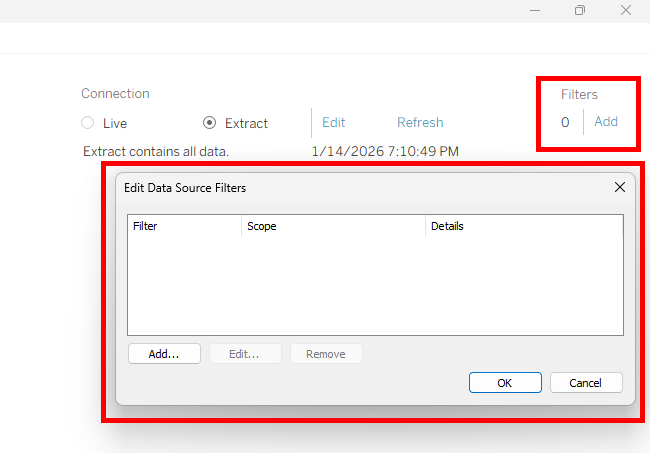
Once that is done, we can begin creating our charts.
Step Three: Context Filters
At this level, we have the choice to set context filters. Context filters are filters which work after the Data Source Filter is set (i.e. defines the subset of data that all sheets can see and use) but before filters that we use in the sheet for our analysis.
Revisiting the chart of the query pipeline, we see that there are two inserts into our pipeline, one between Context Filters,
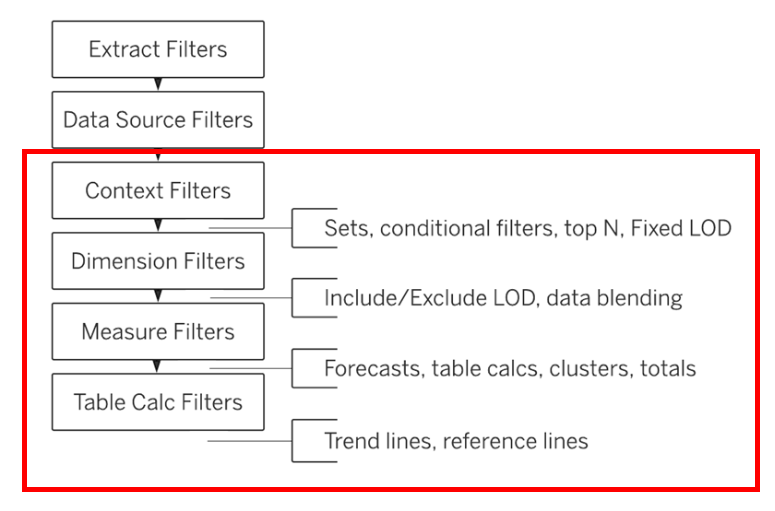
Essentially, it allows us to create filters of any type that have lower priority in our order of operations, and lets it skip the line, setting up the 'context' for the analysis in our sheet.
We need context filters when we want to find top N of a finer grain dimension, while filtering for a coarser grain dimension. For example:
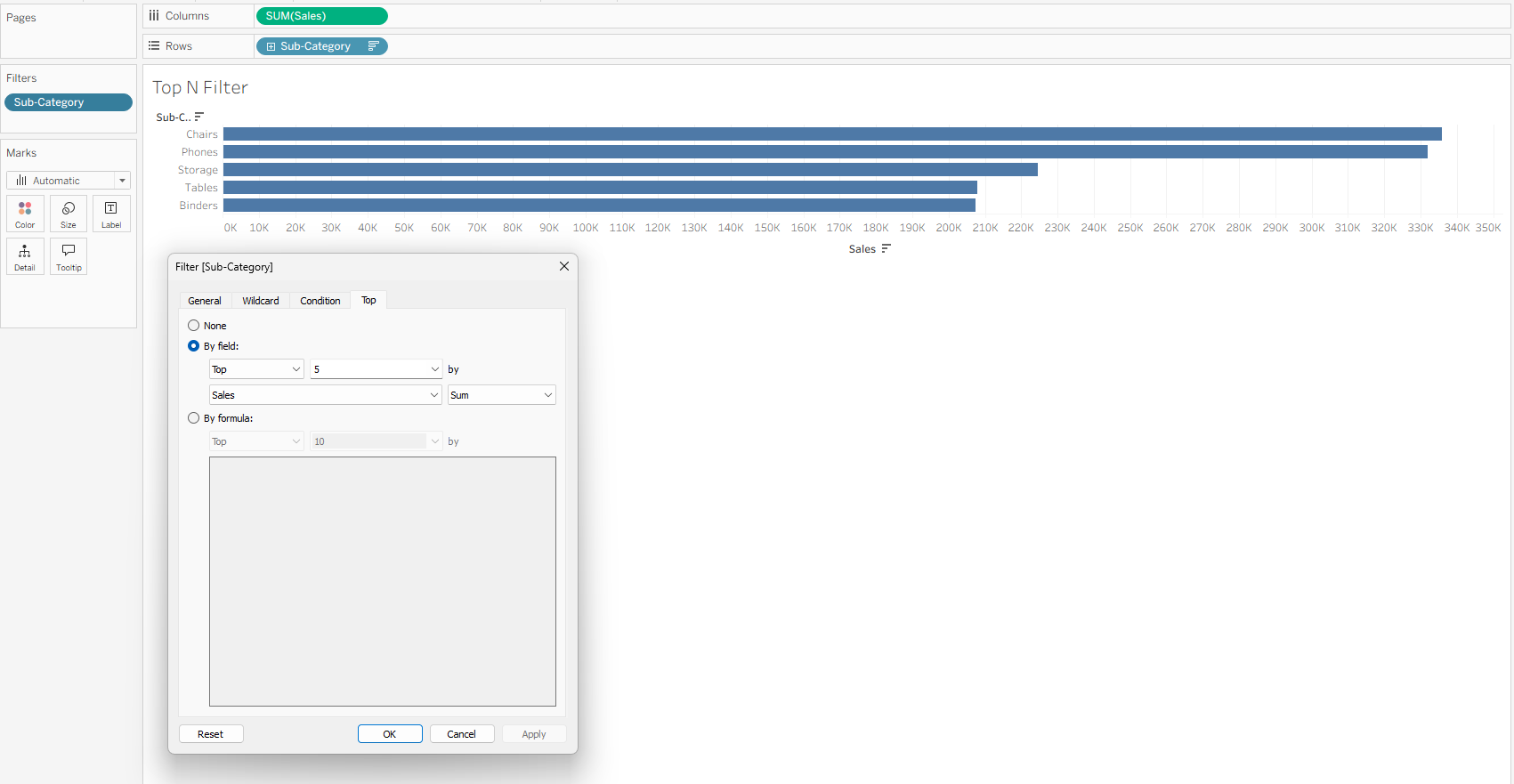
Here are the Top 5 sub-categories by sales. The blue filter labeled 'Sub-Category' in the filters pane is a top N filter. This filter comes into play after context filters, but before dimension filters.
If I wanted to see the Top 5 sub-categories by sales, but only from the 'Office Supplies' category, I might try adding categories as a filter as well:
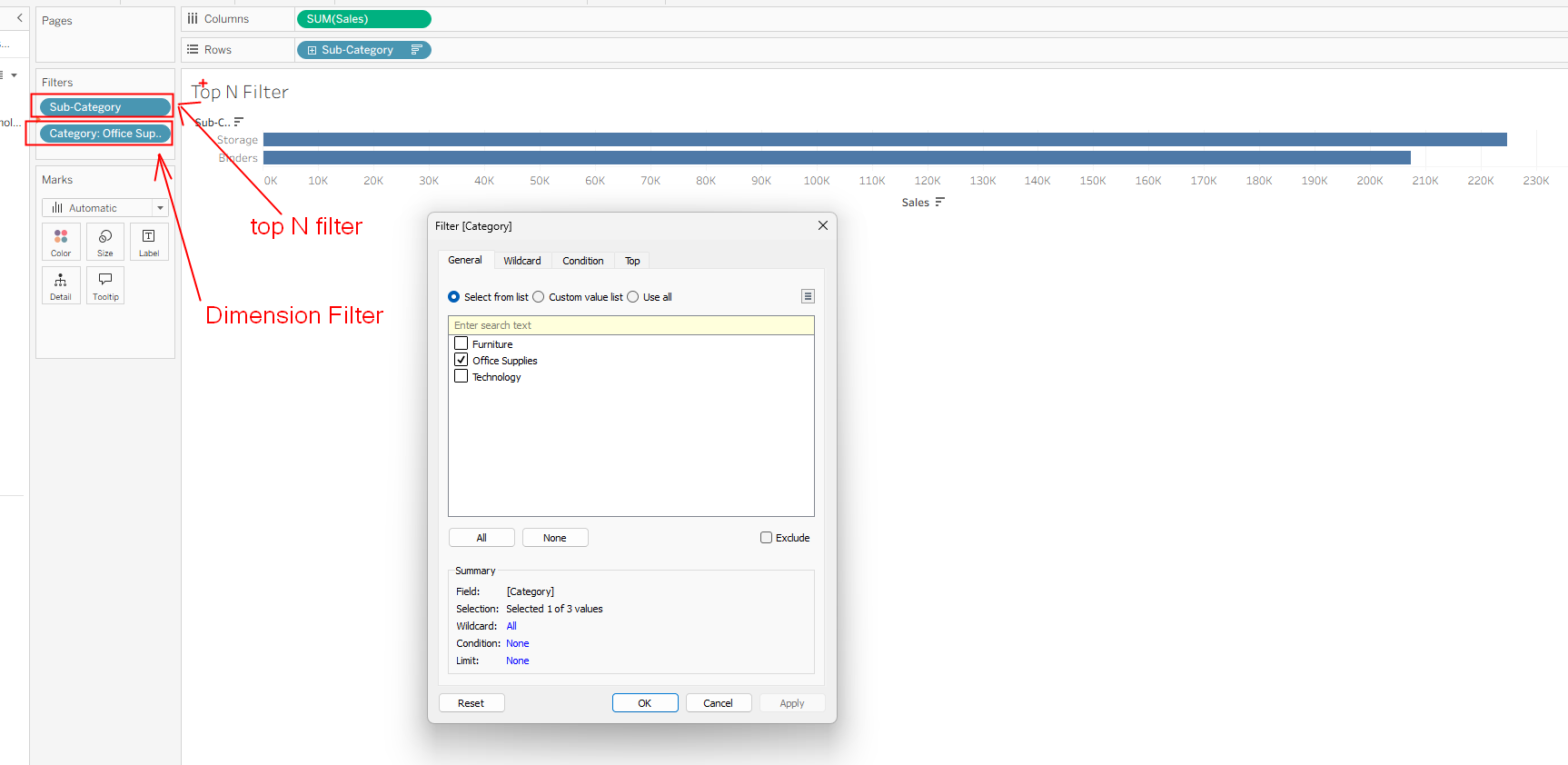
But we run into a problem! Because Dimension Filters run after top N filters, we filter out for the rows of sub-products belonging only to the 'Office Supplies' category after we have calculated for the top 5 sub-categories.
We want our Dimension Filter 'Categories' to do its work before the 'top N' filter, so we let it skip order of operations by designating it as a Context Filter.
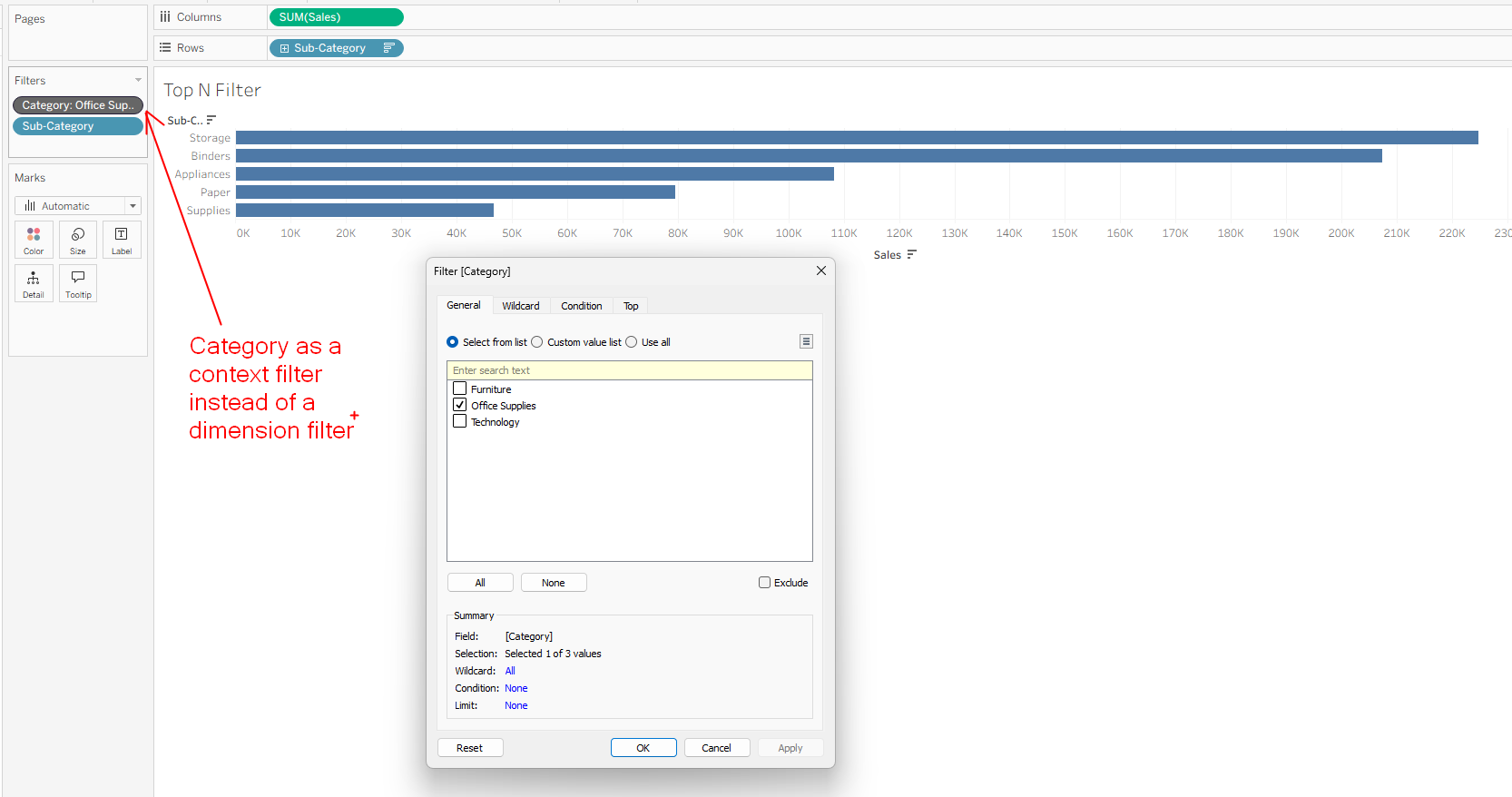
Why does this work? When the Categories filter gets to operate, it can only operate on what's available in the sheet. Its only job is to filter for 'Office Supplies'. Top 5 has already been executed. The sheet has already lost sight of the sub-categories that were taken away by top N filter. At this point, the Categories filter just returns rows where "Is Office Supplies" returns TRUE.
If we want to see Top 5 sub-categories in 'Office Supplies', we need to get that list of sub-categories before carrying out the top N filter.
That's how context filters can be useful.
Step 4: Dimension Filters
Next we have Dimension Filters. When you drop a dimension into the filter pane, this is the level that it is executed.
Step 5: Measure Filters
Finally, Measures dropped on the filter pane will be calculated here.
Since dimensions must be evaluated before you can aggregate your measure, likewise dimension filters will execute after the relevant dimensions have been evaluated, and measure filters will execute after relevant measures have been evaluated.
In short, understanding of the Tableau Order of Operations will be key in helping you create great visualizations.