


Transpose and Cross Tab tools are used to change the structure of data in Alteryx. These tools are useful when data needs to be reshaped for analysis.
Transpose Tool
The Transpose tool converts data from wide to long format. It changes selected columns into rows.
There are two main settings in the Transpose tool:
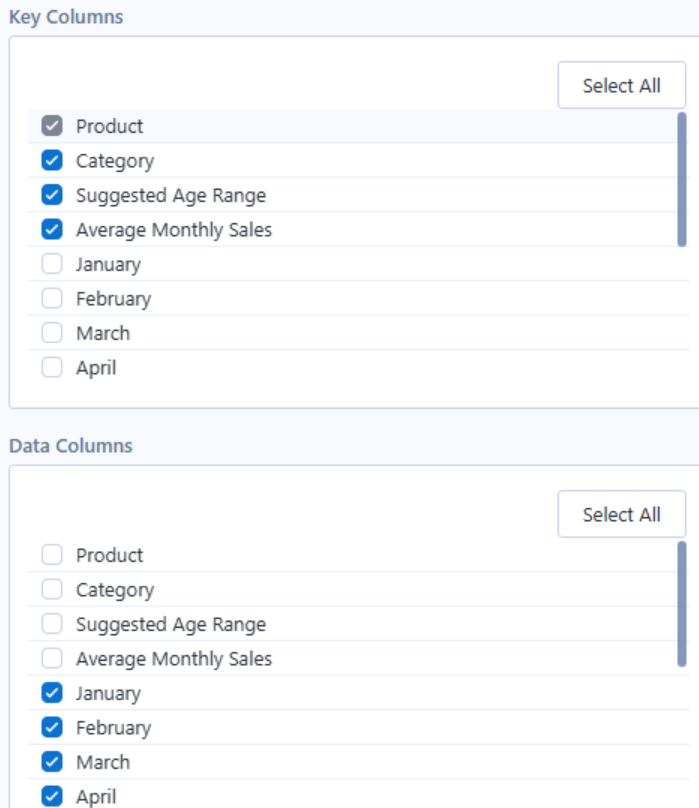
Key Columns
Key columns are the fields that remain as columns in the output. These fields are used to identify each record.
Data Columns
Data columns are the fields that are converted into rows.
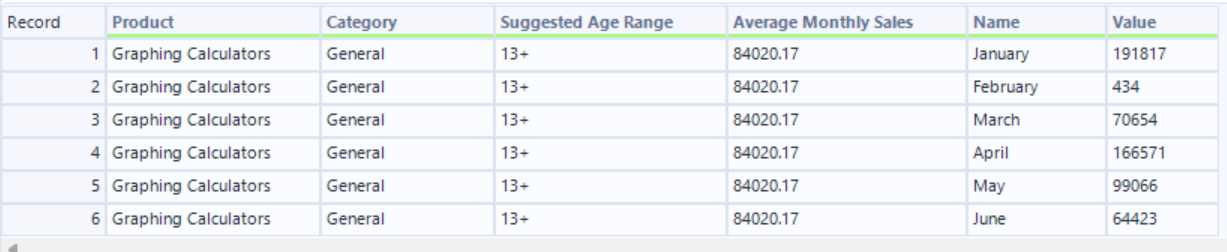
After the tool runs, the selected data columns are placed into two fields:
- Name: the original field name
- Value: the original value from that field
I found it easiest to think of the setting this way:
- Key Columns are the columns you want to keep unchanged.
- Data Columns are the columns you want to transform into rows.
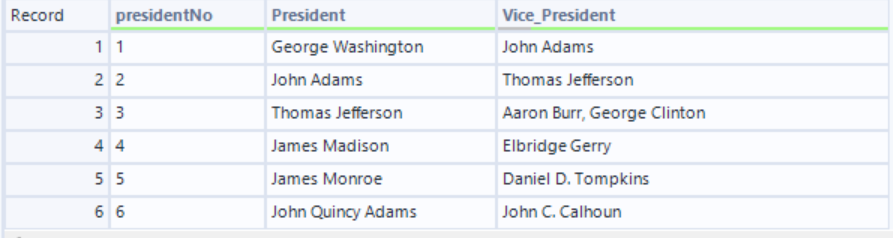
Input data

Select Columns
Output
Cross Tab Tool
The Cross Tab tool performs the opposite function. It converts data from a long format into a wide format by turning row values into columns.
There are three main settings in the Cross Tab tool:
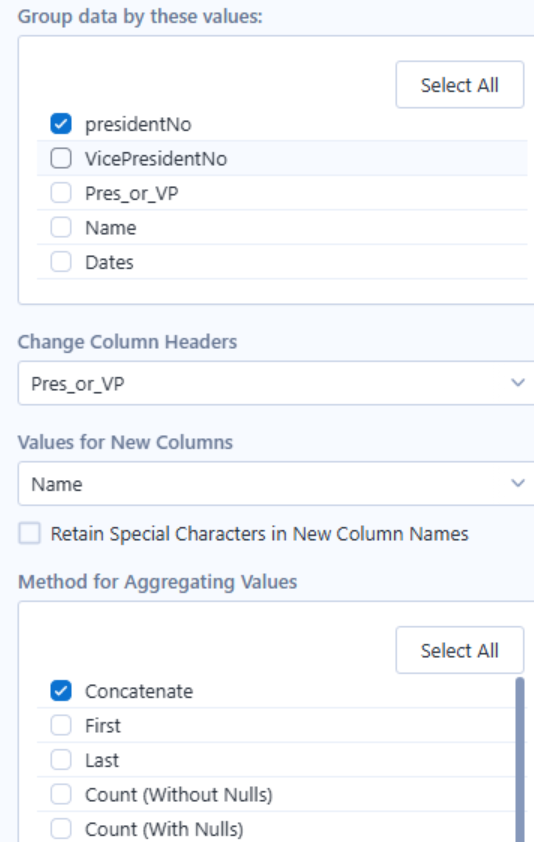
Group Data By Values
These are the fields that remain as row identifiers.
Change Column Headers
This field determines the new column names.
Values for New Columns
This field determines the values that will be placed under the new columns.
Method for Aggregating Values
This tells Alteryx what to do when more than one record belongs in the same cell. For example, it can sum the values, count them, take the first or last value, or concatenate them.
I found it easiest to think of the setting this way:
- Group Data By Values: Select the columns you want to keep unchanged. These columns identify each row in the output.
- Change Column Headers: Select the column whose values will become the new column headers.
- Values for New Columns: Select the column whose values will populate the newly created columns.
- Method for Aggregating Values: Choose how Alteryx should handle values that belong in the output cell (for example, Sum, Count, First, Last, or Concatenate).
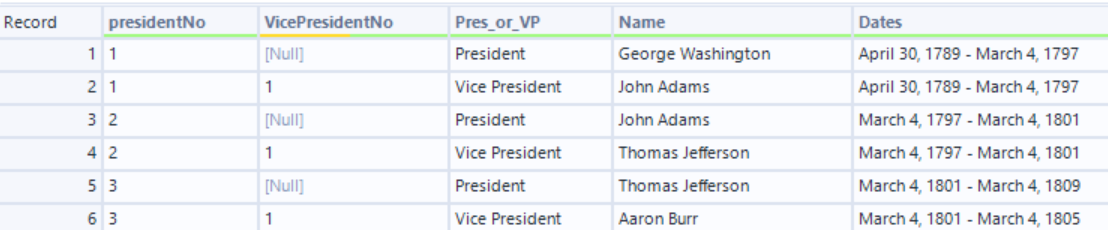
Original data
Select columns
Output
Main Difference
Transpose, columns become rows. Cross Tab, rows become columns
Transpose is useful when the data is too wide and needs to be reorganised into a longer format.
Cross Tab is useful when the data is too long and needs to be summarised or displayed in a wider format.
Understanding this difference makes it easier to decide which tool to use based on the final structure you want to create.