


- API Background
As much fun as it is to jump straight into Alteryx, understanding how the FPL API works and what it requires is really important. Luckily, the FPL API's requirements are minimal and easy to work with. There was no official API documentation online, so to get to grips with how it works I enlisted Claude's help and used this excellent blog: https://www.oliverlooney.com/blogs/FPL-APIs-Explained
Different endpoints you can call
The Base URL: https://fantasy.premierleague.com/api/
Main data (players, teams, gameweeks): /bootstrap-static/
All fixtures: /fixtures/
Fixtures for a specific gameweek: /fixtures?event=34
Specific player details: /element-summary/{player_id}/
As I wanted all player data, I opted for: https://fantasy.premierleague.com/api/bootstrap-static/
- Connecting to the the API in Alteryx
- I began by creating a text input with the following details:

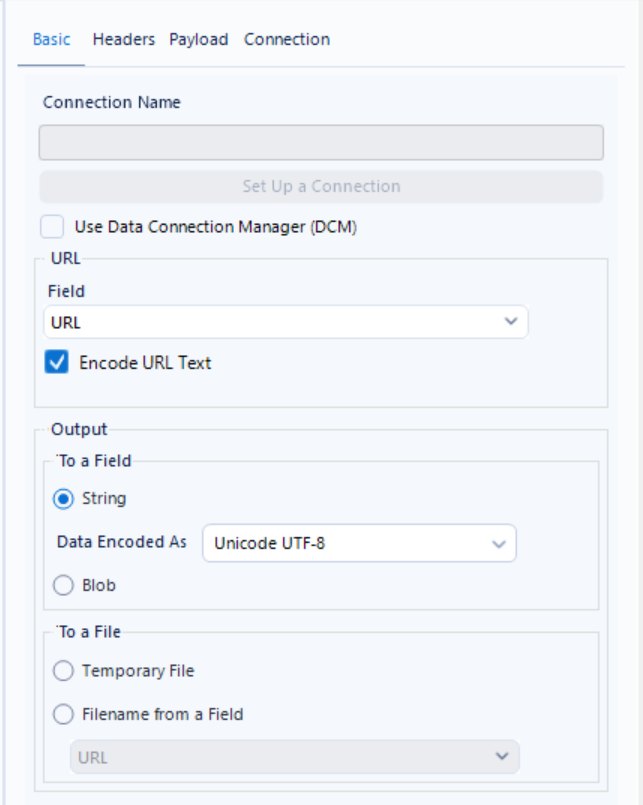
- Next, I introduced a Download tool after the text input, selected the URL field and made sure the output field was set to String. If you were retrieving images or audio files, you'd use 'Blob' for the output instead.
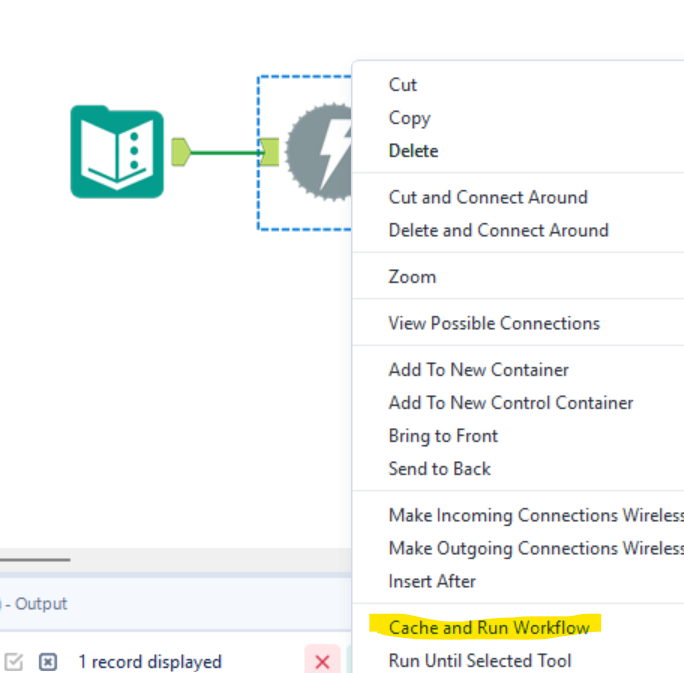
- I then right-clicked on the Download tool and selected 'Cache and Run Workflow'. This is best practice when working with APIs, as it means you're not hammering the API every time you run the workflow in Alteryx.
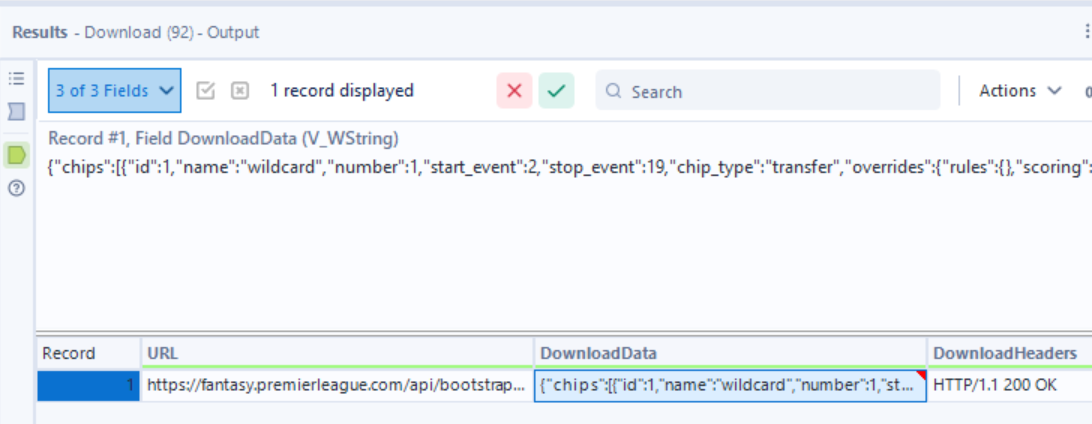
- At this point, the API has returned data in JSON format and you'll have one row of data where 'DownloadData' contains everything you need.
- Cleaning and reshaping the JSON output
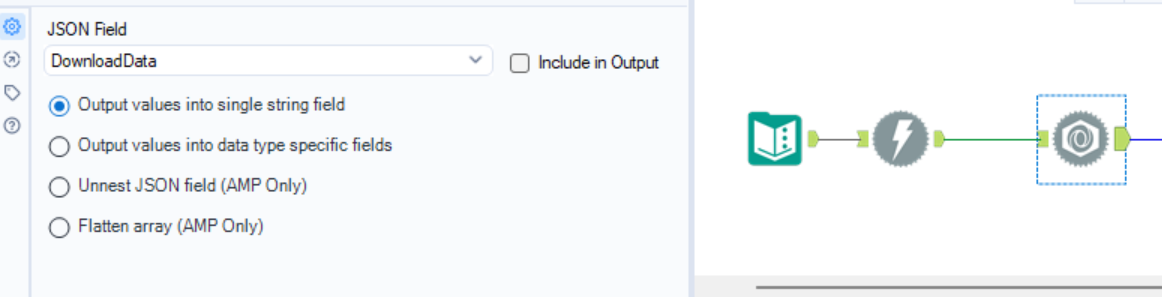
- Next was a JSON Parse tool. This reads the information in DownloadData and explodes it into rows.
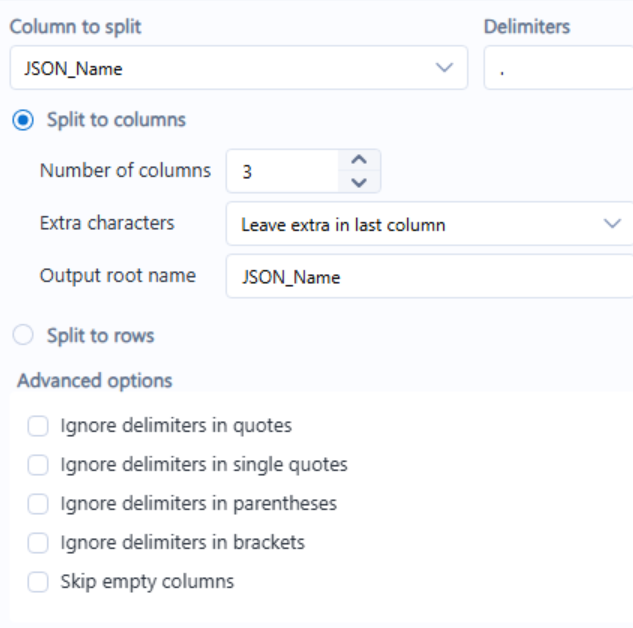
- After that came a Text to Columns tool, which splits JSON_Name by a delimiter into three columns. I identified that 'elements' was the player data. Text to Columns turned JSON_Name1 into the type of data, JSON_Name2 into the player ID, and JSON_Name3 into the football metric.
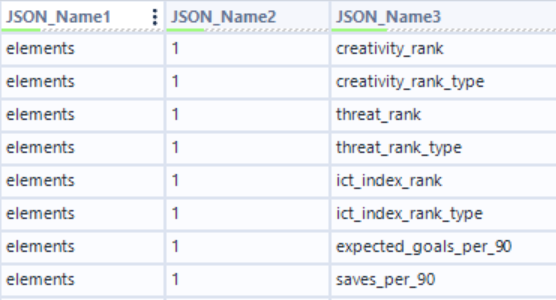
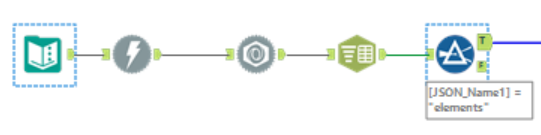
- Since I only wanted player data, I used a Filter tool to keep only the 'elements' rows.

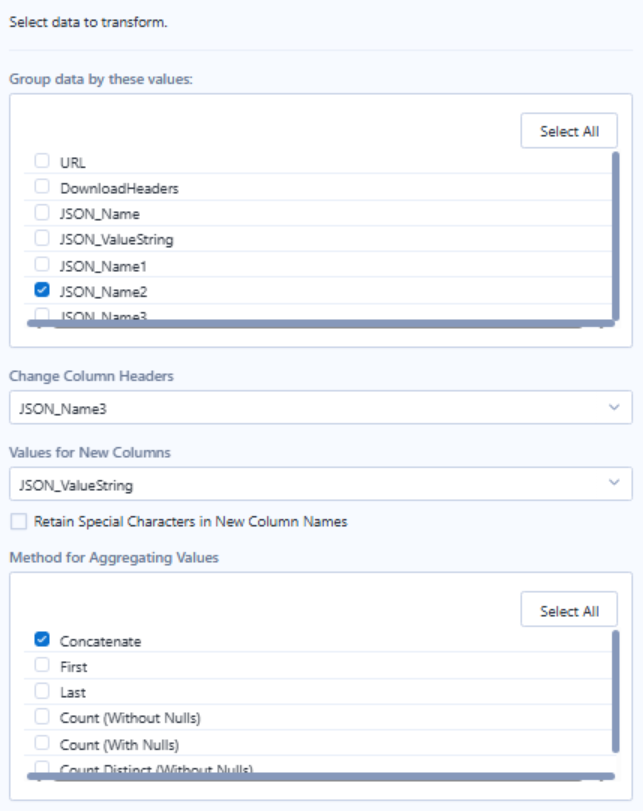
- A Cross Tab tool was then used to transform the data so that one row equals one player.
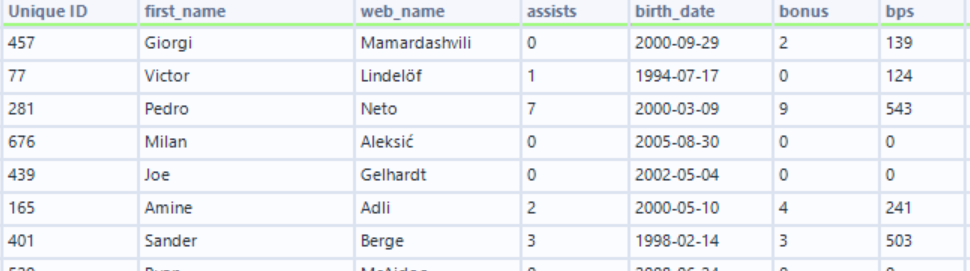
- Finally, a Select tool re-ordered the fields, rename them (e.g., JSON_Name2 -> Unique ID) and kept only the fields I needed.
- The final workflow

- The final dataset
- Happy visualising!