


Tableau's robust body of interactivity features makes it perfect for exploratory data visualizations, but also opens the door to other fun projects like simple games. The most memorable example of a game in Tableau, and my main inspiration for this project, is Sid Saythongphet's Tableau Four, a functioning version of Connect Four built fully on Tableau and available on Tableau Public!
The most useful features for developing this kind of project in Tableau are parameters, parameter actions, and calculated fields. These let the user submit guesses to be used as part of the game, and can crunch some of the logic required to process the gameplay.
Wordle is relatively simple when you break it down: there is a secret five letter solution word, then the player can guess (up to) 6 times. The user is shown results for each letter of each guess using color. Green represents a correctly placed letter, yellow represents a letter in the word that is incorrectly placed, and gray represents a letter that is not found in the word. The premise for creating this build in Tableau was to have the secret word be a string parameter chosen from a list of valid answer words, the 6 guesses be string parameters the users could input, and the 30 (6 times 5) letters being represented by individual worksheets controlled by custom calculations.
I encoded each letter using its word and internal positioning, for example word 3's second letter is represented as 3.2. This remains consistent across sheet naming and calculations.
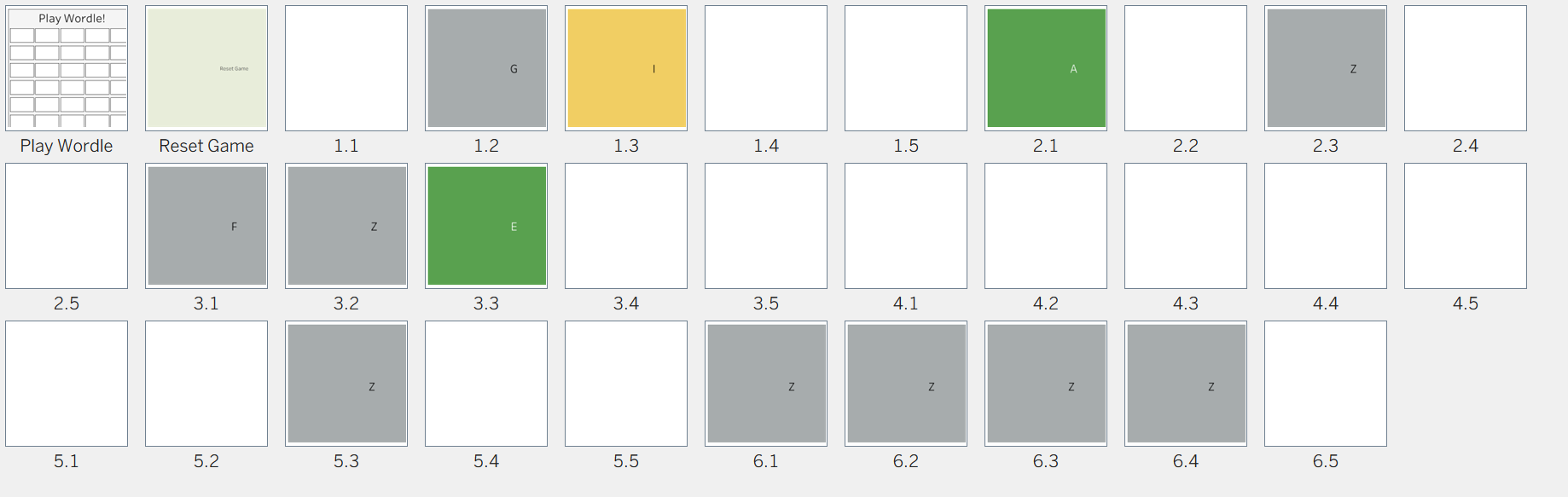
The dashboard design itself is currently pretty minimal, with one main vertical container with seven horizontal containers inside – one for the title and six for the guesses. The title is a text box, the guesses are parameter inputs, and everything else is a dynamic worksheet!
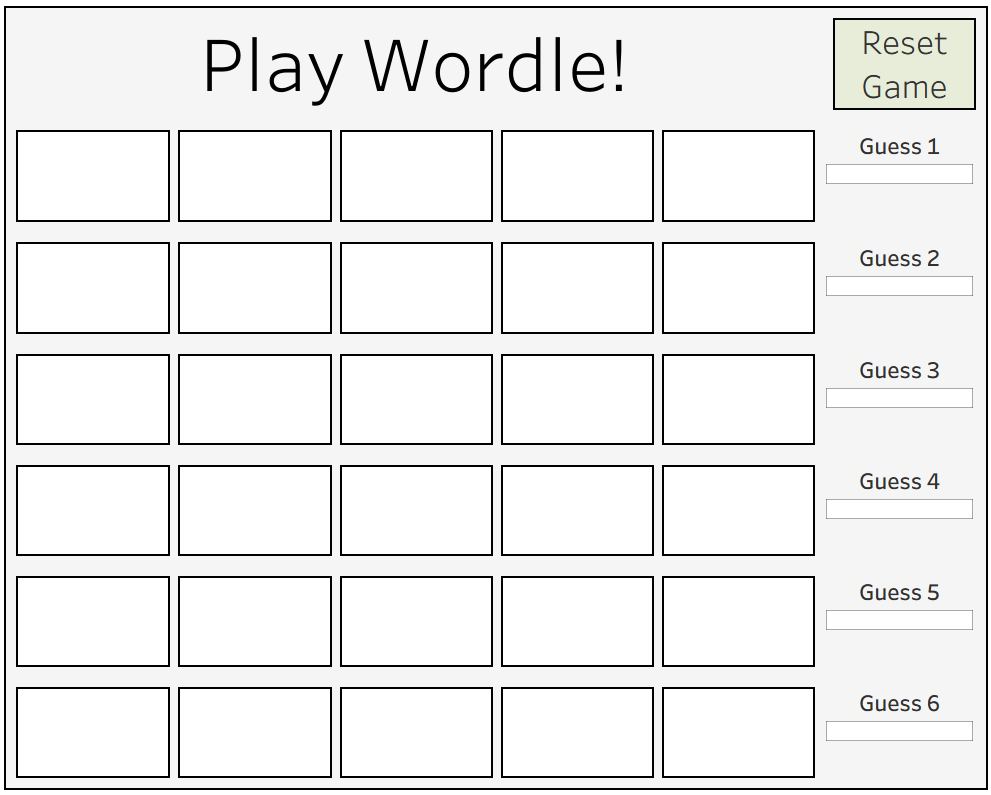
The only parameters necessary for this project were one for the secret word, and six for the user's guesses. Most of the dynamic behavior happens in calculated fields. I developed a new calculated field to determine the text of each letter. For example, the calculation for 1.1 looks like this:
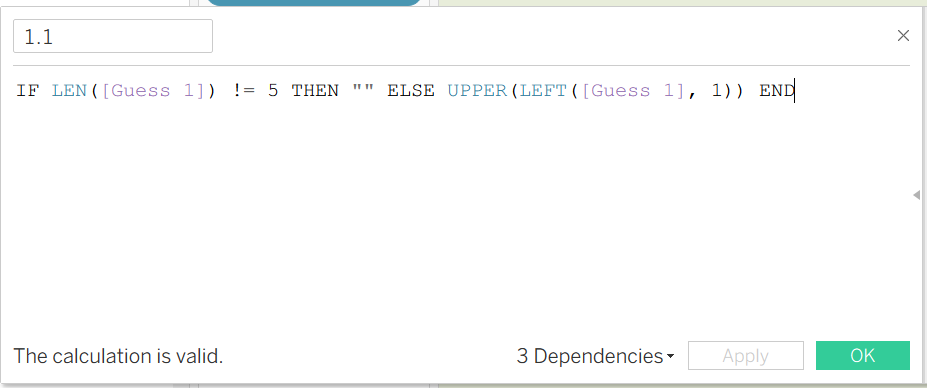
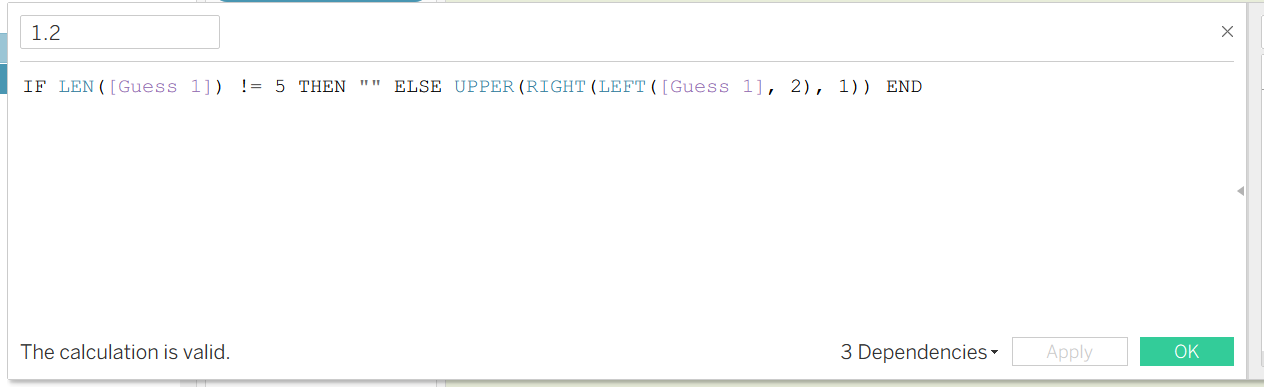
This checks to see if a complete guess has been input, returning an empty string if not. Otherwise, it lists the first character of that guess. I recreated this calculation for every letter from 1.1 to 6.5, making slight variations to the logic as I went. One of the changes I had to consider was how to identify individual letters besides for the first one. Ultimately, I developed this solution combining the LEFT and RIGHT functions:
Just displaying the letters alone was only half the work – I also had to color the boxes based on their correctness! For this step I wrote calculated functions called X.X Color (for every letter from 1.1 to 6.5), using the logic that I described earlier to determine what color letters should appear as.
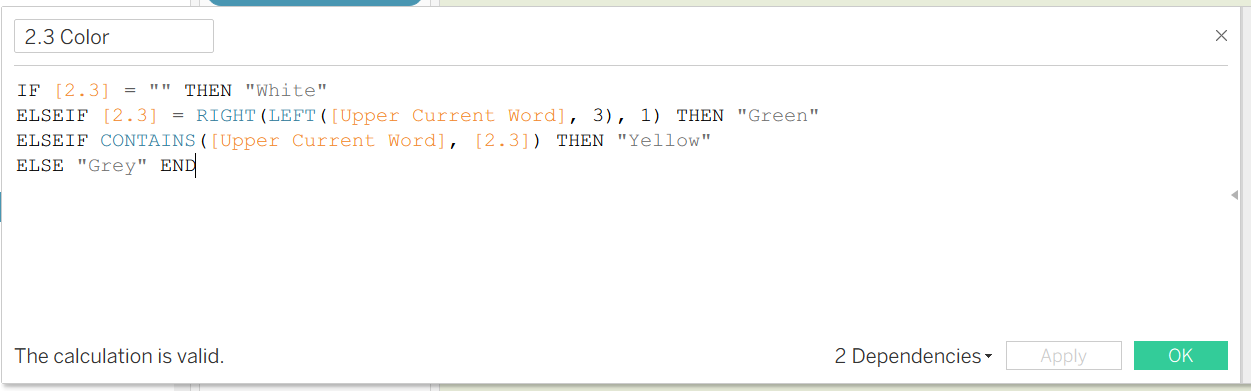
From here, most of the work was some very repetitive tasks. After all, the build required 60 calculated fields and 31 worksheets to be formatted into the final dashboard. Over time I got really efficient at duplicating these calculations and sheets, only modifying the parts that needed to change for each calculation rather than recreating the same work over and over.
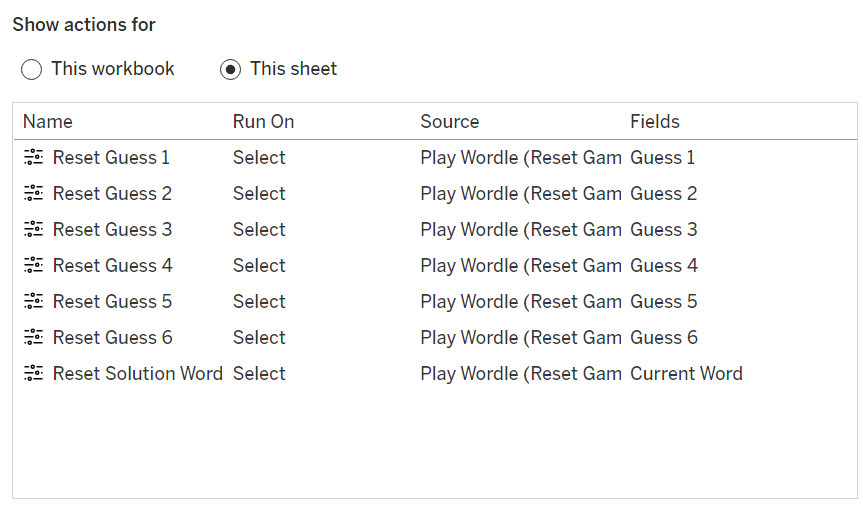
The last major step was implementing a way to reset the game so it could be restarted. For this, I made a "Reset Game" sheet and used parameter actions to have it fulfill the functions I wanted out of a restart button. These are the 7 actions that were required for the dashboard: six to reset each of the guesses and one to reset the secret solution word. Making this word update randomly is challenging and something that I did not fully achieve. In the end, I combined Tableau's secret random number function with the TODAY() function to try to emulate the original game's functionality of having a new word every day. Another option would be to have a different person choose the word, but that would eliminate the ability for the game to be played fully single player.
This project seemed daunting at the start but Wordle's logic is straightforward and modular, so it was doable! Although games are not as useful final products as data focused dashboards, they are still are helpful reminders of the kinds of interactivity provides and a great way to practice putting them into action. You can access my dashboard here, I hope you have fun with it!