


What is Alteryx?
When I was applying to the Data School, I learned everything there was to know about Tableau. I read blogs, watched videos, and built anything and everything that I could conceive of using the free Tableau Public Desktop subscription that is available to anybody (https://www.tableau.com/community/public). I knew that the Data School trains its consultants to become experts in Tableau and Alteryx, but I was almost completely unfamiliar with Alteryx until encountering it during training.
This 'under-the-radar' presence is caused by a couple key facts about the software itself:
- It is primarily a corporate software. Alteryx is often used to automate pipelines to feed into larger data infrastructures. This is far less applicable on the individual level, so most Alteryx licenses are bought through business or academic institutions. It is possible to get a free trial, but that is only for a limited period of time.
- It is about the preparation, not the product. An Alteryx pipeline can carry out complex data cleaning and transformation, but in the end the output is still a data file, often a .csv or .hyper (tableau's native data file type). Aside from some basic reporting functionality, the program is more useful for preparing your data than visualizing it. This is also part of the reason why the Data School application is based in Tableau, leaving Alteryx as somewhat a mystery for when you get into training.
Why Alteryx?
If you have ever done data preparation work in the past, it was probably done in a coding environment using scripting. I have attached an example of some of my R code below, but my general point here is that scripting is often overcomplicated and opaque, making it hard to write and hard to read. Even though I wrote this code, it would take me a while to figure out what I did and how it all plays out.
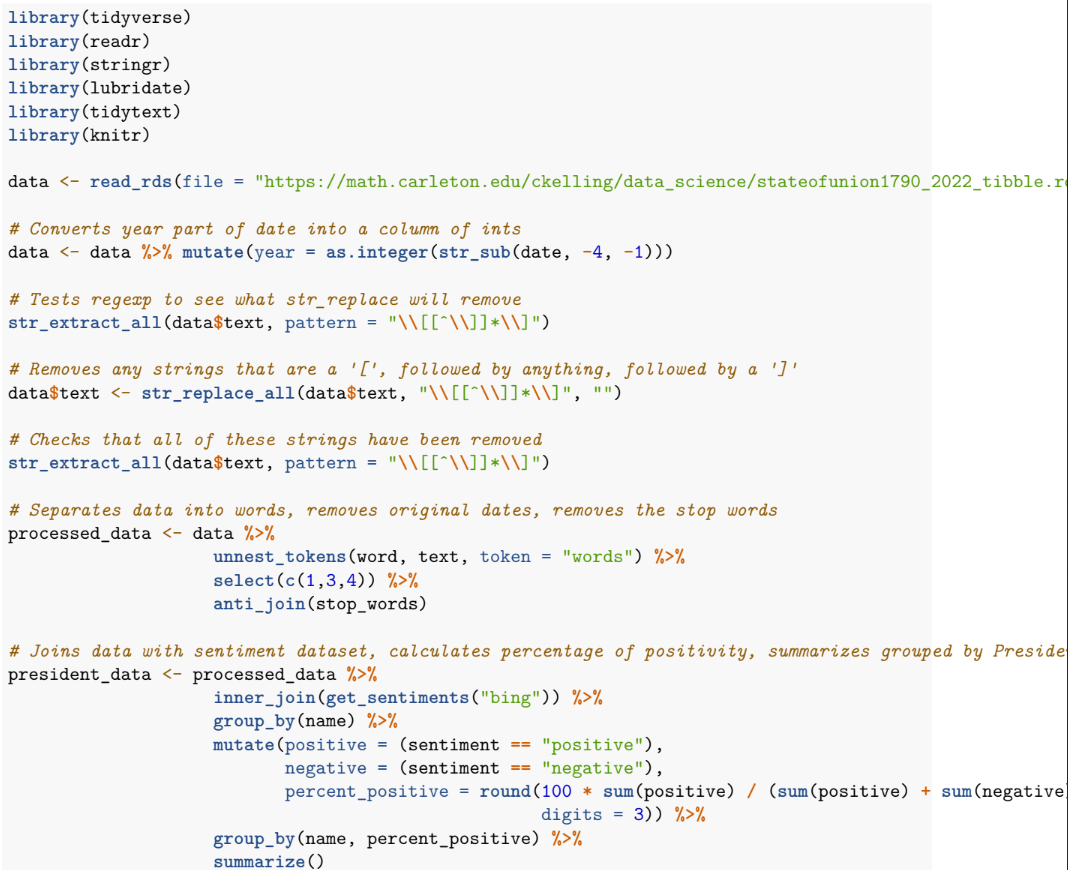
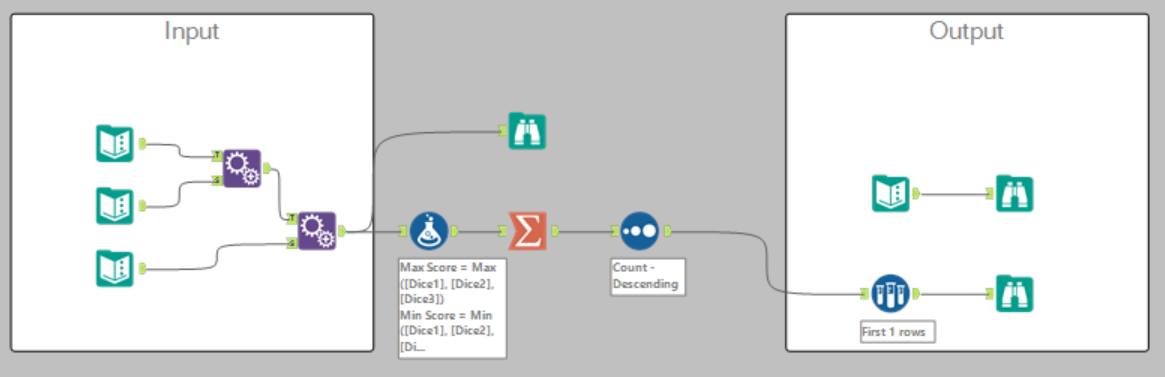
Instead, Alteryx is a low-code environment where the primary driver is dragging and dropping (much like Tableau). Alteryx flows typically start from inputting data (the little green book icon), which then flows through different tools before reaching the outcome. The advantage of this step-by-step approach is twofold: it is easily visible the order of operations that take place in order to go from the input to the output, and it is possible to track the progress of the pipeline as it goes along (instead of just at the beginning and end). With the code above, to get intermediate results the user would have to run only part of the code, or even edit it to split out different actions that happen in the same line or function.
How Can I Try Alteryx?
If you are intrigued by the prospect of a low-code replacement to things like R and SQL, there are a few ways you can engage more with the software outside of joining the Data School itself. You can attend one of our programs called "Learn What the Data School Learns", where consultants currently in training run in-person sessions introducing prospective applicants or interested members of the public to Tableau and Alteryx. These sessions are also occasionally run as webinars!
If you want to get started with the free trial, you can sign up here. The Data School blog is full of information about Alteryx, ranging from the most basic to the most involved applications. If you want a good place to start, you can read my blog about the early stages of my experience learning Alteryx.