


In my first week at the Data School, I completed Preppin' Data 2021 week 1 in Tableau Prep. One step was cleaning the Bike field down to three values: Mountain, Gravel and Road. The field held 8 different spellings for 3 bike types. 58 of the 1,000 orders were misspelt: Rood (18) and Rowd (7) for Road, Graval (12) and Gravle (11) for Gravel, and Mountaen (10) for Mountain. In Tableau Prep, this took one click: Group Values, then Spelling.
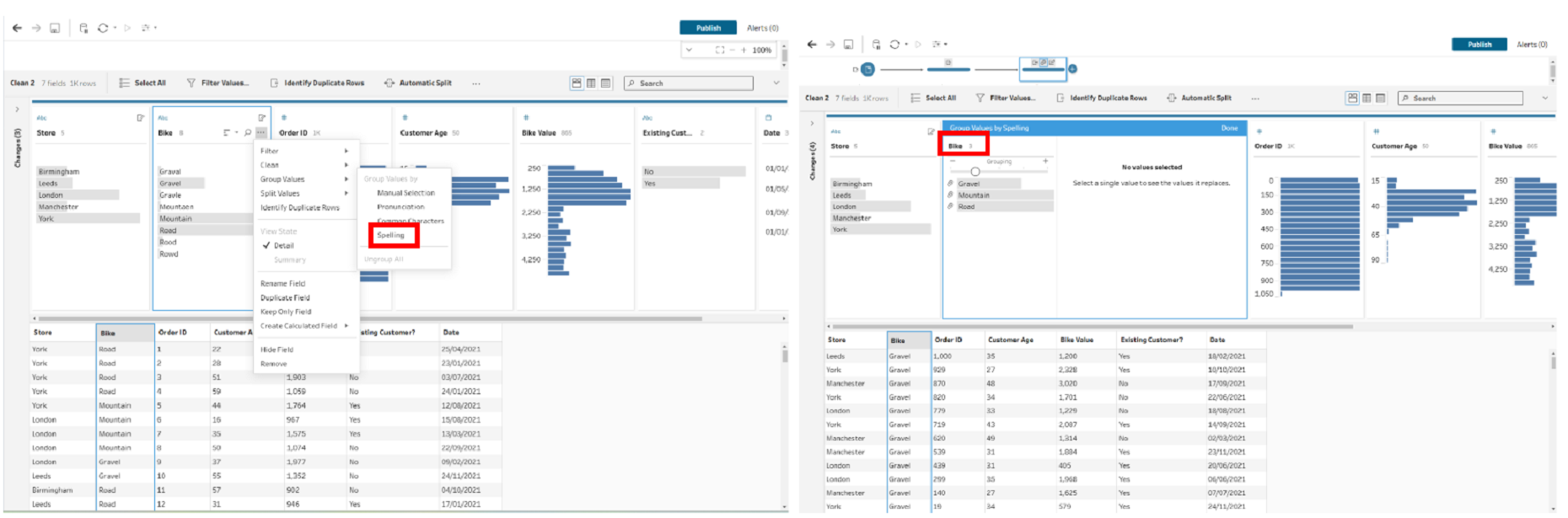
Last week I tried the same challenge in Power Query during our data prep session. I couldn't find that button.
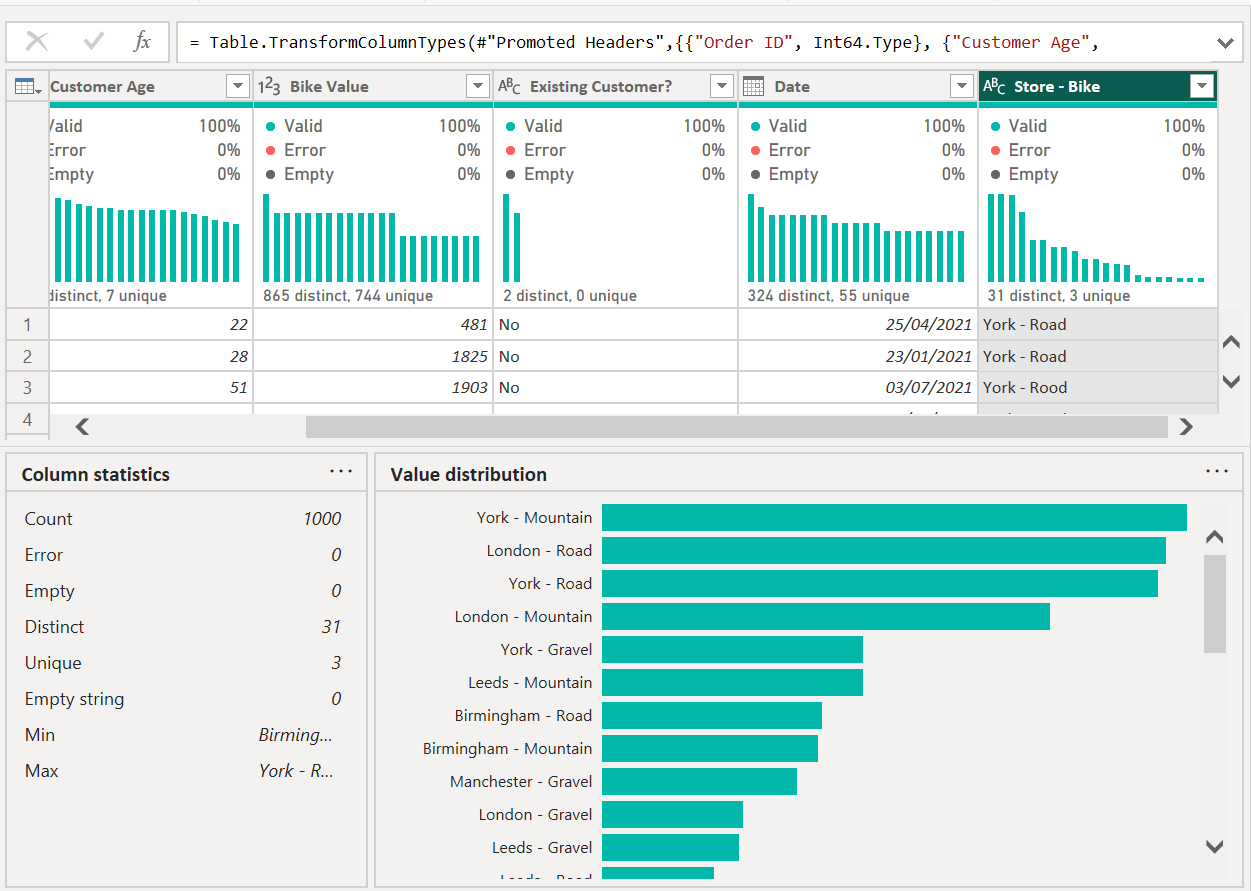
Why the button wasn't there
Power Query has a feature called Cluster values that does the same job. But Microsoft's documentation says it's available only in Power Query Online. Power BI Desktop doesn't have it in the ribbon. The function behind it does work in Desktop, though. You just have to write it yourself in M.
The function: Table.AddFuzzyClusterColumn
It adds a new column holding a cleaned version of each value. It groups values that look similar, then gives each group one name. That name is the most common spelling in the group. In this data, the correct spelling always wins: Road appears 375 times against 25 for Rood and Rowd combined.
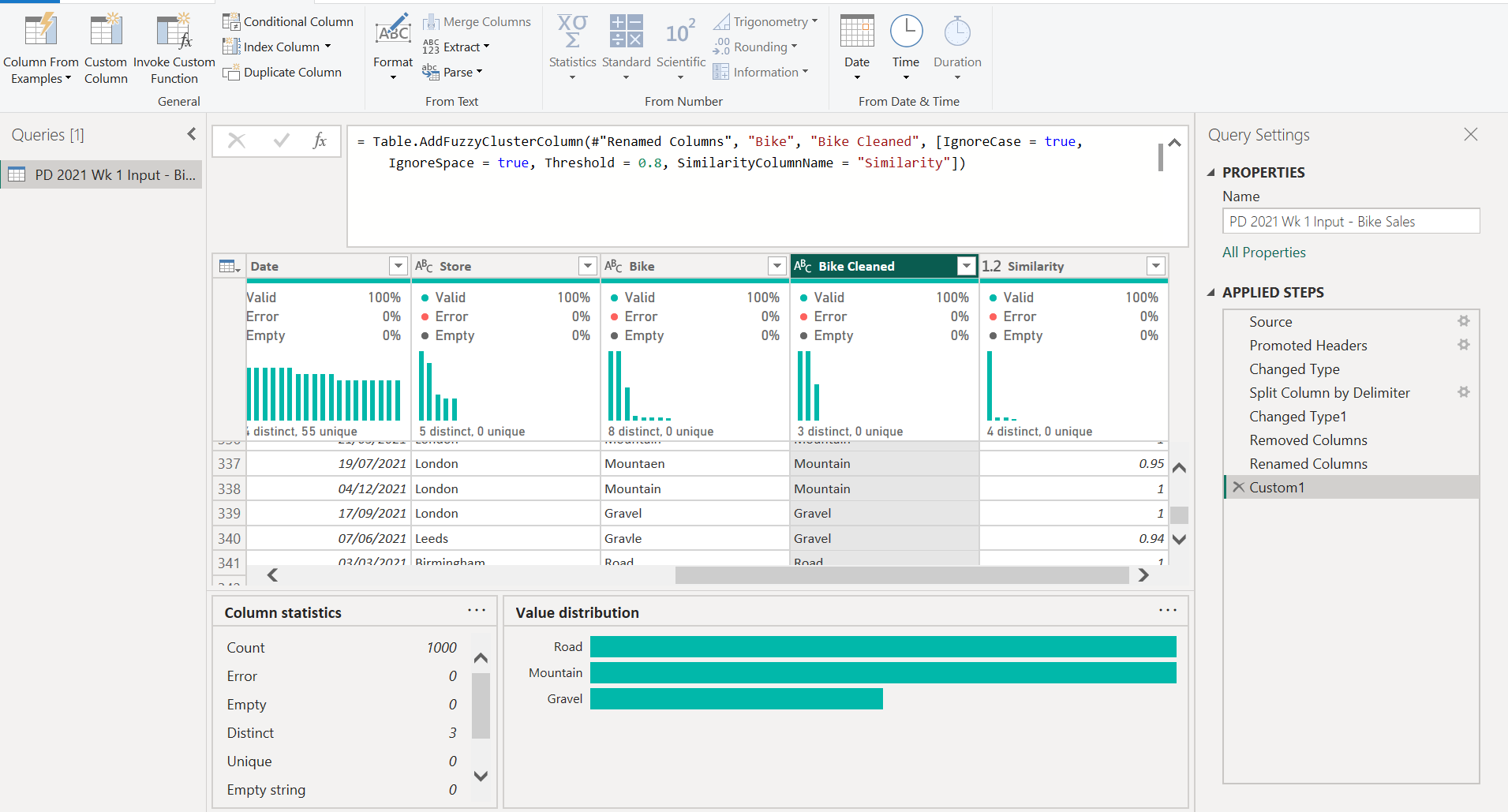
It returns a whole table, so it can't go in a Custom Column. Instead, click fx next to the formula bar to add a new step, then replace the code with the line below. #"Renamed Columns" is my previous step, where I split "Store - Bike" on " - " and renamed the two new columns Store and Bike.
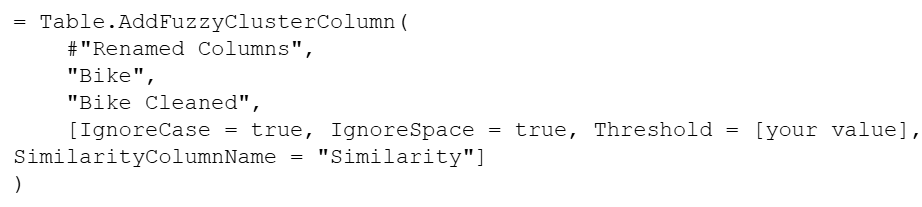
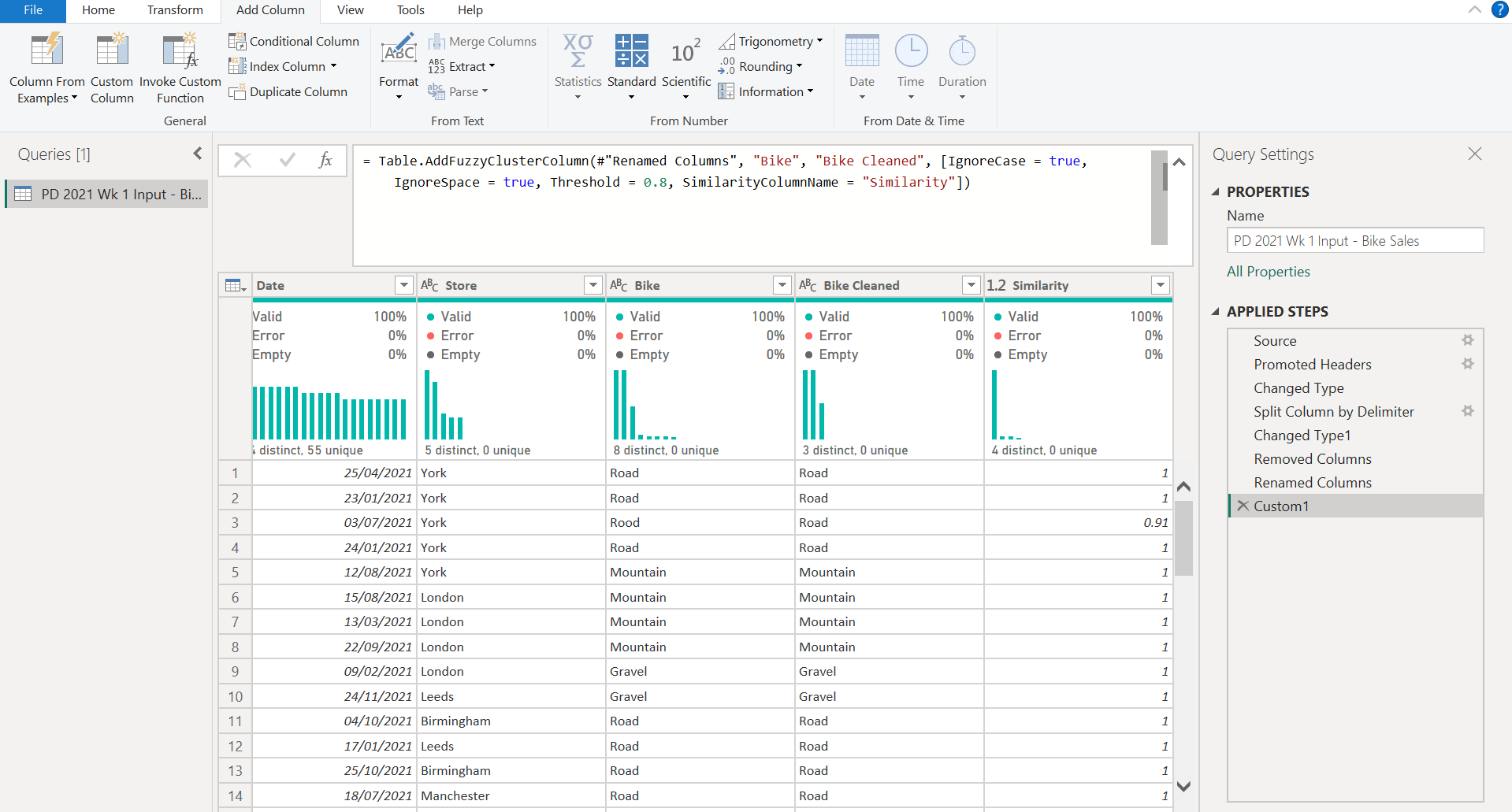
The options worth knowing:
What tripped me up
My first attempt failed before the function even ran. I typed Table.AddFuzzyClusterColumn into the formula bar on its own, and Power Query opened an Enter Parameters dialog. Its table drop-down only lists whole queries, and my data was in a step inside the query, Renamed Columns. There was nothing to pick, so the Invoke button stayed greyed out. The fix was to skip the dialog and write the full call in the formula bar, as shown above, with the previous step's name as the first argument.
Once the step ran, the default threshold of 0.80 was enough. All five misspellings mapped to the right bike type, and the Bike Cleaned column dropped from 8 distinct values to 3. I had expected Rood and Rowd to need a lower threshold, since one wrong letter is a quarter of a four-letter word, but they grouped first time. I still checked the Similarity column before trusting the result.
The simple alternative
In this dataset, every misspelling still starts with the right letter (R, G or M) and each bike type starts with a different one. So a conditional column on the first letter also works. That's how I did it in Alteryx. It's less flexible than fuzzy clustering, though: it breaks as soon as two categories share a first letter.
What I learned
- The same cleaning step can be one click in one tool and a line of code in another. Knowing the function name saves the search.
- Always check fuzzy matches. Use the Similarity column, or count the distinct values afterwards, there should be exactly 3.
- Start at the default threshold of 0.80. It was enough here, only lower it in small steps, if some values stay separate.