Alteryx Challenges are a great way to practice your knowledge of Alteryx. Because there’s rarely only one way to solve a problem, they encourage you to explore different approaches and learn how to build cleaner, more efficient workflows.
Challenge #337 asks us to take a data set which contains information about shows on Netflix and create a new table with the following information:
- Categories (Action and Adventure, Documentaries, etc.)
- Type
- Title
- Release Year
- Rating
- Duration
The new table should contain only International Movies and be arranged by release year and duration.
There are many different ways to solve Alteryx challenges, as seen on the community responses for each challenge, so this is just one of those ways.
Step 1:
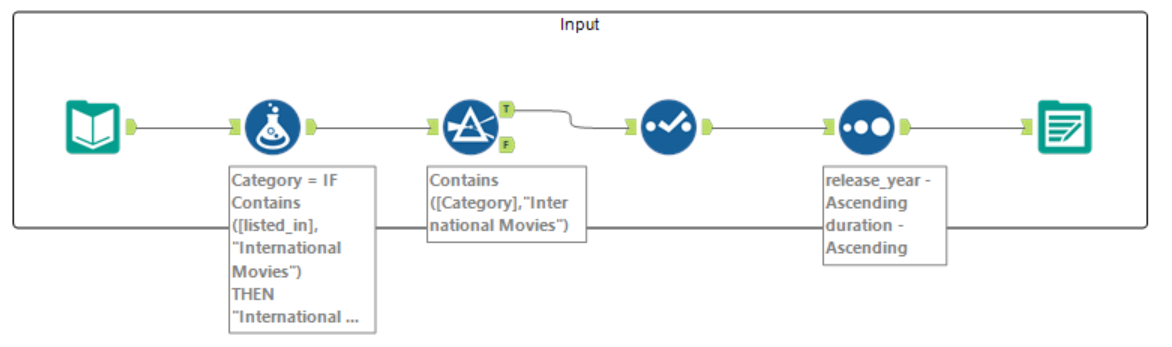
First, as always, I opened the challenge file in Alteryx and used the Input Data tool. I wanted to find out what the granularity of the data was and what each field related to so I then added a Browse tool (which was removed after use). I found out that each row was a particular TV show or film with a total of 12 fields containing various information about each show/film.


Step 2:
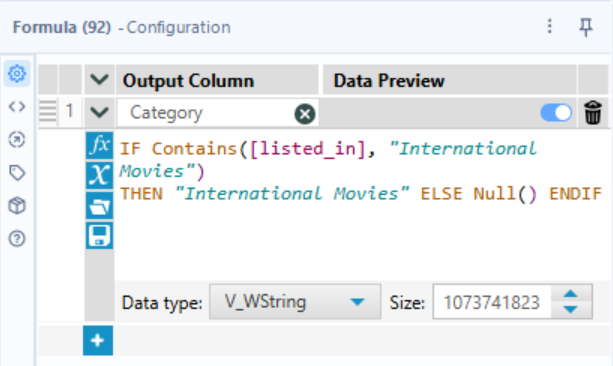
Since we only want to include international films in the final table, I needed to find out what field that related to. I saw that in the listed_in field, there was a category called 'International Movies', so decided to use the Formula tool to filter to these since each film could have multiple categories in their listed_in field. I used an 'IF Contains' calculation where it would show rows with an 'International Movies' label in their listed_in as just 'International Movies', and those without that category as nulls. I also renamed this field to 'Category' as the brief states.
This would be written as: Category = IF Contains([listed_in], "International Movies") THEN "International Movies") ELSE Null() ENDIF

Step 3:
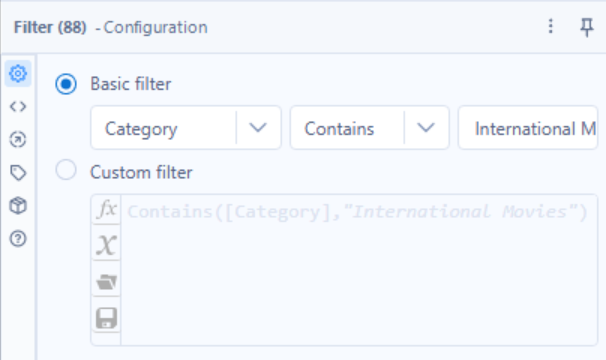
Now that we have the Category field, we can filter out the nulls to leave us with just the international films. I did this by inserting the Filter tool and using the Basic filter option where Category Contains International Movies.
If written as a Custom filter this would be: Contains([Category], "International Movies")
Step 4:
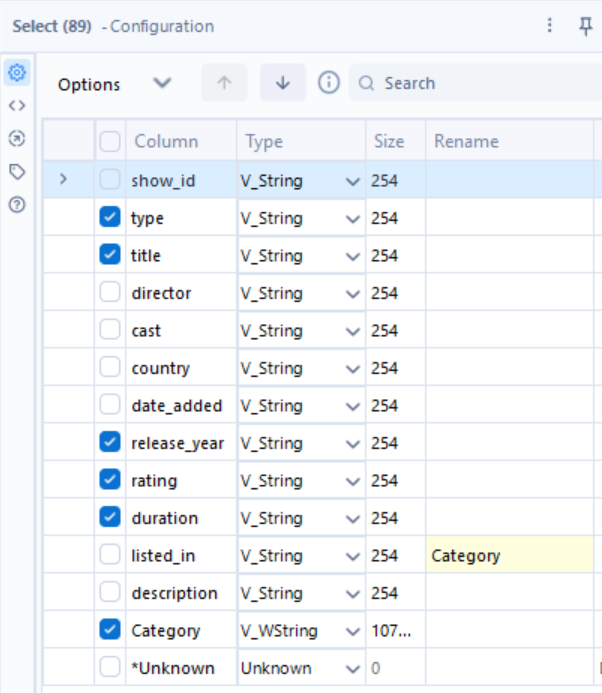
Next, we would use the Select tool to choose the fields that we want to keep in our final table by ticking the check box next to them. In this case, those are: Category, Type, Title, Release Year, Rating and Duration.

Step 5:
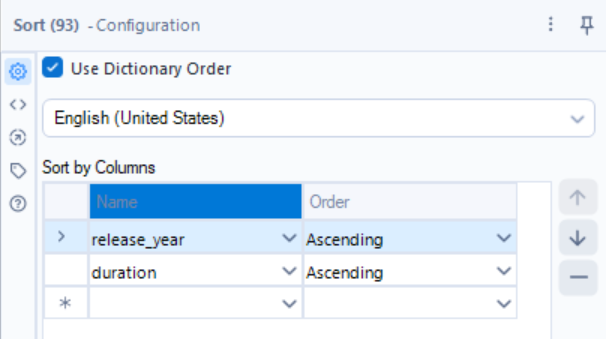
I now want to order my table by ascending Release Year and ascending Duration. We would use a Sort tool for this where the each field to sort by (in this case Release Year and Duration) goes in the Name column and the sort rule for each would go in the Order column (in this case ascending).

Step 6:
Finally, we would add in an Output tool to get our final table generated in the chosen file type.

Final Flow: