


Different programs used for data cleaning have different methods of preparing delimited data most efficiently.
Using Challenge #2 from Alteryx Community challenges, we can practice the steps to preparing delimited data in Alteryx.
Step 1:
Take a look at your dataset and get an idea of what you plan to do with it. In this example, all of our data has been smushed together into one unnamed field, so our goal is to separate them.
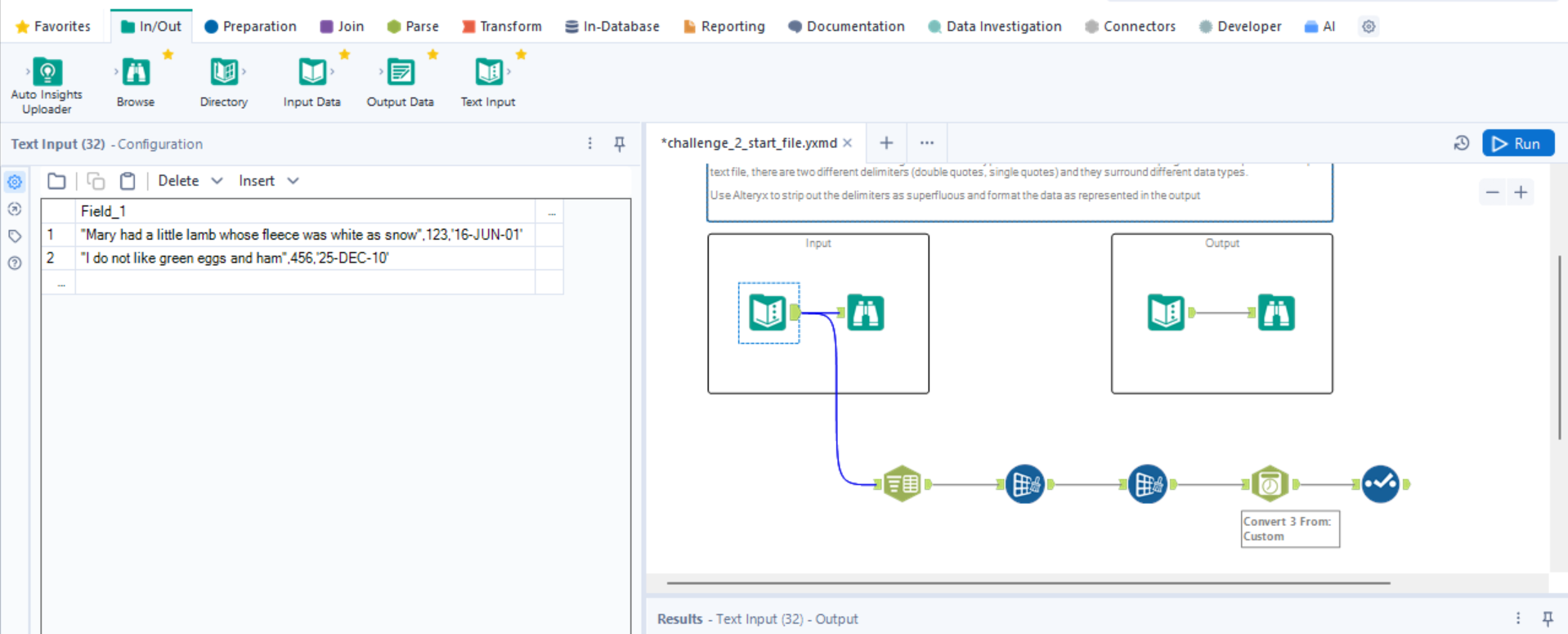
Step 2:
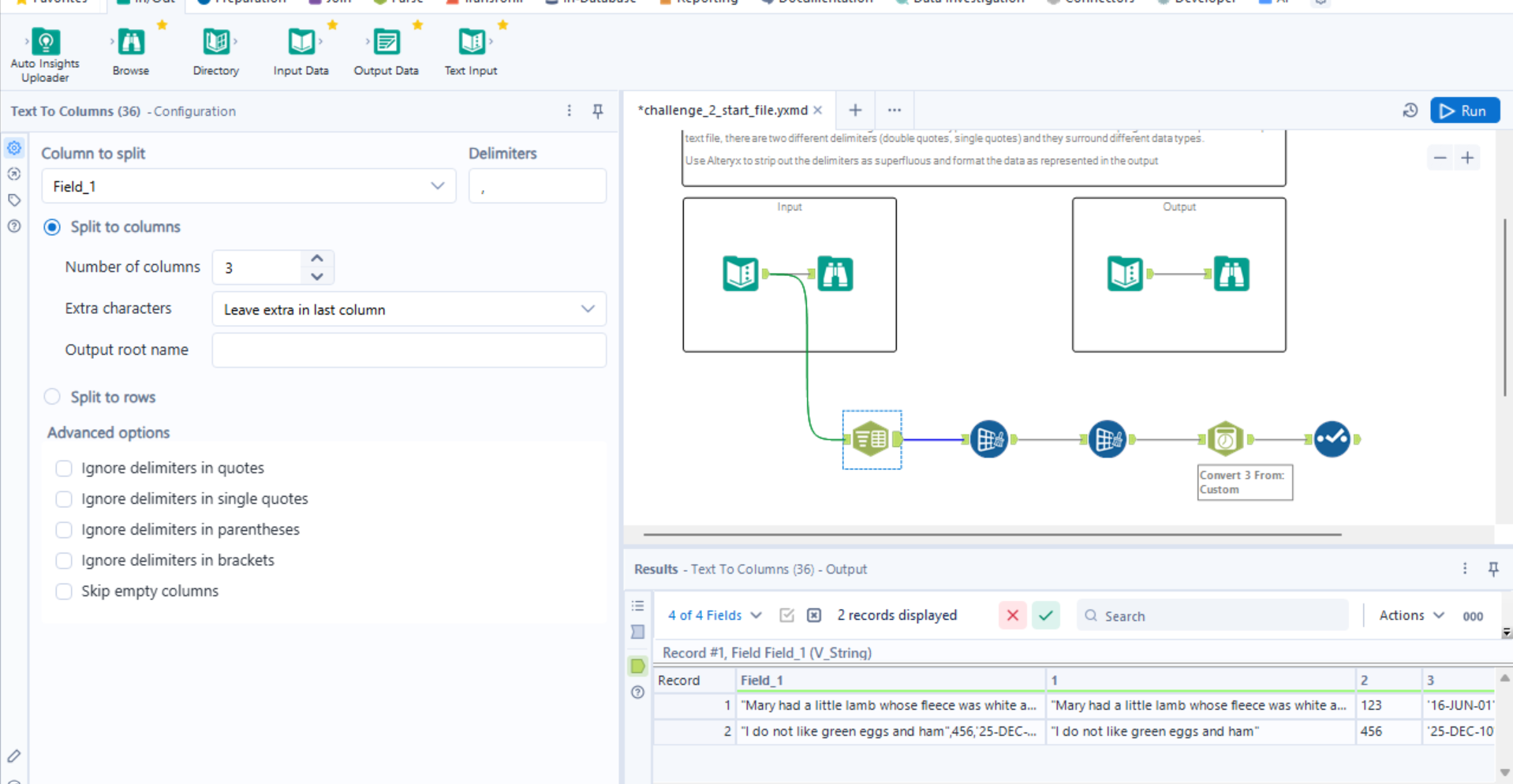
Split your columns by a delimiter, whichever one is separating the fields in your dataset. In this case, the delimiter is a comma.
Step 3:
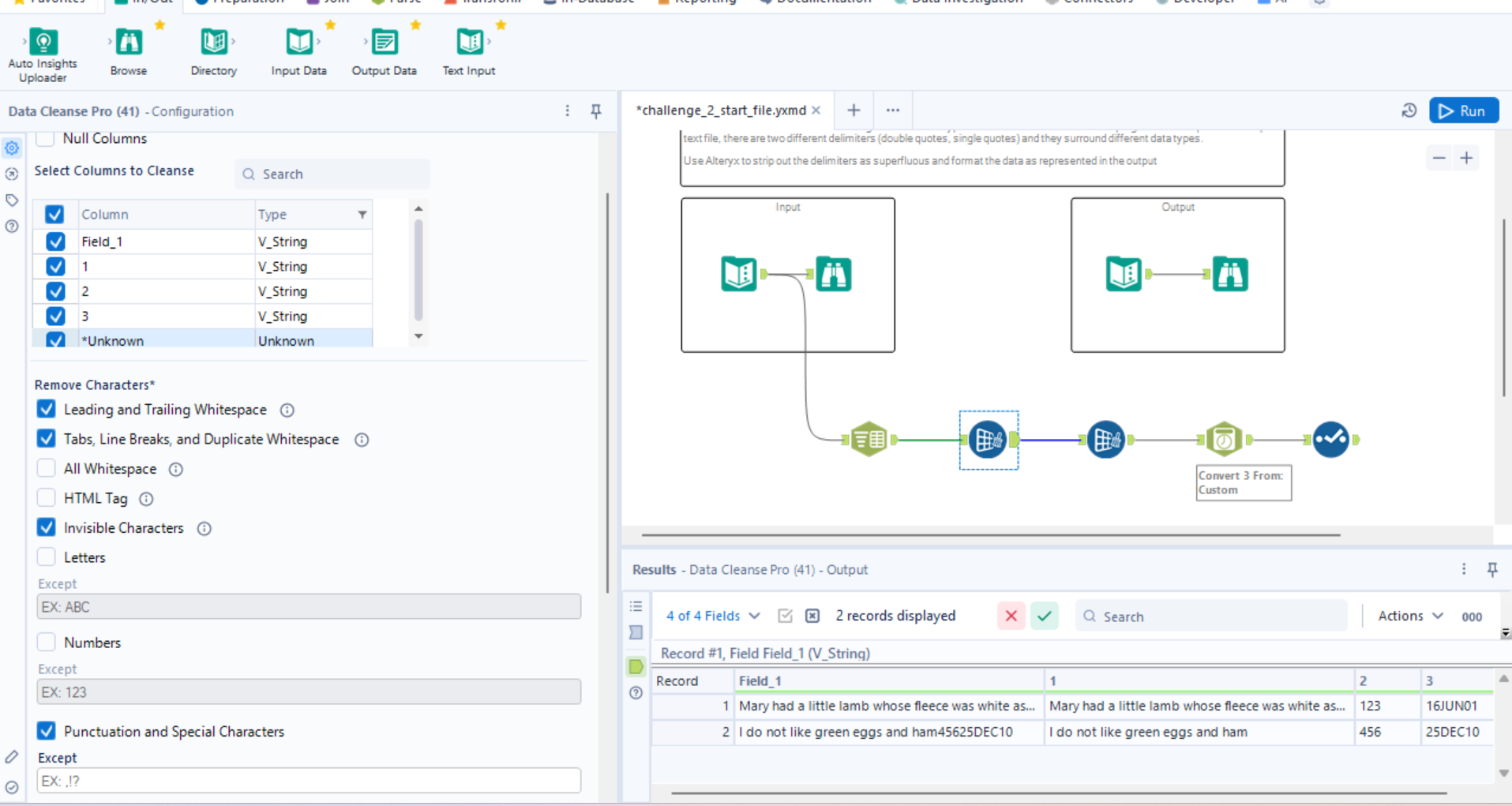
Clean your data by removing any unnecessary punctuation, blank spaces, line breaks, etc. In this step, you'll also have the option of making exceptions to removing certain characters that fall under the aforementioned types.
Step 4:
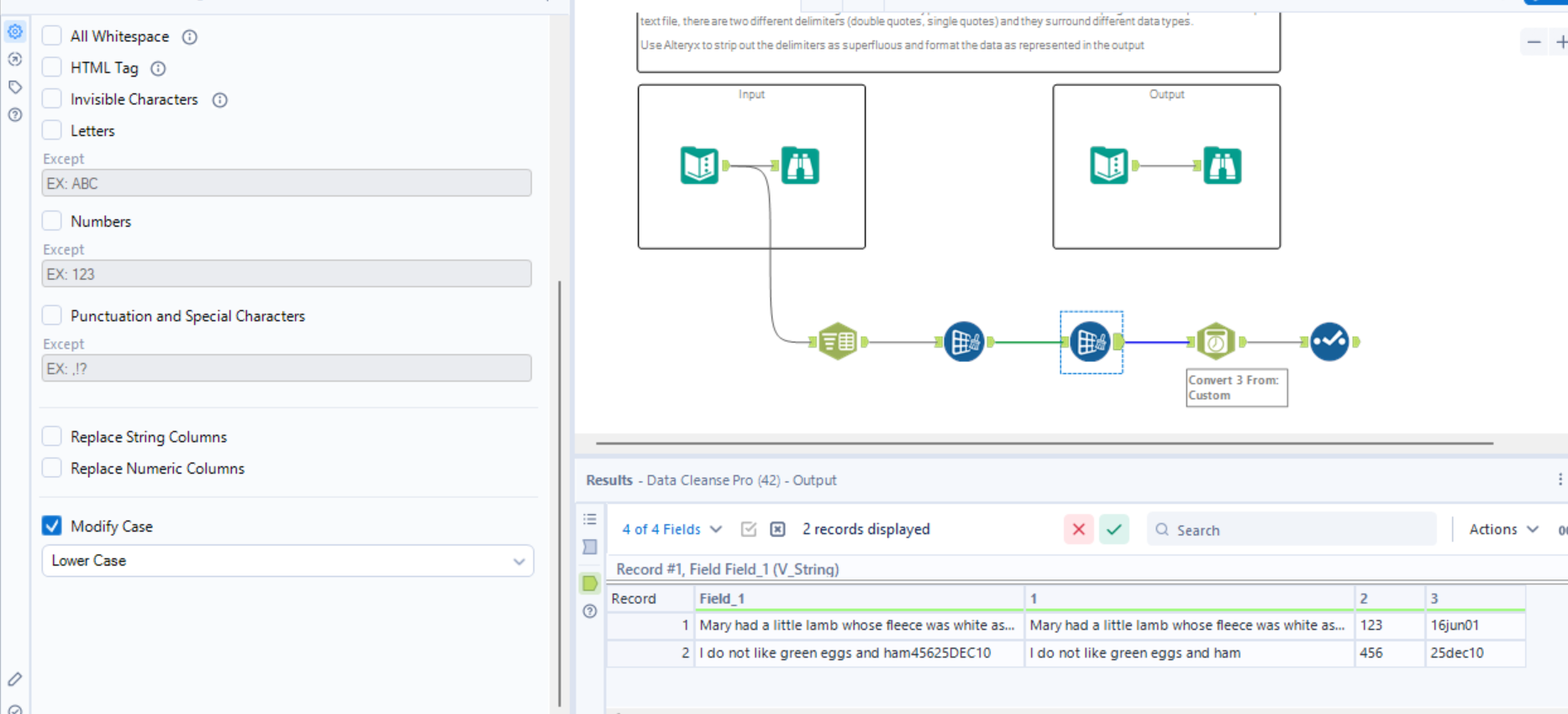
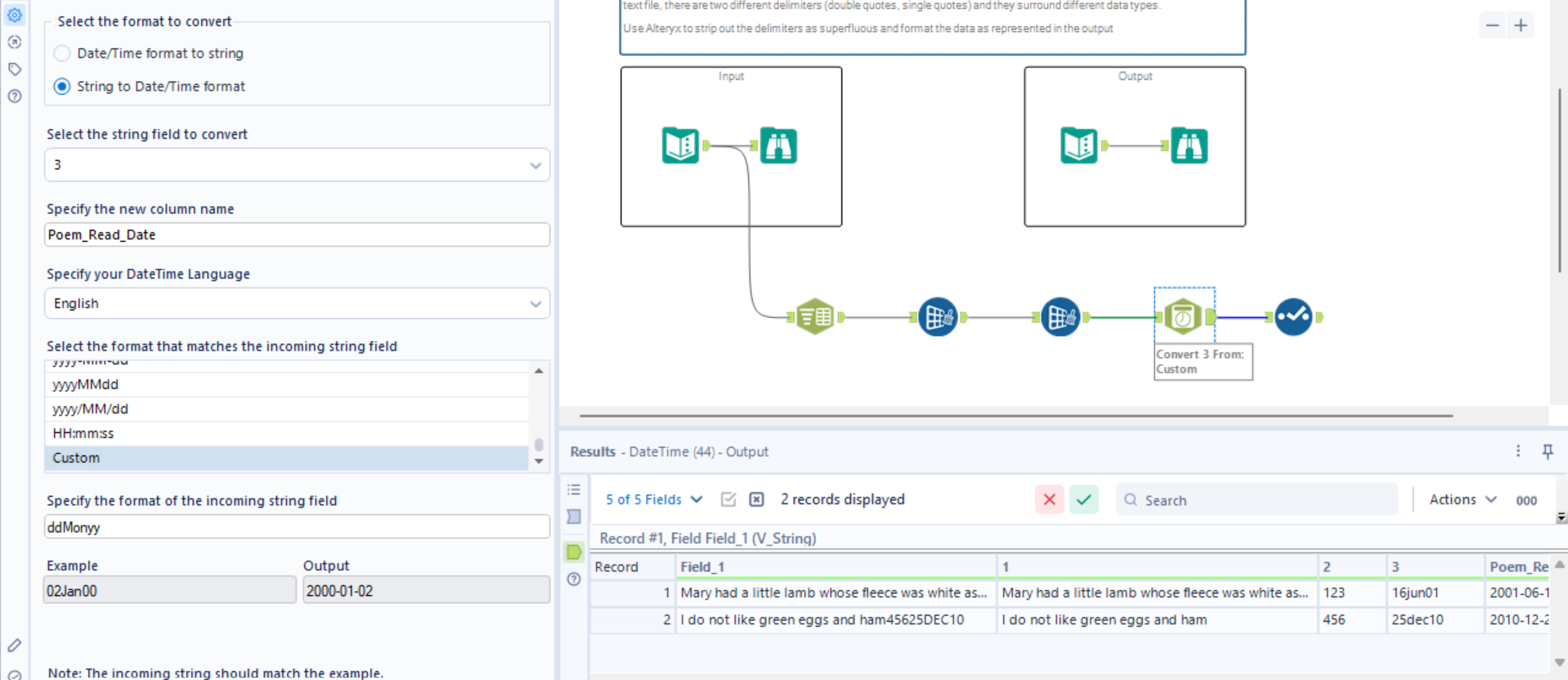
In this step, I also chose to modify the case of my letter to be lower case in my dates because the the present uppercase form wasn't easily identified by Alteryx. Switching them to lowercase makes it easier to change the format of the overall date in the next step.
Step 5:
This step builds off the previous one, and was where I adjusted the format of the date to one accepted by Alteryx and change the data type to a Date/Time from a String.
Step 6:
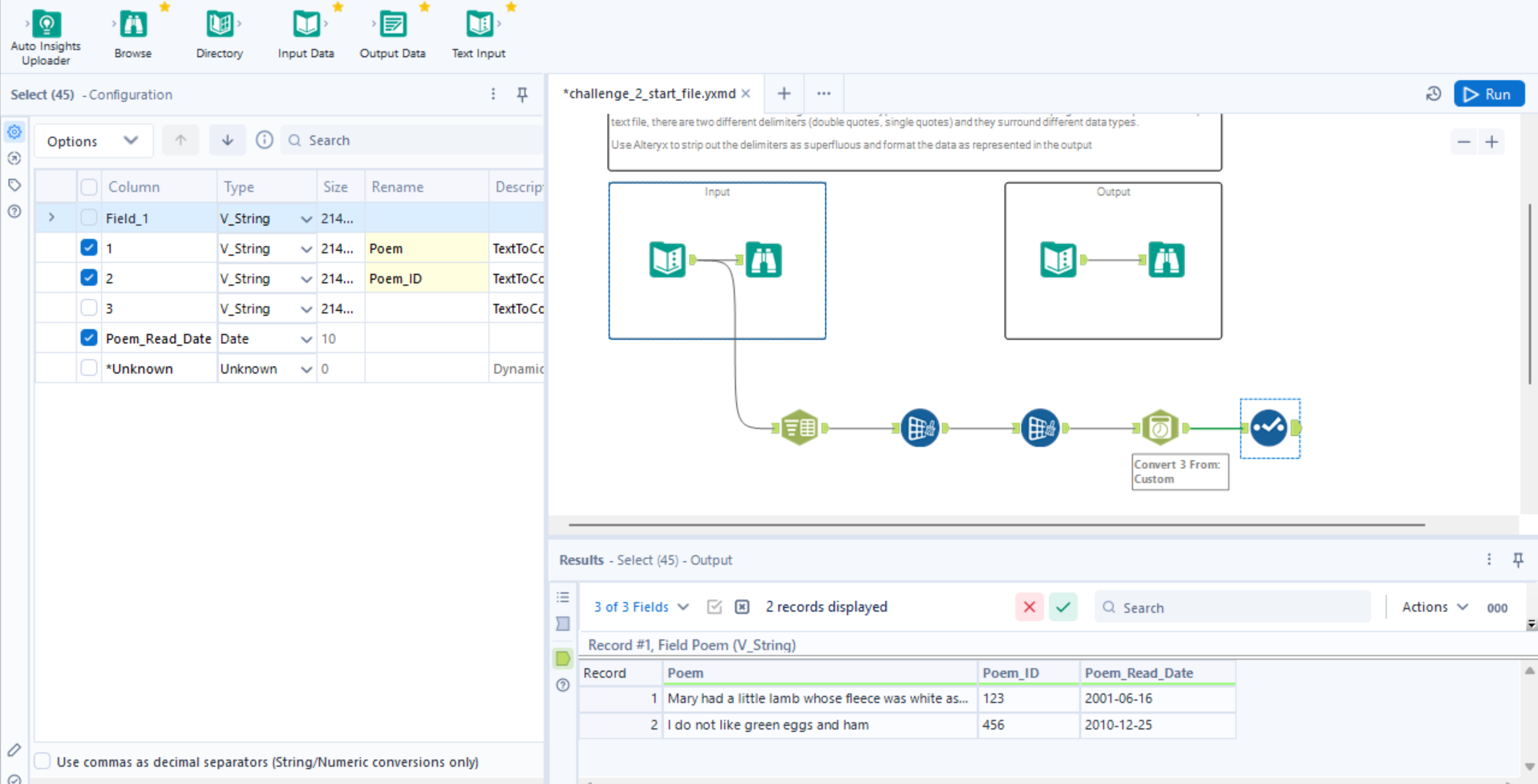
In the final step, I selected the three columns that I wanted to keep from the original output, leaving out any duplicate columns.
That's it!
While only one of these steps deals specifically with delimiting the data, delimited data often has several issues with formatting and labeling that also need to be corrected. These steps should help you in preparing your data for use!