


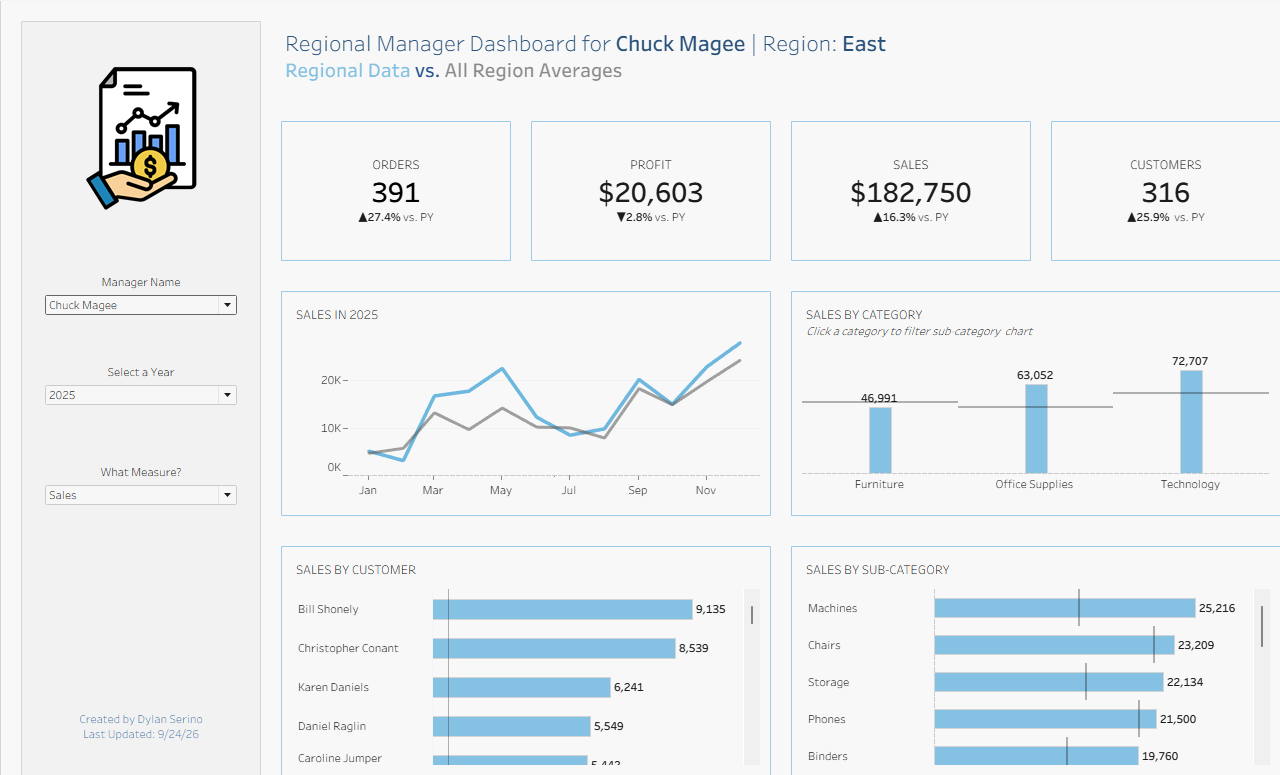
For dashboard week (lite) day 1, I had to rebuild my regional manager dashboard in Tableau Next, and I wanted to know what it could do differently from the Tableau dashboard I’d already made. I had a couple of hours, so I tried to scope carefully. Here's the original:
The plan
I sketched the dashboard in Excalidraw first and kept one main rule to stay manager-focused. So each manager should see only their own region’s performance. Because of the time limit, I decided to skip what I had originally for all-region benchmarks and vs. prior year comparisons. Those need a lot of extra calculations, and the manager and region views mattered more.
I used my first workspace from our Tableau Next session since it was already connected to the Superstore data.
What’s different in Tableau Next
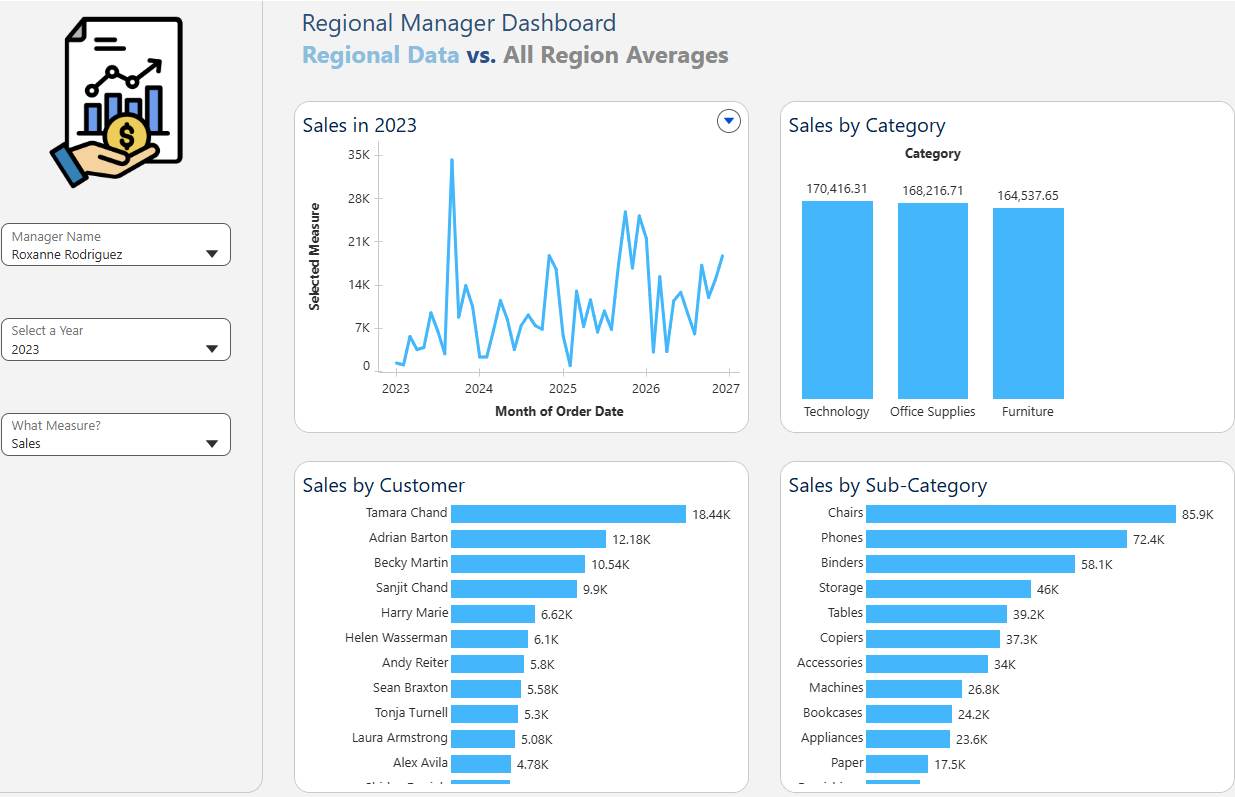
The biggest shift is that parameters, calculated fields, and metrics (or KPIs) are in the semantic model layer instead of the worksheet. That meant building the ones I needed before going to chart-building. I built Sales, Orders, Profit, and Customers as metrics instead of creating each KPI by hand. That opens up an idea I wanted to try but didn't get there in the end, which was to add conversational analytics at the bottom of the dashboard so a manager can ask questions about their region. I also liked that I could add Region and Regional Manager as dimensions for the AI insights to consider.
Final Dashboard
The challenges
- Parameters are tedious to build. I couldn’t populate a list of values from a field, so I had to enter them manually.
- Calculations need table references. Every field in a calculation has to name the table it comes from. With the number of LOD calculations I needed, that added up quickly.
- My metrics weren’t working. I was excited to have these easily created metrics for the dashboard with some interesting insights for managers, but metrics had issues today. This was out of my control and seemed to be a Tableau Next bug.
Takeaway
Tableau Next has some appealing features, especially the AI generated insights, conversational analytics, and easy-to-make KPIs through the metrics. But, there are some differences that made this project more time-consuming than I would've thought.