Ever found yourself staring at this – regularly?
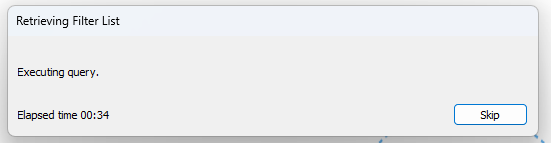
If so, you're likely working with large data volumes and could benefit from a few performance optimization steps. Performance refers to the speed at which you're able to work in Tableau, and when performance is delayed, so is time to insight. The good news is that even just a few adjustments can meaningfully speed things up. You can do this by changing your data types, being more intentional about chart usage, or tightening the syntax of your calculated fields. That said, there's no one-size-fits-all solution for performance optimization as Tableau's performance depends on the unique combination of your data source, data structure, analysis, and workbook(s). This means that not every recommendation below will apply to your situation and it's especially important to know your data well. If some changes are not relevant or feasible for you at the moment, start with the low-hanging fruit.
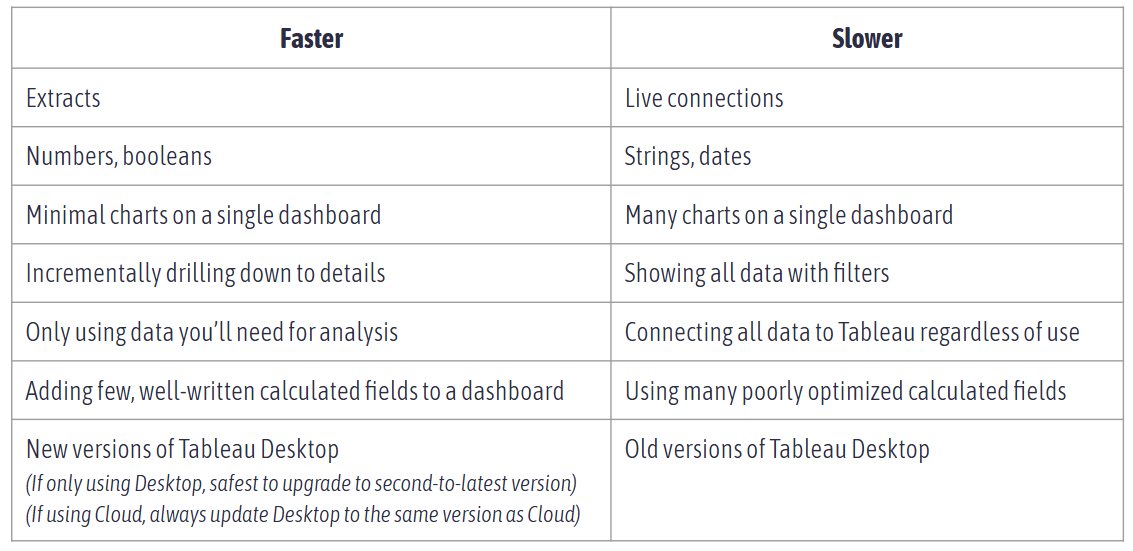
The table below breaks down the most common factors affecting Tableau's speed:
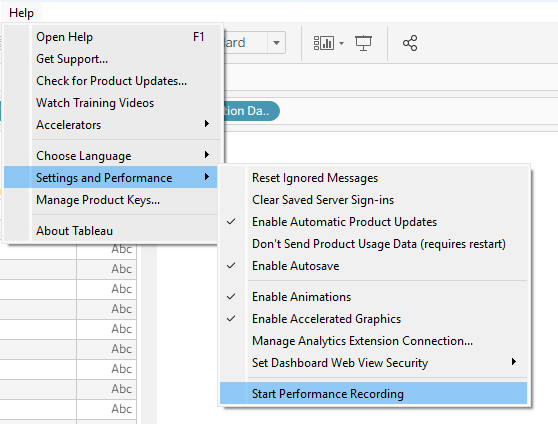
If you're stuck, Tableau's built-in performance recorder can help pinpoint exactly where things are lagging: slow calculations, many queries, and complex rendering are all common culprits. You can navigate to the performance recorder via the Help tab at the top of your view: