


I recently realised that I don’t fully understand APIs, or at least I don’t understand how to use them. In order to change this, and to improve my Python skills, I decided to write a script to call the Star Wars API (SWAPI). This blog post outlines how I built up a Python script from a basic API call, to a pipeline producing a complete data model.
What is SWAPI?
SWAPI is a large set of Star Wars data, openly available to anyone. It includes data on the People, Films, Species, Starships, Vehicles and Planets from the Star Wars universe, and is a great resource for practicing API calls.
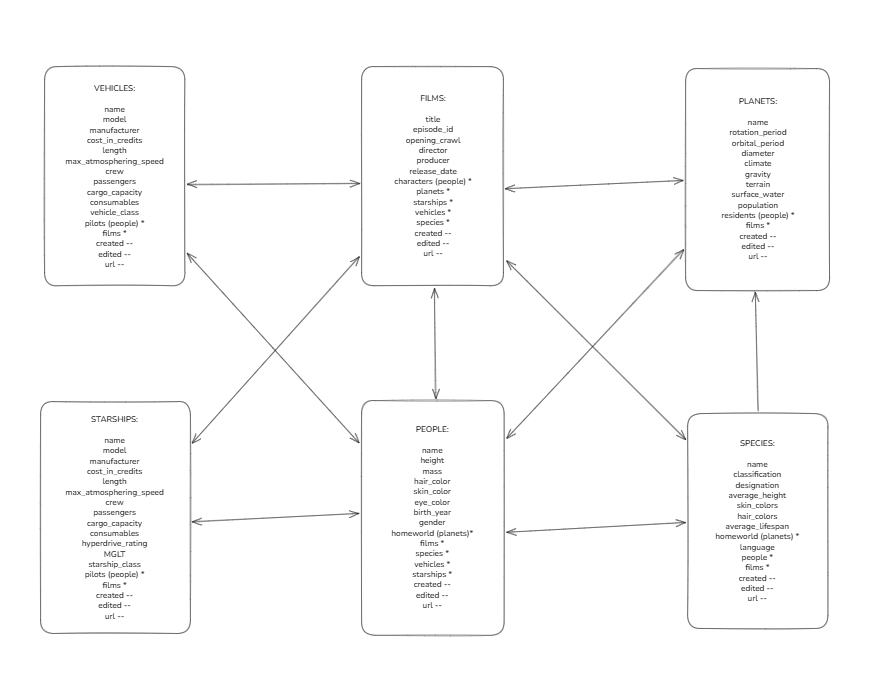
I started (as always) by sketching out the data in Excalidraw, so I could better understand the tables and relationships between them before jumping into Python.
Step 1: Get a Table
First I wanted to see if I could call a single table. SWAPI has a very helpful section for each table where it gives you the code to call the API. I chose to start with Vehicles:
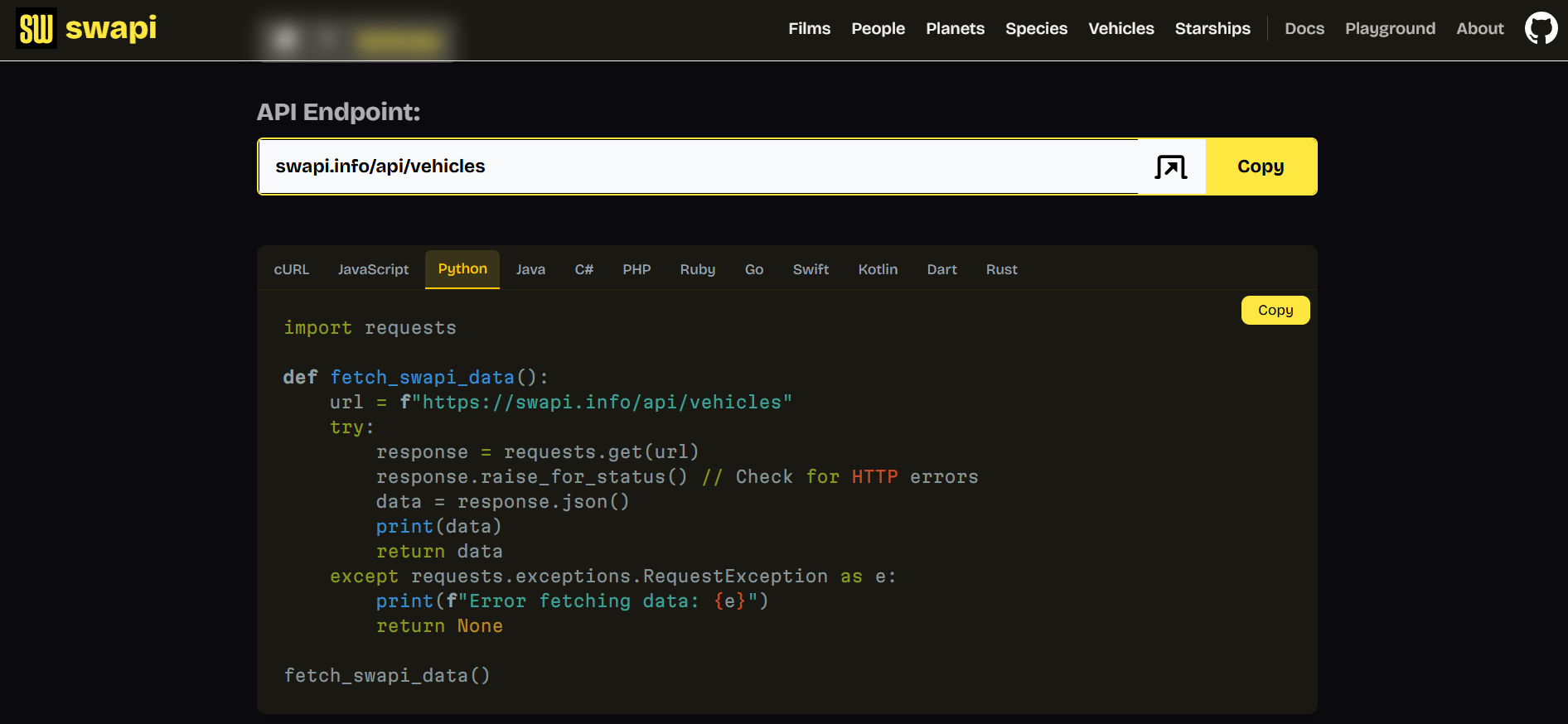
Pasting this into Python and running will give a long stream of text in the terminal that contains all of the data we’re after. However, this isn’t quite the clean, usable output that I wanted. So using Gemini I began building this out.
Where is it going?
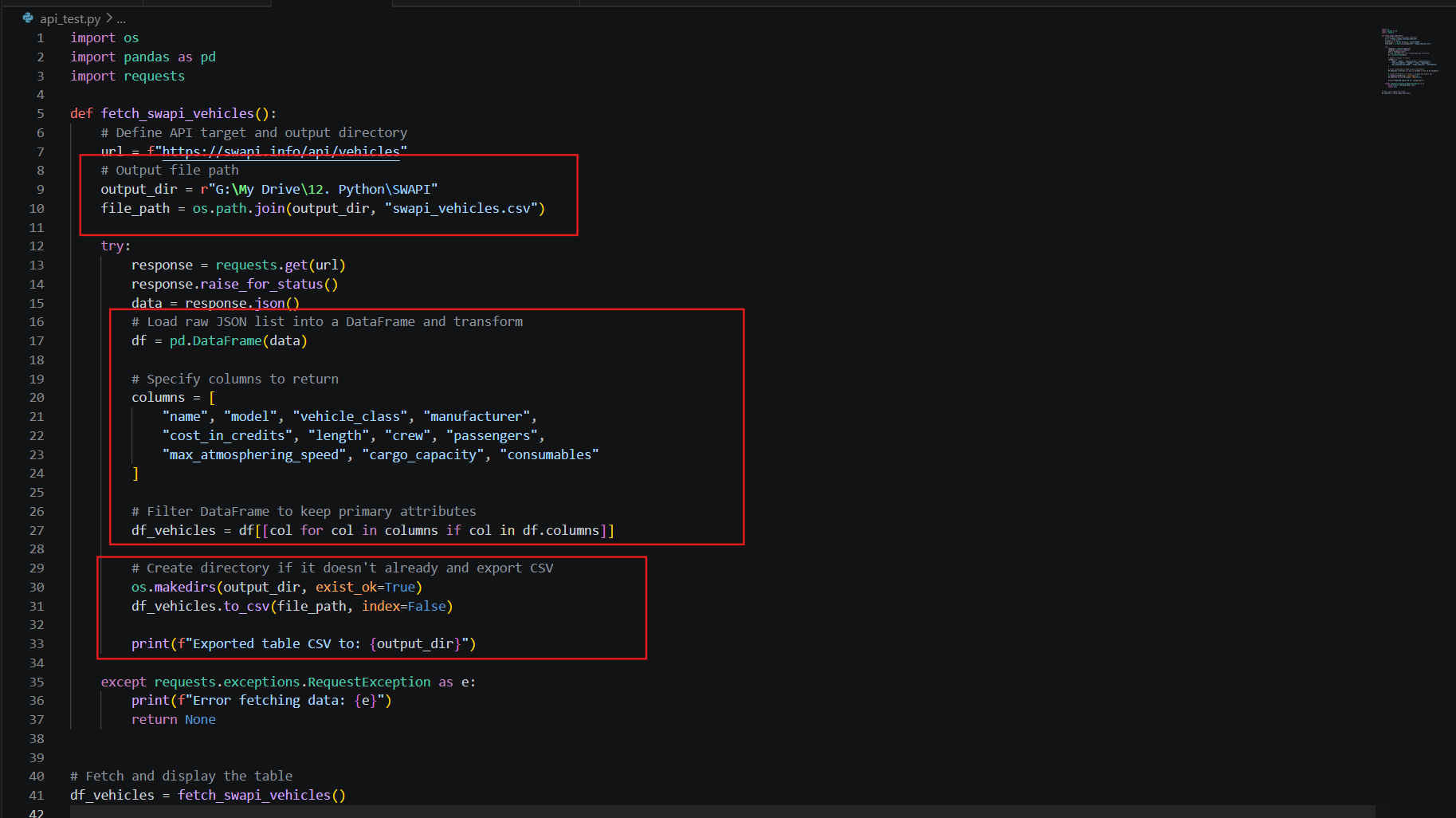
I wanted to output the table to a .csv file saved to my drive, so first I needed to specify this. For this I added the pathway to the folder I want it saved in, and the name of the output file (“swapi_vehicles.csv”).
What data do we want?
It’s important to sketch out the data first, to give a clear idea of what fields are available and which ones to include in the final CSV. In order to transform the data, first I converted it to a DataFrame (these are designed for data manipulation, unlike raw JSON). Then I specified each column I wanted to keep.
Does it work?
Finally I needed my script to create the file (or replace it if it already exists) using the previously defined path. This requires using os.makedirs(...), followed by df_vehicles.to_csv(...)
The print(...) command in the code here allows us to see that the script has run successfully.
Step 2: Link multiple tables
Having written a script to collect one table, the next step was to build out the script to collect multiple tables. Since each table had a many-to-many relationship, I needed to create a junction table to link the individual tables together. For example, focusing on the films and vehicle table, this meant I could connect the tables without exploding the rows for vehicles that appear in multiple films, or vice versa. The main tables would only include information unique to that table, and introduce an id field to connect them together:
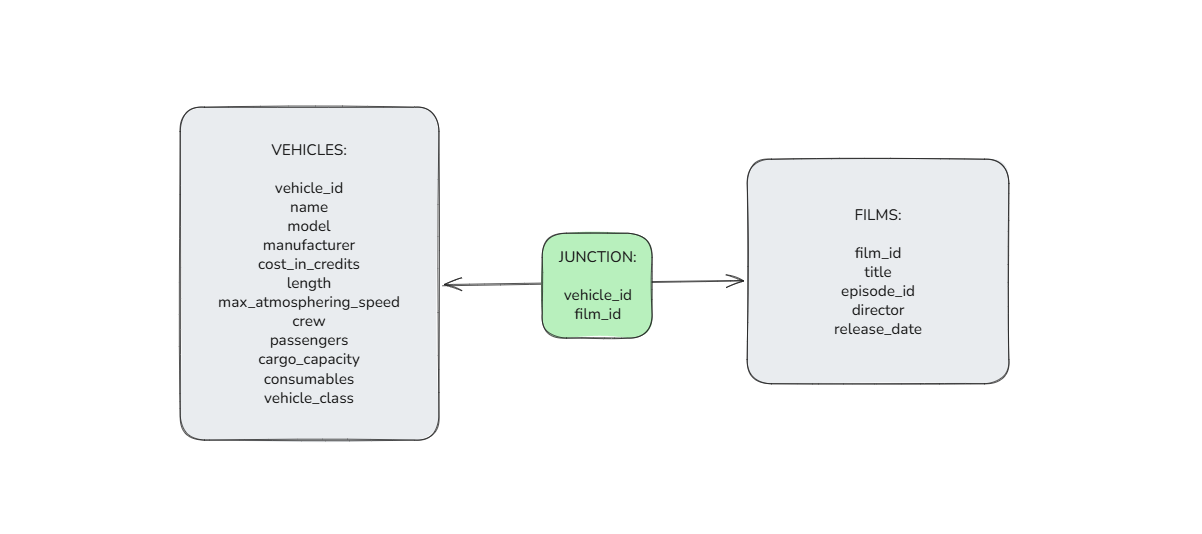
In Python, I first needed to create these id fields. Luckily each row in each table of SWAPI data has an associated url with a unique number at the end (eg The Phantom Menace includes "url": "https://swapi.info/api/films/4" ). Therefore, I could use def to create a function that, when applied to a url, returned the number at the end of it.
Next, instead of calling a single url, I needed to fetch each individual table. I put these together, calling the urls, converting to dataframes and adding the id field.
Then, to create the junction table, I exploded the films field for each vehicle_id, before applying the previous extract_id function to get the film_id. This returns a table including every film_id for every vehicle_id.
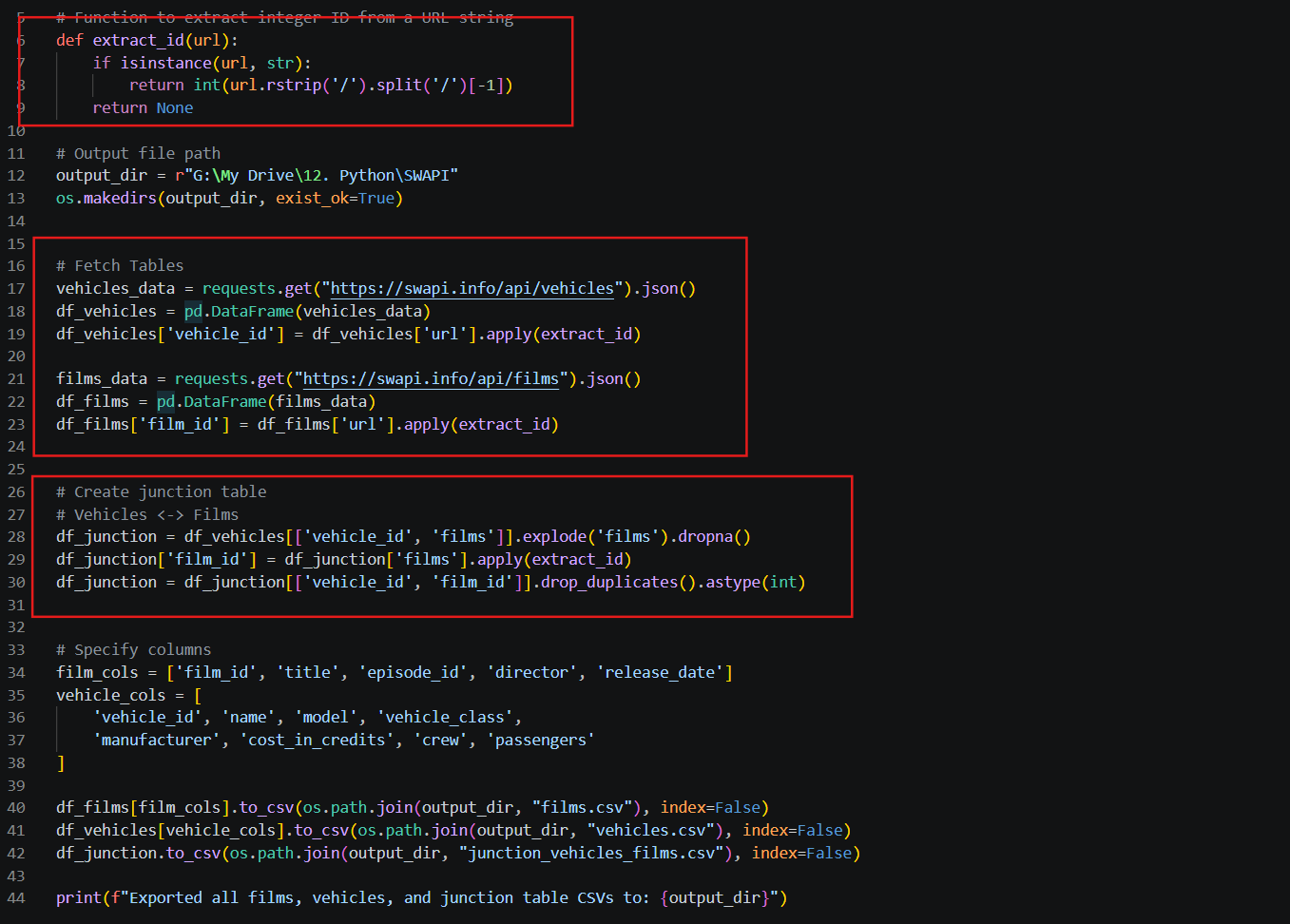
Updating the earlier script with these, and outputting with .to_csv for each table, resulted in the tables I wanted. However, this was still only part of the data I was after…
Step 3: Get all the tables and make them connect
I had made good progress with my Python script, and from here could have run the code a few times, changing the endpoints from films to people to planets etc. However, I wanted one nice script that would produce all the tables I needed.
Once again, I returned to Excalidraw to plan each table I wanted:
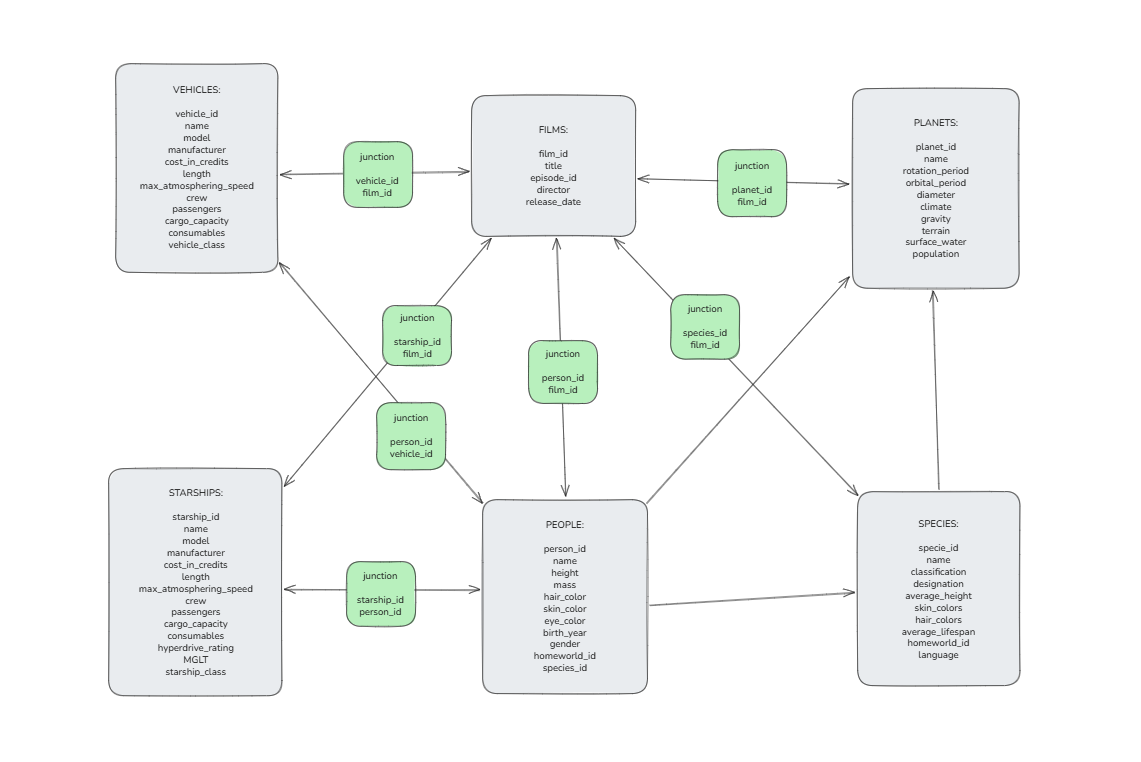
This sketch includes each main table with the specific fields, alongside a junction table between any tables with a many-to-many relationship
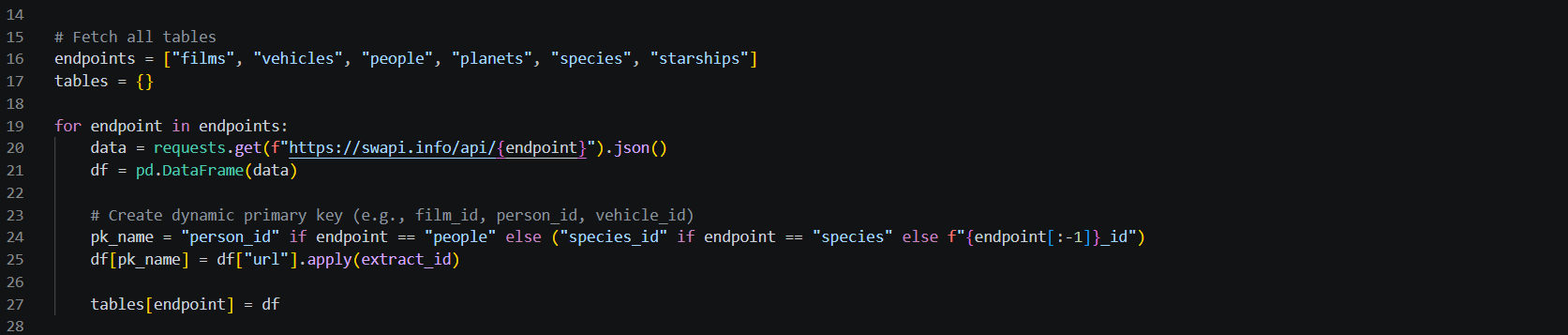
Back in Python, I expanded on how I fetched the tables earlier by defining a list of endpoints for each main table and using these in a for loop that would fetch each unique table:
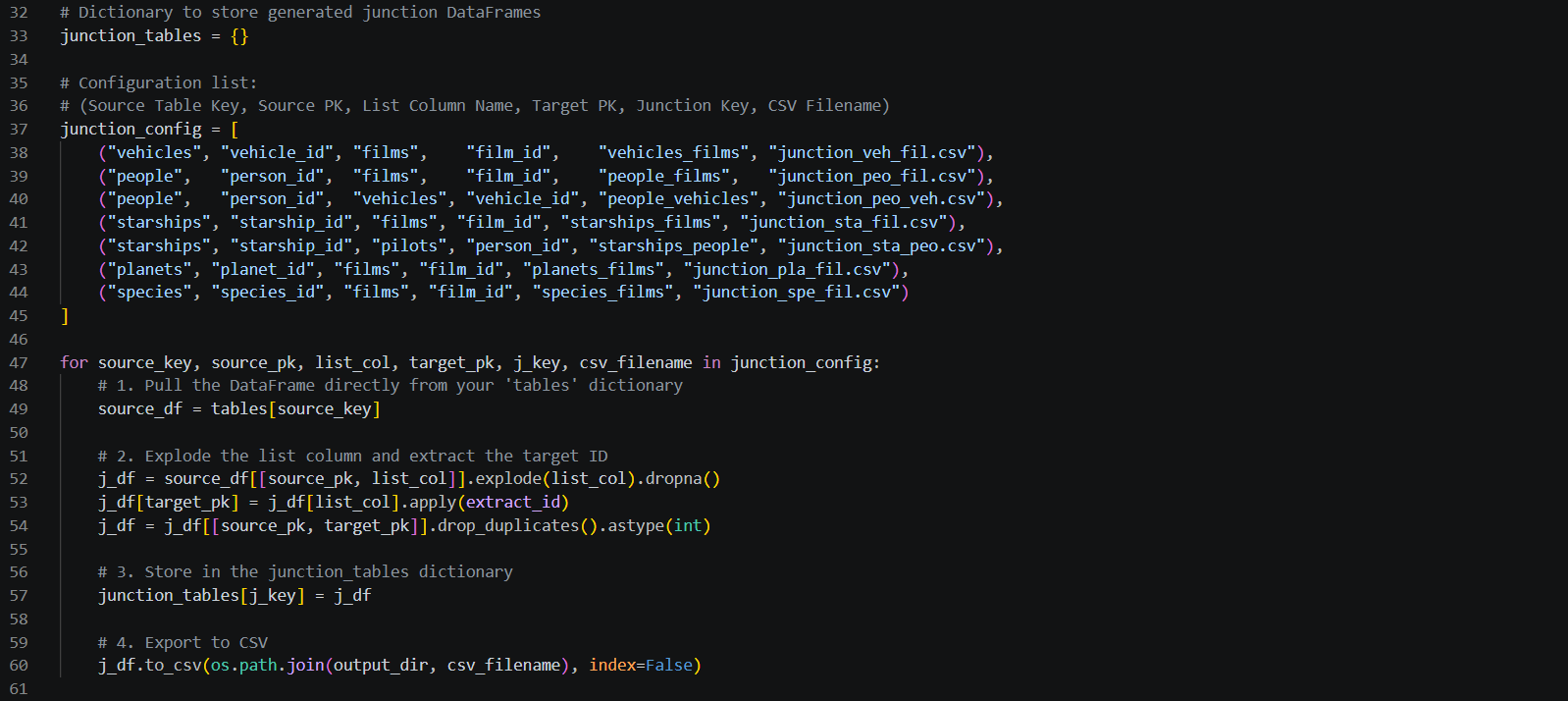
Next, I built on the previous code for creating a junction table. To do this, I added a list of each junction table combination that I needed, followed by another for loop which would construct the required CSV files.
Finally, I updated the specified columns to include each main table, before adding a final for loop to output each CSV:
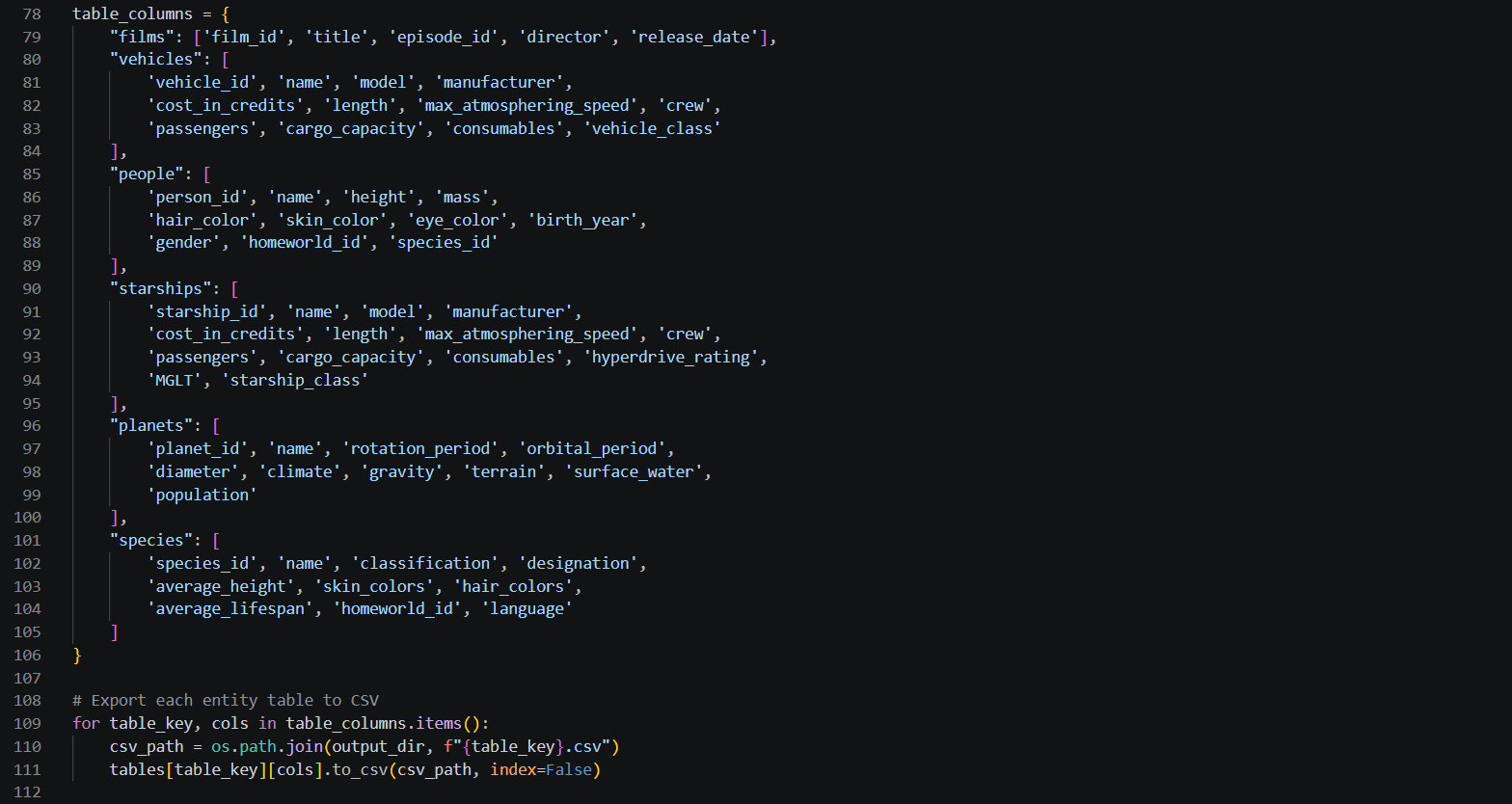
Step 4: Check your work
After running the final Python script, I opened up the CSVs and found a few errors in my outputs.
For the People and Species tables, I knew there was only one url value in the homeworld field. However, I had forgotten to apply the extract_id function, so this was coming through as a url rather than planet_id.
I also realised that each person in the People table had exactly one species, although this was still stored as a list. To return only the species_id, I first needed to isolate this single value from the list, before applying extract_id.
I added the following to the script before selecting columns to fix these issues:

Step 5: What's next?
Finally I had successfully built a Python script to call the Star Wars API and create CSVs for each table in my data model. The next step is to start thinking about how I want to use the data, and what story I might want to tell with it in a dashboard. Then I can go on to transform the raw data I have into whatever form I need for analysis.
If you want to see the full SWAPI Python script and maybe use it yourself, check it out on my GitHub.