Python’s pandas library offers all the same powerful data manipulation capabilities as SQL. In this post, I’ll walk through some basic translations from SQL over to Python, using the queries I ran during my first morning of SQL training as examples. We will be using both the pandas and numpy libraries.
Before we dive in, here are a few basic concepts to keep in mind:
- Tables are DataFrames: In
pandas, the equivalent of a SQL table is called a DataFrame. - Query Functions: I have written separate Python functions for each query. The
defkeyword is how we name our function and define its inputs. - Placeholders: You will see an argument like
ordersin these functions. This is just a placeholder name for the DataFrame we want to query. When you call the function to mimic a SQL query, you will pass your actual DataFrame in its place. - Outputs: The
returnstatement at the end of each function is where we output our final view.
To start off, here is a quick reference list of the SQL statements I’ll be using and their pandas counterparts:
| SQL Concept | Pandas Counterpart |
|---|---|
SELECT * |
df (The DataFrame itself) |
SELECT col1, col2 |
df[['col1', 'col2']] |
LIMIT 50 |
df.head(50) |
WHERE |
df[df['col'] == 'value'] |
AND / OR |
& / | (Remember to wrap each condition in ()) |
SELECT DISTINCT |
df[['col']].drop_duplicates() |
AS (Column Aliasing) |
df.rename(columns={'old_name': 'new_name'}) |
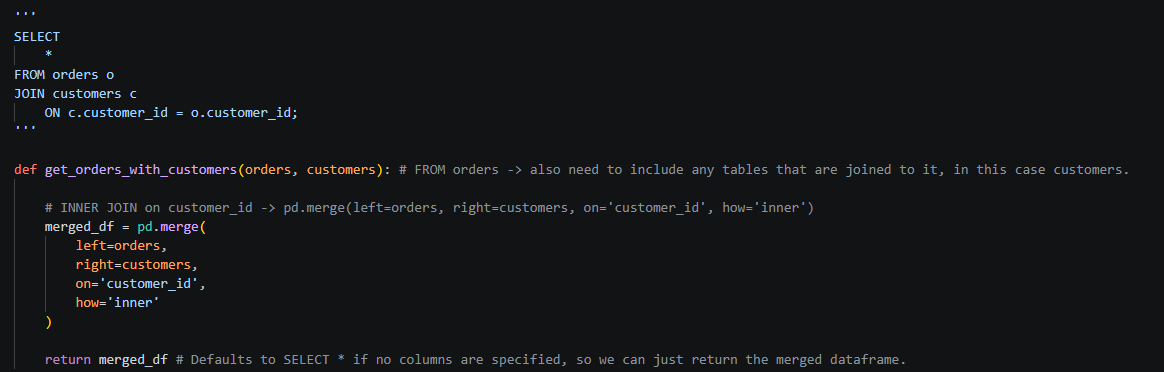
JOIN |
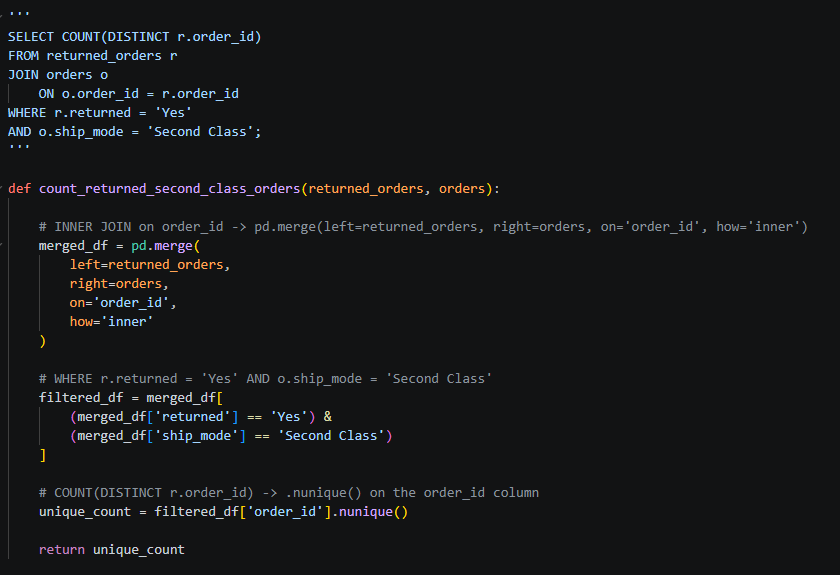
pd.merge(df1, df2, on='id', how='join type e.g. inner')
|
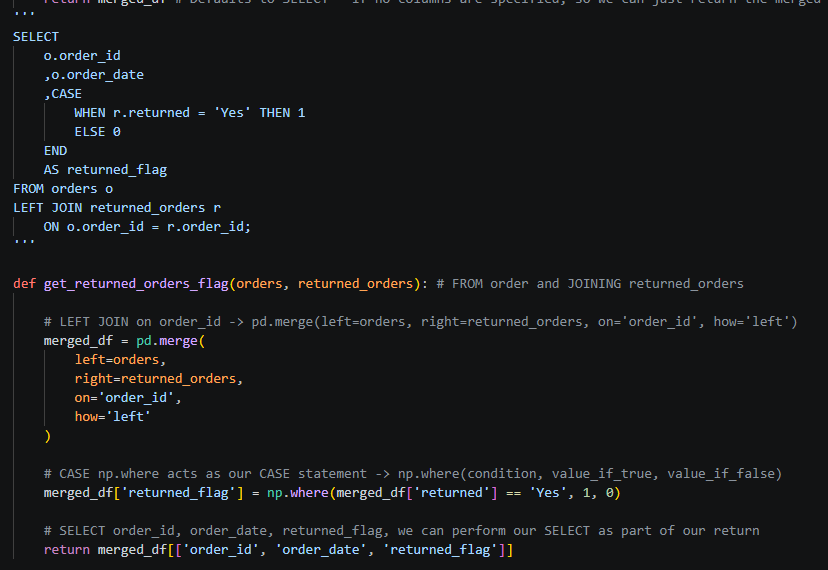
CASE WHEN |
np.where(df['col'] == 'value', true_val, false_val) |
COUNT(DISTINCT col) |
df['col'].nunique() |
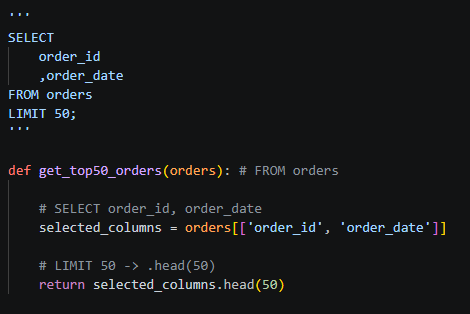
SELECT and LIMIT:
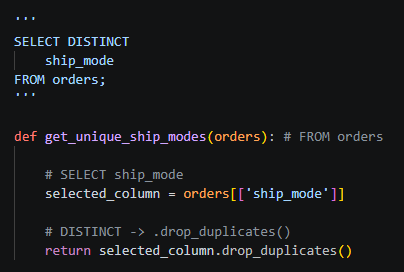
SELECT DISTINCT:
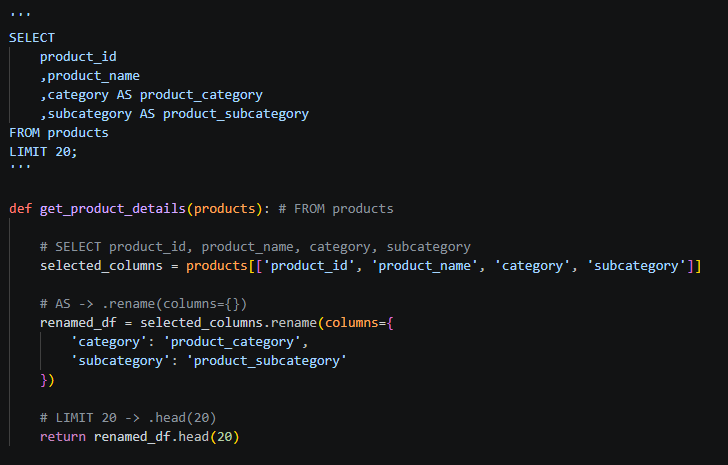
AS column name aliasing:
JOIN:
CASE:
WHERE and COUNT(DISTINCT):