


Tableau Desktop
In Tableau Desktop a Level of Detail expression is a calculated field which allows for calculations to be performed at a specific level of granularity regardless of what is displayed or filtered in the visualisiation.
There are three main types of LOD expressions, which need to be typed within {...} when created.
These three are FIXED, INCLUDE and EXCLUDE.
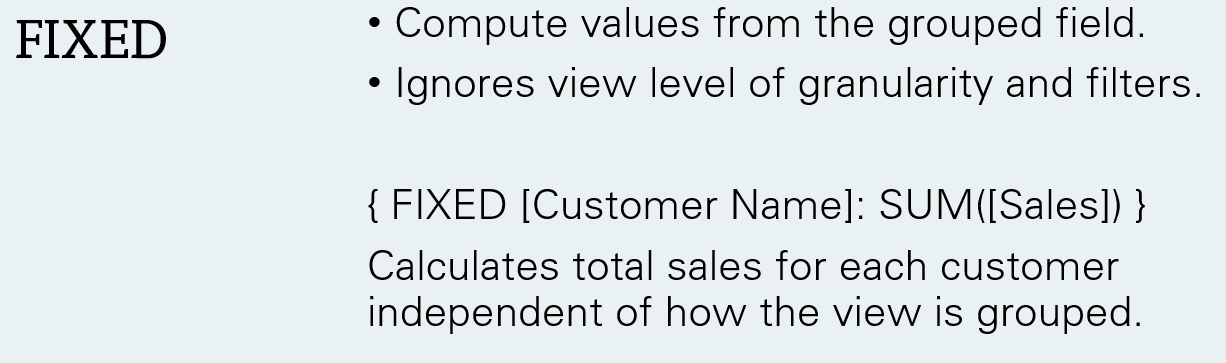
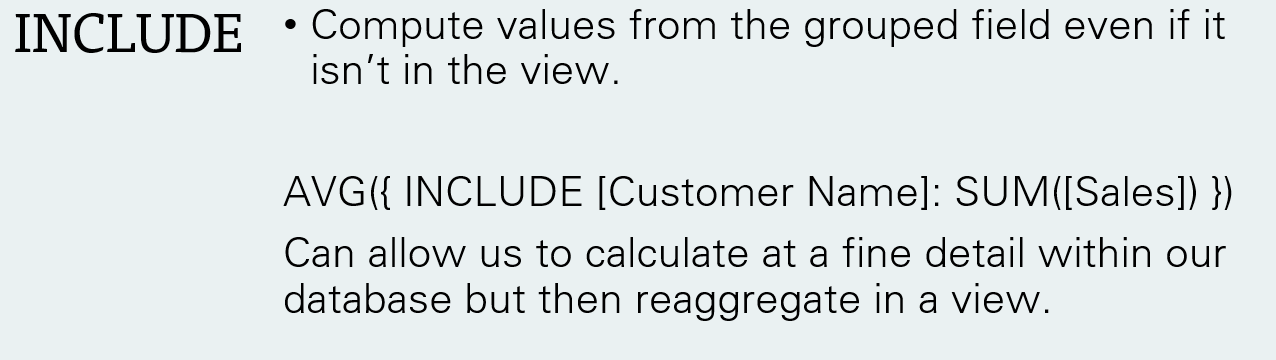
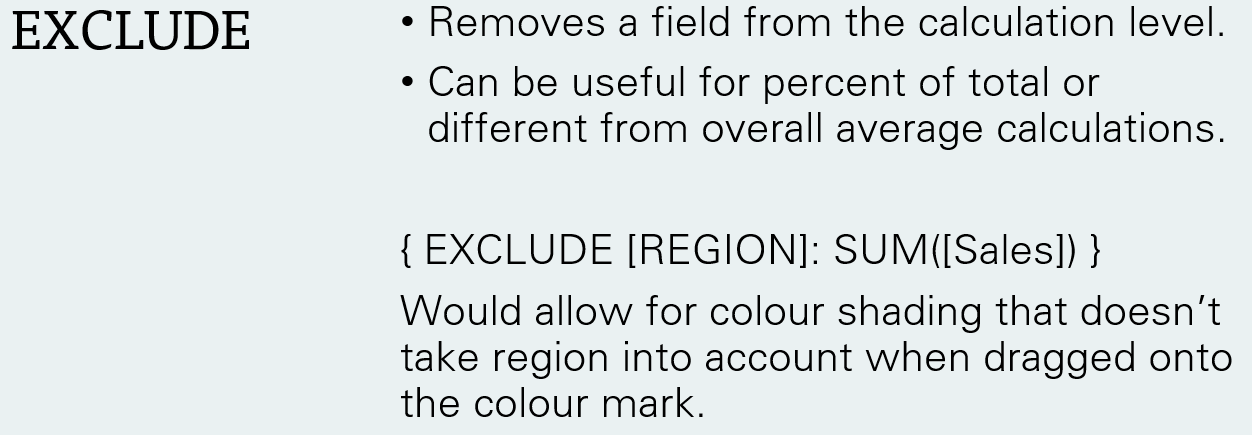
Tableau Prep
LOD expressions in Tableau Prep have similar but slightly different use cases. First off, the interface for creating them is very different. Whilst it is still possible to type out your LODs, Prep adds a nifty interface for performing the calculation.
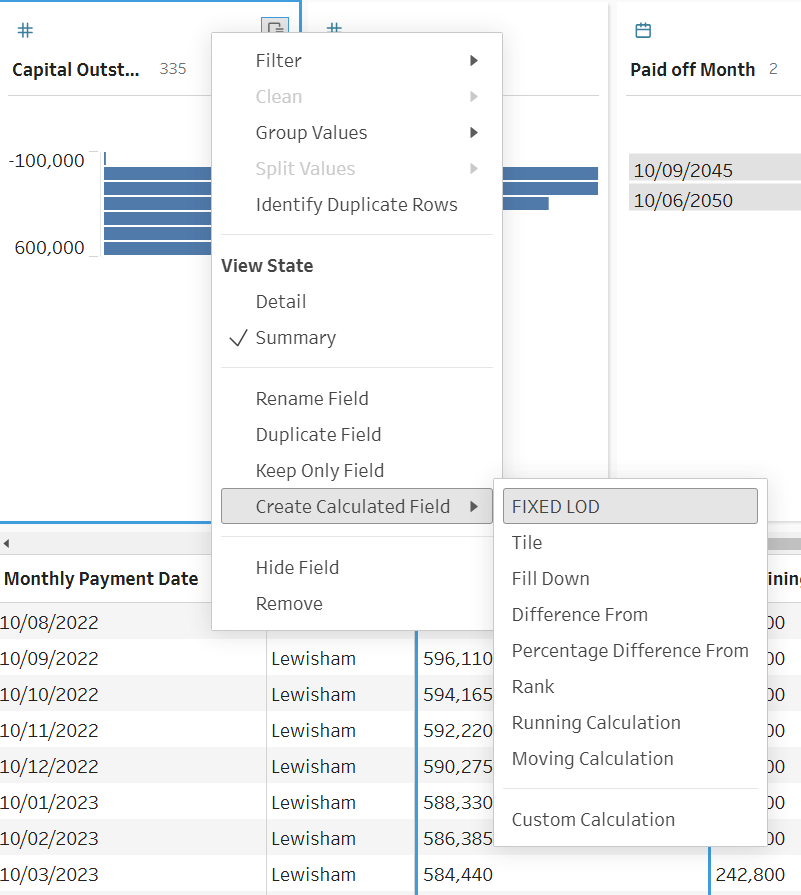
When you choose to create an a FIXED LOD through this menu it pulls up this interface:
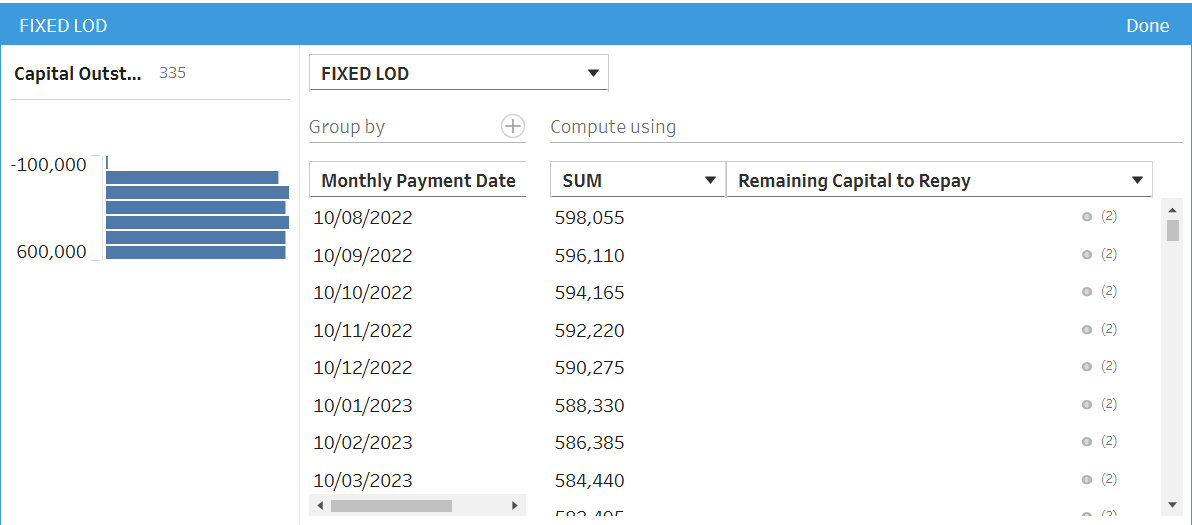
From here we can choose which field we group by with the + allowing for selection of multiple grouping fields. Under Compute using, we decide what field we will be aggregating and can select between SUM, AVG and many more. To the left we can see a visual of how our field will be distributed.
In Tableau Desktop you could achieve the same LOD using the syntax:
{FIXED [Monthly Payment Date]: SUM([Remaining Capital to Repay])}
The purpose of this calculation was that for multiple stores who both owed different amounts of interests to calculate for each date what their combined owed total was.
Why use a FIXED LOD over an Aggregation Step?
As you might have noticed using a FIXED LOD is incredibly similar to performing an Aggregation Step which is more visual and can seem more intuitive.
One of the key differences is that a FIXED LOD calculation preserves your row level detail. This allows for comparison between aggregations and row level of detail.
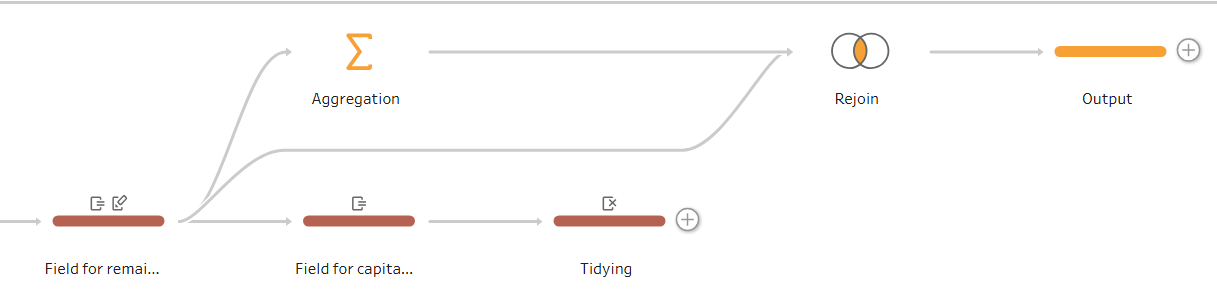
For the example I gave up above an LOD was also simpler as it could be performed in a single clean step with no extra joins. This could also have been achieved through aggregation and then self joining after as seen below with the LOD method in brown and aggregation method in orange.
Ultimately, understanding how to leverage Level of Detail expressions, whether you are defining specific granularities in Tableau Desktop or streamlining data prep flows in Tableau Prep, is a massive milestone in your Tableau journey. While Desktop gives you full control over your visual granularity using FIXED, INCLUDE and EXCLUDE, Prep's visual UI simplifies the process by letting you build FIXED calculations without the syntax.