


Table calculations are among the last transformations that happen in the tableau order of operations.
But what are they?
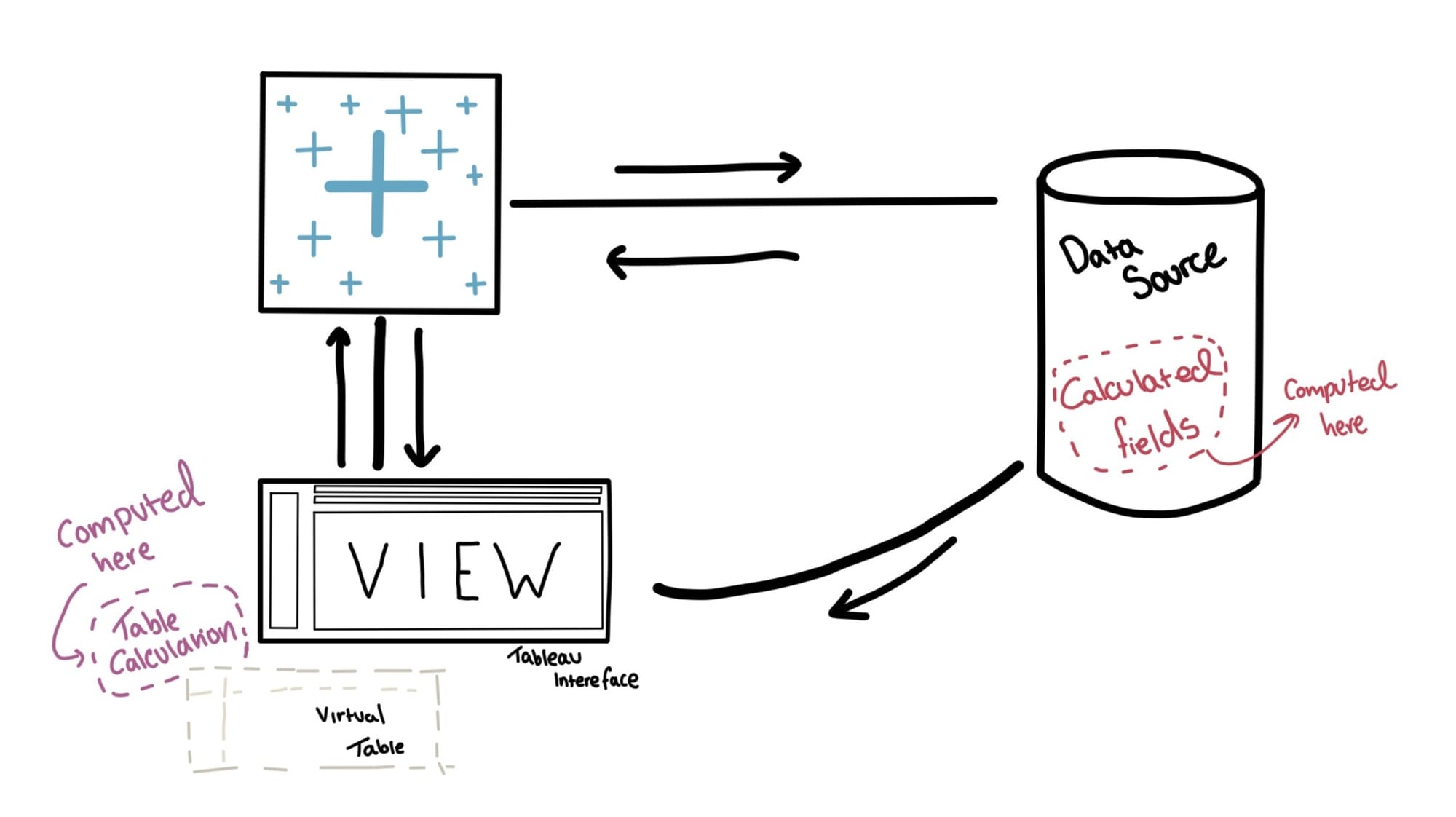
Unlike calculated fields, table calculations operate on Tableau's cache.
Think of the cache as a ghost or a virtual table. When you bring dimensions or measures into the sheet view, Tableau queries the data source and transforms it into a virtual table based on the dimensions/ measures you have brought in.
Normally, when you create a calculated field (specifically a row-level calculation), it is done at the data source level. Aggregated Calculations ( like SUM([Profit])) are processed by the database and then returned to Tableau as a single value. However, table calculations are performed at the cache level; think of it like Tableau is locally computing a calculation. This allows you to perform aggregations on data that has already been aggregated.
Here is a visual to help this information click!
Let's take a look at some examples of Table Calculations within Tableau:
RUNNING_SUM ()
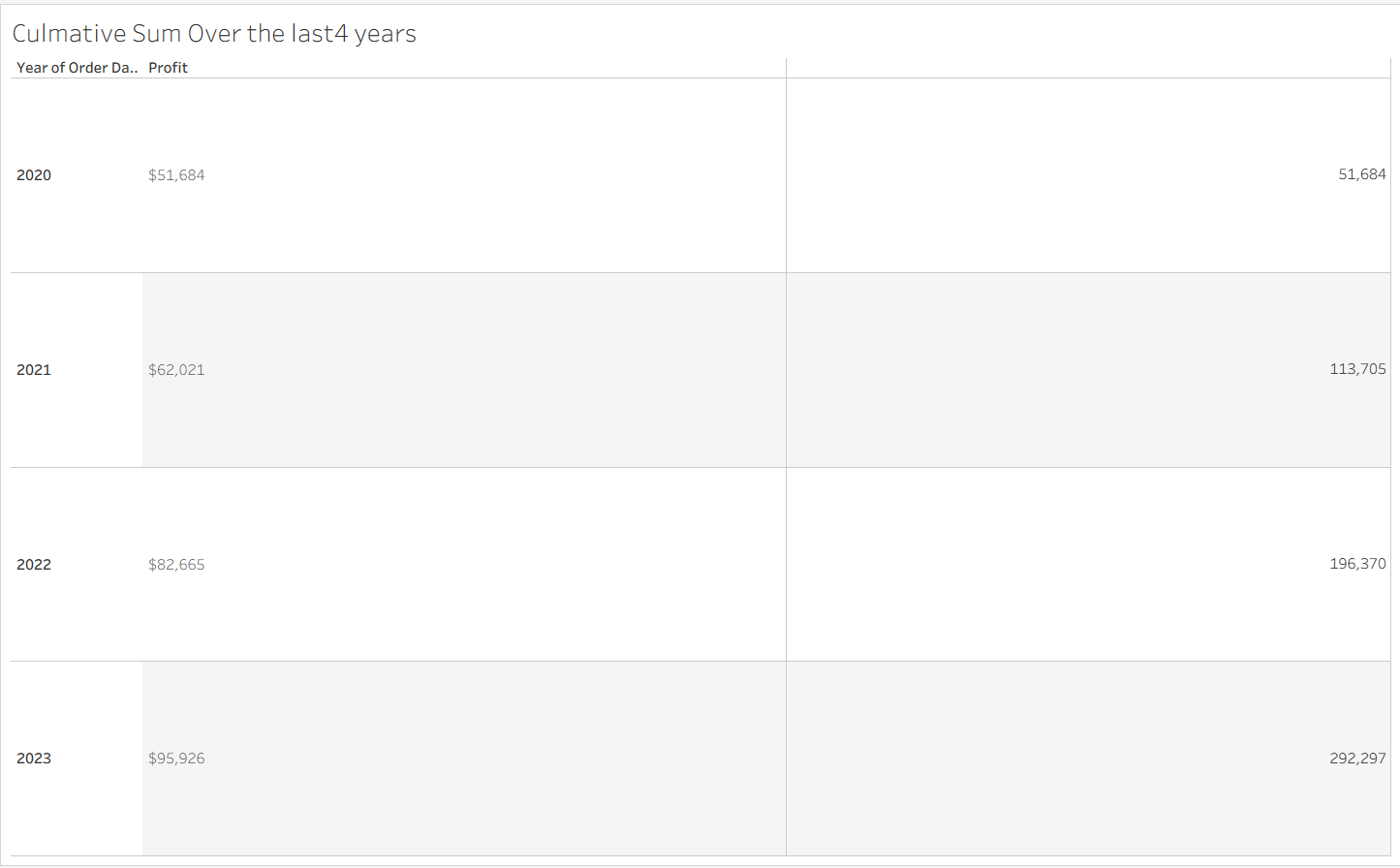
Assume we want to plot the increase in profit year by year, and we end up getting the total profit made across the last 4 years.
In order to see that progressive increase year on year, we need to create a cumulative frequency.
We can do this via the RUNNING_SUM():
What is going on in the background is that the profit column in figure 1 is showing you the aggregation in the 'virtual table'; this is what tableau is seeing when you bring in the SUM([profit]).
The RUNNING_SUM() table calculation then takes these values and further sums them up, and produces the right column.

LOOKUP()
Lookup() is another table calculation that allows you to refer back to a calculation that was already created within the view.
For example;
We would like to know how much profit we made from the previous year

And so we use a lookup to take the total profit of the previous row and subtract that from the current row (SUM([Profit])).
Think of Lookup() as a way to point to the output of some calculation or table. Instead of performing that calculation over and over again.
Something to remember! If it's not in view, then the table Calculation can't see it!
-- This will be an ongoing series, more table calc examples to come! --