


Tableau provides easy native functionality for navigating between dashboards within a workbook, using navigation buttons. As you add more dashboards, it’s easy to copy and paste navigation buttons across sheets — or simply rely on the built-in sheet tabs.
Navigation between workbooks on Tableau Server/Cloud can also be integrated into the dashboard UI using URL-linked images or URL actions. The problem in this multi-workbook case is that the navigation logic is embedded separately within each workbook, making scalability difficult and increasing maintenance time: whenever you want to add, remove, rename, or relocate a dashboard, every single workbook file has to be edited and republished with the updated logic.
This is an issue my team at Barclays encountered as the number of inter-connected workbooks crept up. Ten linked workbooks meant editing and re-publishing ten times whenever the navigation needed changing. The solution I came up with was to offload the dashboard navigation onto a single centralised URL repository - with the principle that updating this repository would update the navigation systems and UI in all of the workbooks.
A simple version of this system is given below:
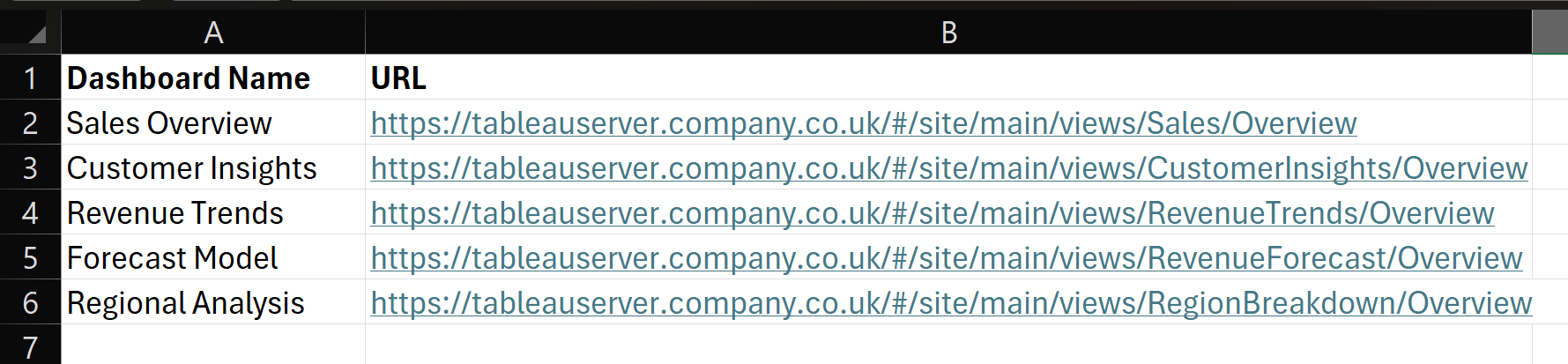
First, create the repository - this can be as simple as an Excel file stored on the server alongside the workbooks. It should contain the dashboard names (as they should display in the navigation UI) and the workbook URLs.
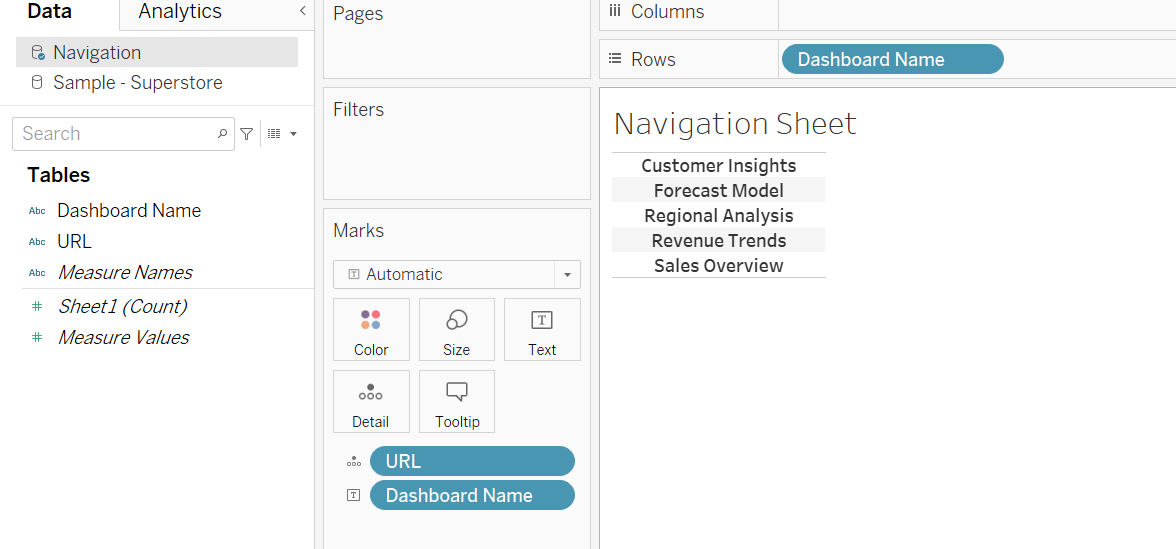
In your workbooks, add this navigation repository as a new data source, then create a new sheet. This sheet will function as the navigation bar in all your dashboards, and should contain the Dashboard Name field (to display), and the URL field on detail (to feed the navigation action).
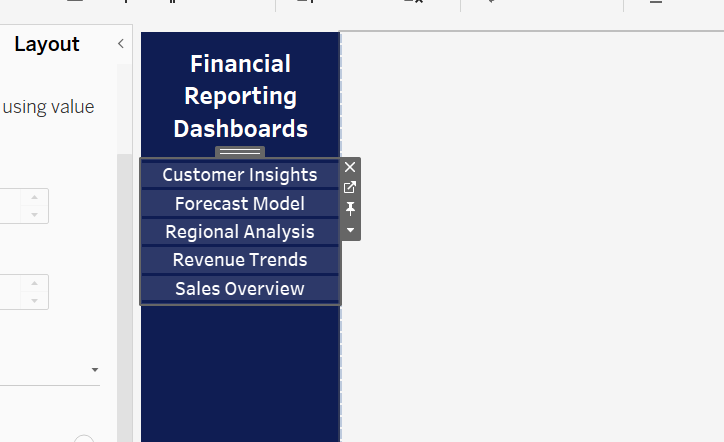
Add the sheet to the dashboards in a menu bar (you may want to leave sheet height/width unfixed so it can resize to accommodate future buttons).
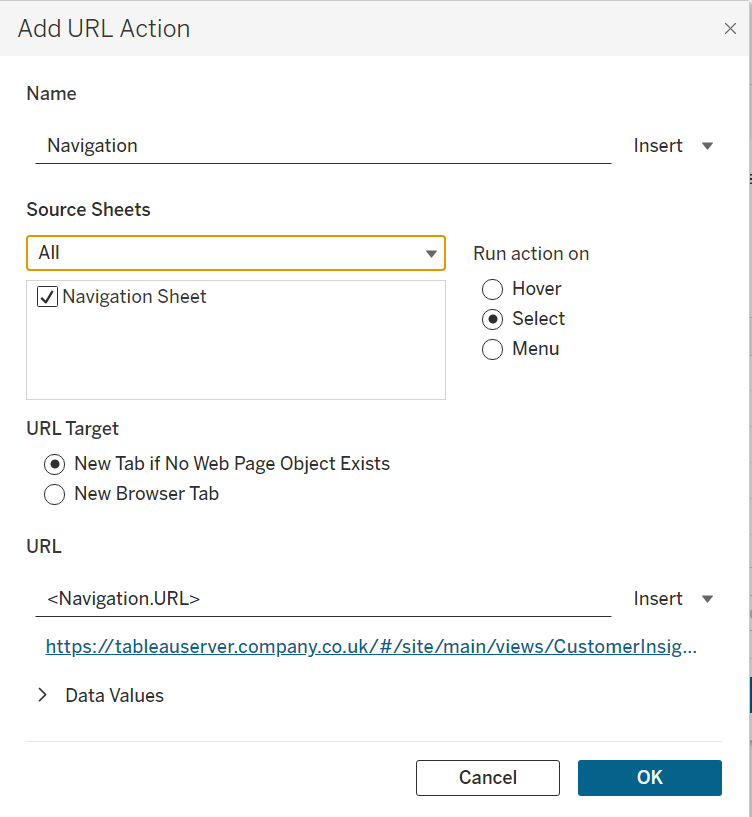
Create an action to manage the navigation. The action should be sourced from the navigation sheet we created, run on select, and navigate based on the URL field.
Finally, upload all your connected workbooks with the new navigation system in place. These workbooks no longer contain navigation logic, they simply render whatever the repository provides. When new workbooks are uploaded, existing ones deleted, dashboards renamed, or URLs change, the navigation system for all of the workbooks can be updated by a single edit of the URL repository.